Twitter Content Calendar Template: Plan Your Posts for Impact
Get a Twitter content calendar template that actually works. Learn how to plan, organize, and maintain consistent posting with proven frameworks.
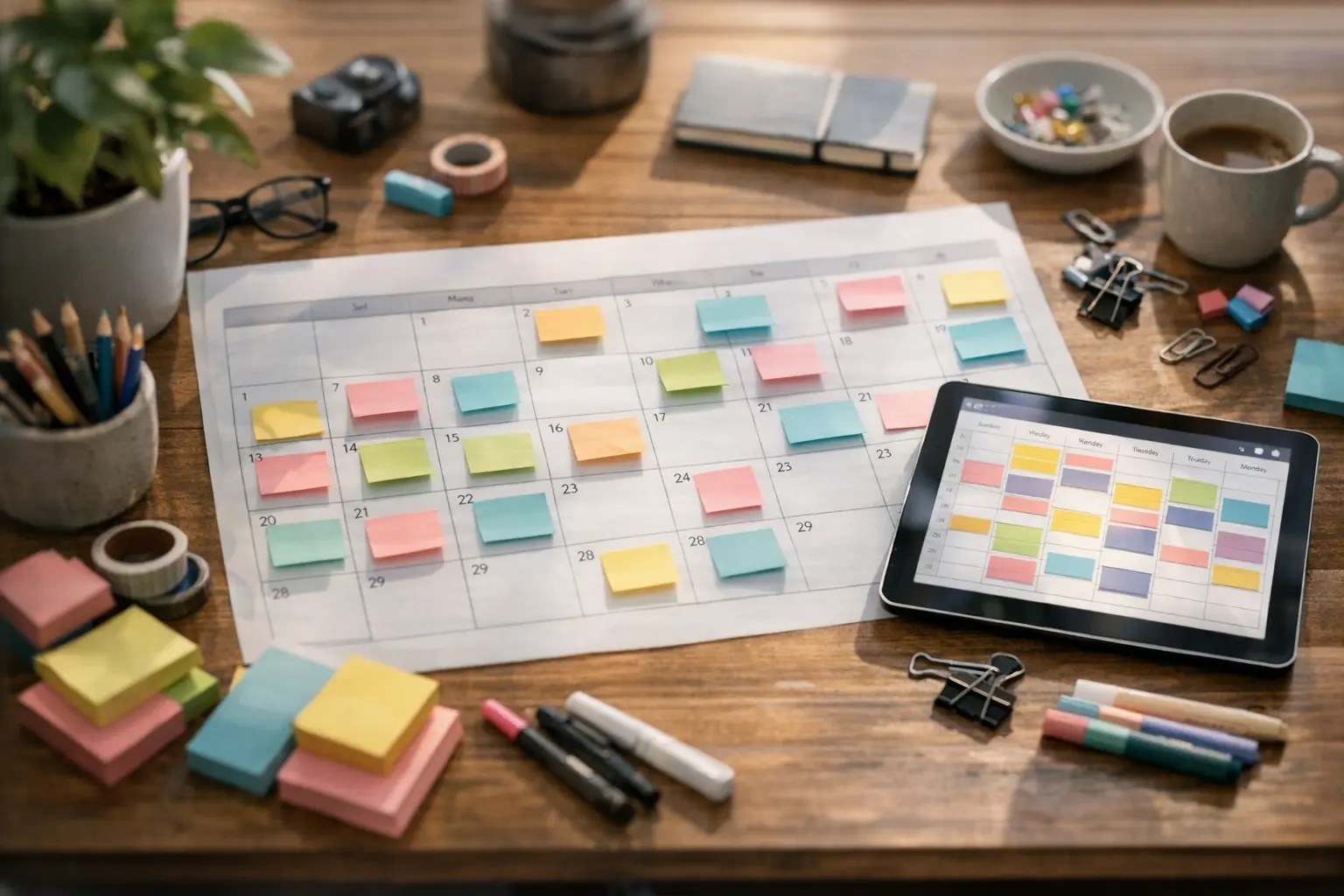
A Twitter content calendar template transforms reactive, inconsistent posting into a strategic system that drives real engagement. Instead of staring at a blank compose screen wondering what to tweet, you’ll have a clear roadmap of content planned days or weeks ahead—content designed to grow your audience and support your goals.
The most successful Twitter accounts don’t wing it. They plan deliberately, batch their content creation, and execute consistently. This guide provides everything you need to build a Twitter content calendar that fits your workflow, plus ready-to-use template examples you can adapt immediately.
Why You Need a Twitter Content Calendar
Twitter moves fast. The platform’s real-time nature creates pressure to always be “on,” responding to trends and posting in the moment. But this reactive approach exhausts creators and produces inconsistent results.
A content calendar shifts you from reactive to proactive. Instead of scrambling for tweet ideas daily, you invest focused time planning content in advance. This upfront investment pays dividends through better content quality, consistent posting, and reduced daily stress.
Consistency Compounds Over Time
The Twitter algorithm and your audience both reward consistency. Accounts that post reliably at predictable intervals build audience expectations and algorithmic favor. Sporadic posting—even brilliant sporadic posting—struggles against consistent mediocrity.
Your calendar enforces consistency by making your posting schedule visible and concrete. When you see gaps in your planned content, you fill them before they become missed posting days. The calendar holds you accountable to the rhythm your growth requires.
Strategic Variety Becomes Visible
When you plan content in a calendar format, patterns emerge. You might notice you’ve scheduled five promotional tweets in a row, or that you haven’t posted any threads in two weeks. These imbalances are invisible when posting day-to-day but obvious in calendar view.
Strategic content planning means intentionally mixing content types, topics, and formats. Your calendar makes this mix explicit and adjustable, ensuring your feed remains engaging rather than repetitive.
Batching Unlocks Efficiency
Creating content in batches is dramatically more efficient than creating tweet-by-tweet. When you sit down to plan a week of content, you enter a creative flow state that produces better ideas faster than context-switching between content creation and other tasks.
We explore batching strategies in depth in our content batching guide, but your calendar is what makes batching possible. Without a calendar to fill, you have no container for batched content.
Components of an Effective Twitter Content Calendar
Before diving into templates, understand what information your calendar needs to capture. The right components make your calendar genuinely useful; too many create friction that leads to abandonment.
Essential Calendar Elements
| Component | Purpose | Example |
|---|---|---|
| Date & Time | When content publishes | March 15, 2026 at 9:00 AM EST |
| Content Type | Single tweet, thread, poll, etc. | Thread (5 tweets) |
| Topic/Theme | What the content covers | Productivity tips |
| Full Text | Complete tweet copy | “Here’s what most people get wrong about morning routines…” |
| Media | Images, videos, or links included | Infographic attached |
| Status | Draft, scheduled, published | Scheduled |
These six elements form the core of any functional Twitter calendar. You can add more fields—hashtags, mentions, campaign tags—but start with these essentials.
Optional Advanced Elements
As your calendar practice matures, consider adding:
- Content pillar category: Which of your 3-5 main themes does this serve?
- Goal tracking: What outcome does this content support (engagement, traffic, conversions)?
- Performance notes: After publishing, record key metrics for future reference
- Evergreen flag: Can this content be recycled later?
- Cross-platform indicator: Is this adapted for or from other platforms?
Add these only when the basic calendar feels comfortable. Overcomplicating too early creates calendars that look impressive but don’t get used.
Weekly Twitter Content Calendar Template
This weekly template provides a practical starting point for most creators and small teams. The structure balances planning detail with flexibility.
Week-at-a-Glance Template
This Twitter content calendar template provides a complete week of planned content with optimal variety. Each slot includes the essential elements discussed above, making it easy to copy into your preferred tool and start planning immediately.
| Day | Time | Content Type | Topic | Content/Hook | Status |
|---|---|---|---|---|---|
| Monday | 9:00 AM | Single Tweet | Industry insight | “The biggest mistake I see in [industry]…” | Draft |
| Monday | 2:00 PM | Quote Tweet | Community engagement | Thoughtful addition to trending discussion | Planned |
| Tuesday | 8:30 AM | Thread | Educational | Step-by-step breakdown of [topic] | Draft |
| Tuesday | 4:00 PM | Single Tweet | Behind-the-scenes | Work in progress or daily update | Planned |
| Wednesday | 9:00 AM | Poll | Audience research | “Which do you prefer: A or B?” | Draft |
| Wednesday | 1:00 PM | Single Tweet | Promotional | Soft pitch for product/service | Draft |
| Thursday | 8:00 AM | Thread | Storytelling | Personal experience or case study | Draft |
| Thursday | 3:00 PM | Single Tweet | Curated content | Sharing valuable resource with commentary | Planned |
| Friday | 9:00 AM | Single Tweet | Engagement prompt | Question to spark conversation | Draft |
| Friday | 12:00 PM | Retweet + Comment | Community building | Amplifying someone in your niche | Planned |
| Saturday | 10:00 AM | Single Tweet | Personality/humor | Lighter weekend content | Draft |
| Sunday | 11:00 AM | Thread | Value-packed | Comprehensive guide or list | Draft |
How to Use This Template
- Copy the structure into your preferred tool (spreadsheet, Notion, project management app)
- Adjust posting times based on when your audience is most active
- Modify the content type mix to match your strengths and goals
- Fill in specific content during weekly planning sessions
- Update status as content moves from draft to scheduled to published
The template is a starting point, not a mandate. If threads aren’t your strength, swap some for single tweets. If you prefer higher posting volume, add more slots. Make the template serve your actual workflow.
Monthly Content Calendar Overview
While weekly templates handle tactical execution, monthly views enable strategic planning. A monthly overview helps you see the bigger picture and plan around key dates.
Monthly Planning Template
A monthly Twitter content calendar template connects weekly tactics to overarching themes and goals. This high-level view ensures your day-to-day posting serves bigger strategic objectives while accounting for key dates and campaigns.
| Week | Theme/Focus | Key Content | Special Dates | Goals |
|---|---|---|---|---|
| Week 1 (Mar 1-7) | Product awareness | Launch thread, feature highlights | Industry conference (Mar 3) | 3 threads, 500+ engagement |
| Week 2 (Mar 8-14) | Educational series | How-to thread series | Daylight saving (Mar 9) | Complete 5-part series |
| Week 3 (Mar 15-21) | Community building | AMA, follower spotlights | St. Patrick’s Day (Mar 17) | 50+ replies, 10 new connections |
| Week 4 (Mar 22-28) | Authority building | Case studies, results | Quarter end prep | 2 viral-format threads |
| Week 5 (Mar 29-31) | Month review | Lessons learned, gratitude | Easter weekend | Reflection content |
Monthly Calendar Details
| Date | Day | Primary Content | Secondary Content | Campaign/Theme |
|---|---|---|---|---|
| Mar 1 | Sat | Industry prediction thread | - | Month kickoff |
| Mar 2 | Sun | Curated resources list | - | Week 1: Awareness |
| Mar 3 | Mon | Conference live-tweets | Industry hot takes | Conference coverage |
| Mar 4 | Tue | Follow-up insights thread | Behind-the-scenes | Week 1: Awareness |
| Mar 5 | Wed | Product feature highlight | User testimonial share | Week 1: Awareness |
| Mar 6 | Thu | Tips thread | Engagement question | Week 1: Awareness |
| Mar 7 | Fri | Week recap | Community shoutouts | Week 1: Awareness |
| … | … | … | … | … |
Fill in all dates for a complete monthly view. This structure helps you balance weekly tactical content with monthly strategic objectives.
Content Pillars: Building Variety Into Your Calendar
Content pillars are the 3-5 recurring themes that define your Twitter presence. They ensure topical consistency while preventing repetitive content. Learn more about building effective content variety in our guide to building a content calendar that works.
Example Content Pillar Framework
Your Twitter content calendar template becomes more powerful when organized around content pillars. This framework shows how to distribute different content types to maintain audience interest while staying true to your brand identity.
| Pillar | Description | Content Examples | Frequency |
|---|---|---|---|
| Industry Expertise | Insights from your professional domain | Tips, trends, analysis, predictions | 30-40% |
| Personal Journey | Behind-the-scenes of your work and life | Process shares, lessons, struggles | 20-25% |
| Community Value | Content that serves your audience directly | How-tos, resources, answers | 20-25% |
| Promotional | Direct business-related content | Product mentions, launches, offers | 10-15% |
| Personality | Human, relatable, entertaining content | Humor, opinions, relatability | 10-15% |
Mapping Pillars to Your Calendar
When filling your calendar, assign each content slot to a pillar. This makes variety explicit rather than accidental:
Monday Content Slots
- 9:00 AM: Industry Expertise (insight tweet)
- 2:00 PM: Community Value (helpful thread)
As the week progresses, your Twitter content calendar template should rotate through different pillars to maintain freshness.
Tuesday Content Slots
- 8:30 AM: Personal Journey (behind-the-scenes)
- 4:00 PM: Personality (lighter content)
Mid-week slots often perform well for promotional content since audiences are in work mode.
Wednesday Content Slots
- 9:00 AM: Community Value (tips or tutorial)
- 1:00 PM: Promotional (soft pitch)
Continue this mapping through your week. When you see too many slots assigned to one pillar, rebalance to maintain variety.
How to Populate Your Calendar Efficiently
Having a calendar template is one thing; filling it with quality content is another. These strategies make calendar population faster and more effective.
Weekly Planning Sessions
Block 60-90 minutes weekly for calendar planning. During this session:
- Review the previous week: What performed well? What underperformed?
- Check upcoming dates: Any holidays, events, or launches to plan around?
- Generate content ideas: Brainstorm without judgment, then select best ideas
- Draft content: Write complete tweets and threads, not just topics
- Schedule content: Move finished content into your scheduling tool
- Note gaps: Identify any slots that need attention later
This single focused session replaces scattered daily content creation. For more on this approach, see our guide on how to plan a month of content.
Content Idea Sources
When your calendar has empty slots, draw from these sources:
- Questions from your audience: DMs, replies, and comments reveal what people want to know
- Industry news and trends: Timely takes on current events
- Your own content: Repurpose blog posts, newsletters, or past successful tweets
- Competitor analysis: What topics resonate in your niche?
- Personal experience: Stories and lessons from your work
- Content formats that work: Proven structures like lists, contrarian takes, step-by-steps
Keep a running list of content ideas in a notes app or document. When planning sessions arrive, you’ll have raw material ready to develop.
Thread Development Workflow
Threads demand more planning than single tweets because they represent a significant content investment. Following a structured workflow ensures each thread delivers maximum value while fitting seamlessly into your Twitter content calendar template.
- Start with the hook: The first tweet determines whether anyone reads further
- Outline key points: What must this thread communicate?
- Expand each point: Turn outline bullets into full tweets
- Check tweet breaks: Ensure each tweet stands alone and flows to the next
- Add visual elements: Images, screenshots, or graphics if appropriate
- Write the CTA: How should readers engage or take action?
- Schedule strategically: Place threads in high-engagement time slots
For detailed thread scheduling guidance, see our complete guide on how to schedule Twitter posts.
Maintaining and Updating Your Calendar
A calendar only works if you maintain it. Static calendars quickly become outdated and ignored. Your Twitter content calendar template requires regular attention to remain relevant and useful. Build these maintenance habits to keep your calendar working for you.
Daily Quick Review (5 minutes)
Start each day with a quick calendar check to ensure everything is on track. This brief review catches issues before they become problems and keeps you connected to your content strategy.
- Check what’s scheduled to publish today
- Verify content is still appropriate given current context
- Respond to any engagement on recently published content
- Note any reactive content opportunities to add
Weekly Full Review (30 minutes)
Set aside dedicated time each week for a comprehensive calendar review. This session bridges the gap between daily management and monthly strategy, ensuring nothing falls through the cracks.
- Update status on all published content
- Add performance notes for analysis
- Finalize next week’s content
- Adjust upcoming content based on what you’ve learned
- Replenish your content idea list
Monthly Strategic Review (60 minutes)
Once a month, step back to evaluate your Twitter content calendar template’s effectiveness at the strategic level. This deeper analysis reveals patterns and opportunities that daily or weekly reviews miss.
- Analyze the month’s content performance
- Identify top-performing content types, topics, and times
- Evaluate progress toward content goals
- Plan next month’s themes and campaigns
- Update your template if workflow has changed
Calendar Hygiene Practices
Just like any system, your content calendar needs regular cleanup to function optimally. These practices prevent clutter from accumulating and keep your Twitter content calendar template organized and actionable.
- Delete old, unused ideas: If a content idea has sat unscheduled for over a month, either use it or remove it
- Archive published content: Move completed content to an archive sheet rather than deleting
- Flag evergreen content: Mark content that can be recycled later
- Update as context changes: If current events make a scheduled tweet inappropriate, adjust immediately
Tools for Managing Your Twitter Calendar
Your Twitter content calendar template can live in various tools depending on your preferences and needs. The best tool is the one you’ll actually use consistently—complexity isn’t necessary for effective planning. Here are common approaches that work well for different workflows.
Spreadsheet-Based Calendars
Google Sheets or Excel provide maximum flexibility at zero cost:
- Pros: Completely customizable, free, shareable, works offline
- Cons: Requires manual scheduling integration, no built-in automation
- Best for: Solo creators who want full control
Create tabs for weekly planning, monthly overview, content ideas, and archives. Use conditional formatting to color-code by status or content type.
Dedicated Social Media Tools
Purpose-built platforms combine calendars with scheduling functionality, according to Hootsuite’s social media management guide. These tools are designed specifically for maintaining a Twitter content calendar template alongside scheduling capabilities.
- Pros: Visual calendar views, built-in scheduling, analytics integration
- Cons: Monthly subscription costs, learning curve, feature limitations
- Best for: Teams, agencies, or high-volume publishers
These tools typically show your scheduled content on a visual calendar and allow drag-and-drop rescheduling.
Project Management Platforms
Tools like Notion, Trello, or Asana can double as content calendars:
- Pros: Flexible views, collaboration features, integrates with broader workflow
- Cons: Requires setup, may need third-party scheduling connection
- Best for: Creators already using these tools
Kanban boards work well for content pipelines (Idea → Draft → Scheduled → Published), while calendar views show publishing timelines.
Adapting This Template for Your Platform Strategy
If Twitter is one of several platforms you manage, coordinate your content calendar across platforms. Our templates for Instagram content calendars and Facebook content calendars follow similar structures for cross-platform alignment.
Cross-Platform Content Coordination
- Stagger similar content rather than posting identical messages simultaneously
- Adapt format for each platform’s norms and limits
- Use consistent themes while respecting platform differences
- Track platform-specific performance to understand what works where
Your Twitter calendar might reference content planned for other platforms, helping you maintain variety and avoid repetition across your social presence.
Frequently Asked Questions
Creators implementing their first Twitter content calendar template often have questions about best practices and common challenges. Here are answers to the questions we hear most frequently.
How far in advance should I plan my Twitter content calendar?
Plan two to three weeks ahead for optimal balance between preparation and flexibility. Have specific content ready for the immediate week, outlines for week two, and rough ideas for week three. Planning much further risks content becoming stale or irrelevant by publication time.
What’s the best format for a Twitter content calendar?
The best format is whatever you’ll actually use consistently. Most creators succeed with simple spreadsheets (Google Sheets, Excel) or Notion databases. Fancy tools aren’t necessary—function matters more than form. Start simple and add complexity only when needed.
How do I handle trending topics when I have scheduled content?
Build flexibility into your calendar with “reactive content” slots—times when you can post timely takes on current events. You can also pause or swap scheduled content when bigger opportunities arise. Never be so rigid that you miss relevant moments.
How many tweets per day should my calendar include?
Start with 2-3 tweets daily and adjust based on your capacity and results. Consistency matters more than volume—5 excellent tweets per week outperform 20 mediocre ones. Your calendar should reflect what you can sustain long-term, not aspirational posting rates.
Should I include replies and engagement time in my calendar?
Your content calendar focuses on proactive, scheduled publishing. However, block separate time daily (15-30 minutes) for replies, engagement, and community building. Some people note this as a recurring calendar item, while others simply make it habit.
How do I know if my content calendar is working?
Track key metrics monthly: follower growth rate, average engagement per post, time spent on content creation, and whether you’re maintaining your planned posting frequency. If metrics improve and stress decreases, your calendar is working. If you’re missing posting days or seeing declining engagement, reassess your approach.
Can I repeat content from my calendar in the future?
Yes—evergreen content can be recycled every 2-3 months. Flag high-performing evergreen tweets in your calendar archive. When recycling, update the language slightly and schedule at different times to reach new audience segments.
Conclusion
A well-structured Twitter content calendar template removes the daily stress of content creation and replaces it with strategic, batched planning. You’ll post more consistently, create higher-quality content, and maintain the variety your audience needs to stay engaged.
Start with the templates in this guide and adapt them to your workflow. Begin with weekly planning before adding monthly strategic layers. Use whatever tool feels natural—the perfect system is the one you actually maintain.
Your next step: block 60 minutes this week to plan your first full week of Twitter content using one of these templates. Experience the workflow firsthand, and you’ll quickly understand why successful creators never go back to reactive posting.
For complete guidance on scheduling the content you’ve planned, see our comprehensive guide on how to schedule Twitter posts.