How to Schedule Pinterest Pins: Complete Guide for 2026
Learn how to schedule Pinterest pins using native tools, third-party schedulers, and automation. Complete guide to planning your Pinterest content strategy.
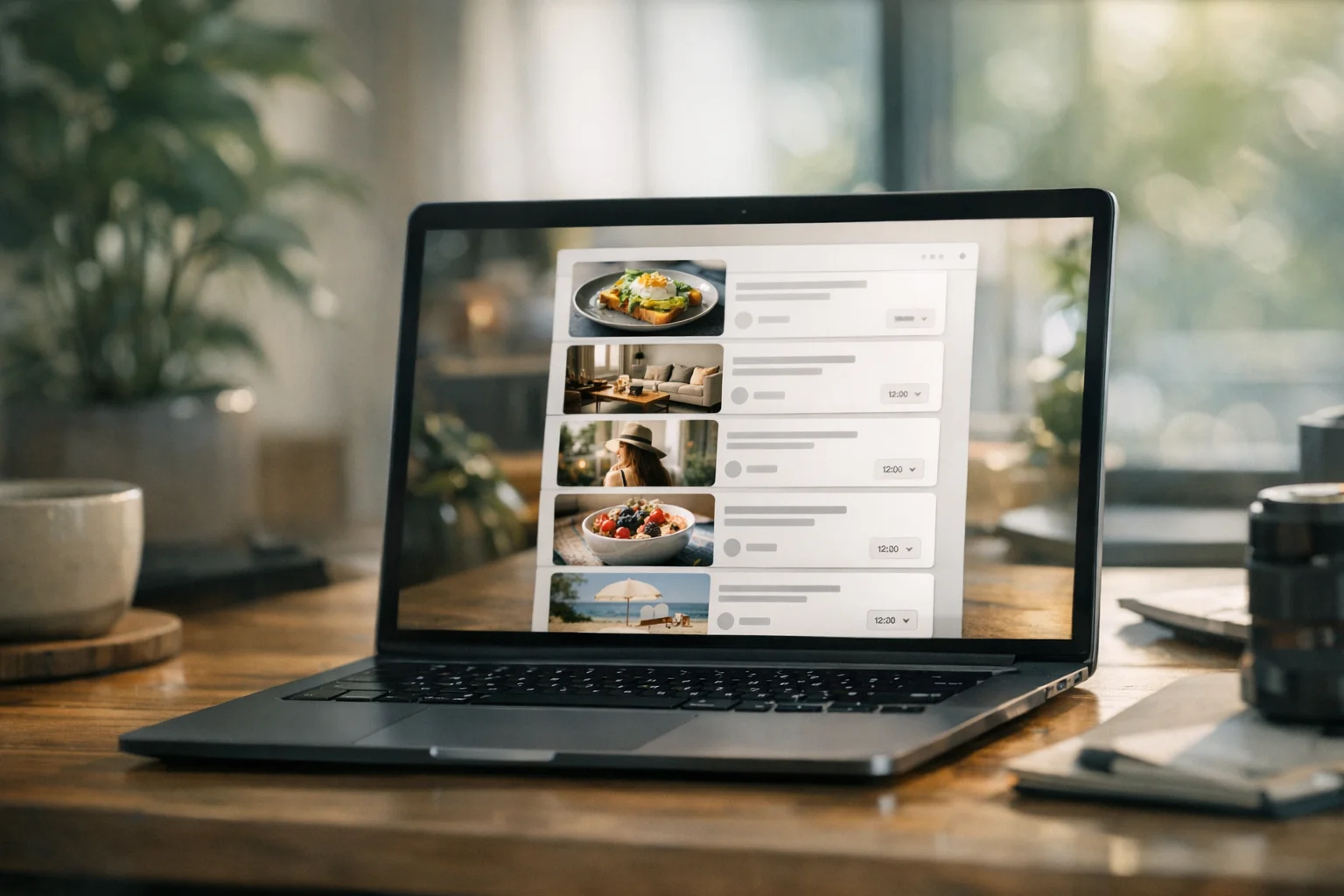
Pinterest operates differently from other social platforms. While Instagram and Twitter reward real-time engagement, Pinterest functions more like a visual search engine where content has a remarkably long shelf life. Learning to schedule Pinterest pins effectively lets you maintain consistent visibility without the daily pressure of manual posting.
This guide covers every method to schedule pins in 2026: Pinterest’s native scheduling, third-party tools, bulk uploading, and automation workflows that keep your boards active while you focus on creating great visual content.
Why Schedule Pins on Pinterest?
Pinterest’s unique characteristics make scheduling particularly valuable for creators and businesses.
Content longevity changes the game on Pinterest compared to other platforms. Unlike tweets that fade in hours or Instagram posts that peak within days, Pinterest pins can drive traffic for months or even years. This longevity means your scheduling strategy compounds over time—pins you schedule today continue working long after publication. This extended lifespan makes evergreen content especially powerful on Pinterest. A well-optimized pin can appear in search results indefinitely, making the initial scheduling investment worthwhile.
Consistency builds authority with Pinterest’s algorithm, which favors accounts that post regularly. Sporadic pinning—intense activity followed by silence—signals inconsistency to the platform. Scheduling enables you to maintain steady activity even during busy periods, vacations, or creative blocks. The principles of social media consistency apply strongly to Pinterest, where regular fresh content signals an active, authoritative account.
Visual content demands planning in ways that text-based platforms don’t. Creating quality Pinterest graphics takes time. Unlike platforms where you can compose content quickly, Pinterest requires designed images, optimized dimensions, and compelling visuals. Scheduling separates creation from distribution, letting you batch your design work and spread publication strategically. This aligns with content batching strategies that many successful creators use to maintain quality without burnout.
Pinterest’s Native Scheduling Feature
Pinterest offers built-in scheduling for business accounts—no third-party tools required for basic scheduling needs.
Native scheduling provides several useful capabilities. With a Pinterest business account, you can schedule standard pins up to 30 days in advance and maintain up to 10 pins scheduled at any time. You can edit scheduled pins’ titles, descriptions, boards, and links before publication and view all scheduled pins from your profile.
The scheduling process is straightforward. Log in to your Pinterest business account, then click “Create” and select “Create Pin.” Upload your image or video, fill in your pin title, description, destination link, and board. Select “Publish at a later date,” choose your publication date and time, and click “Publish.” Your scheduled pins appear on your profile above published pins until they go live.
Native scheduling has limitations for active accounts. The 10-pin queue limit fills quickly for accounts publishing multiple pins daily. The lack of bulk upload means each pin must be scheduled individually, which high-volume pinners find time-consuming. The 30-day maximum prevents scheduling further than a month ahead, limiting long-term content planning. Additionally, native scheduling doesn’t provide insights about optimal posting times or performance predictions. For creators needing more capacity, third-party scheduling tools remove these limitations.
Third-Party Pinterest Scheduling Tools
When native scheduling isn’t enough, dedicated tools offer expanded capabilities for serious Pinterest marketers.
Evaluate tools based on several key capabilities. Scheduling capacity determines how many pins you can queue, with some tools offering unlimited scheduling. Bulk upload functionality lets you upload multiple pins at once rather than one by one. Smart scheduling suggests optimal posting times based on your audience. Board management features let you pin to multiple boards and manage board organization. Analytics provide performance data to inform your strategy. Multi-platform support matters if you’re active on multiple social channels, as some tools handle your other platforms too.
Connecting a scheduler to Pinterest follows a similar process across most tools. Create an account with the scheduling tool, then navigate to connected accounts or integrations. Select Pinterest and authorize access, grant permissions for posting and analytics, and confirm your boards are accessible. Pinterest’s API allows third-party tools to post on your behalf, making the integration straightforward.
A typical scheduling workflow involves several stages. Start by batch creating visuals, designing multiple pins in one session. Upload to your scheduler, adding images, descriptions, links, and board assignments. Set timing by choosing publication dates and times, or use smart scheduling. Review your queue to verify everything looks correct. Finally, monitor performance by checking analytics after pins publish. This workflow lets you prepare weeks of content in focused sessions rather than daily interruptions.
Bulk Scheduling and RSS Automation
For high-volume Pinterest strategies, bulk methods save significant time.
Pinterest supports bulk uploading through its native interface. Access Pin creation and select multiple images (up to 10) at once, with each image creating a separate pin. Add details to each pin individually, then schedule each pin’s publication time. Third-party tools often expand bulk capabilities, allowing dozens or hundreds of pins to be uploaded and scheduled simultaneously.
Pinterest offers RSS auto-publishing for business accounts as a hands-off automation option. Navigate to your Pinterest business settings and find the RSS feed section. Add your blog or website’s RSS feed URL and configure which board receives new pins. Pinterest automatically creates pins when new content publishes. This is particularly useful for bloggers—every new post automatically becomes a pin without manual intervention. If you’re familiar with automating content from RSS feeds, Pinterest’s approach works similarly.
Bulk scheduling makes sense in specific situations. Consider bulk methods when you have a large backlog of content to schedule, when you’re repurposing content across multiple boards, when you’re running a content campaign with many coordinated pins, or when your workflow involves batch creation of visuals. For smaller accounts or those preferring more control, individual scheduling remains practical.
Finding Your Optimal Pinterest Schedule
When you post matters as much as what you post. Pinterest timing differs from other platforms.
Several key timing considerations shape Pinterest scheduling strategy. Pinterest users plan ahead, often searching weeks or months before events, holidays, or projects, which means seasonal content should be published 30-45 days before the relevant date. Pinterest sees high engagement during evening hours and weekends when users have leisure time to browse and plan. Consistency over perfection matters—regular posting at consistent times trains the algorithm and your audience to expect your content.
Developing your timing strategy works best as an iterative process. Start with general best practices, then refine based on your data. Begin with conventional windows since evenings (8-11 PM) and weekends tend to perform well. Consider your audience’s timezone and match your posting times to where your audience lives. Track performance by noting which pins get more saves and clicks. Adjust gradually based on what the data suggests. Account for seasonality by adjusting for holidays and seasonal interest patterns. This iterative approach mirrors finding optimal times on other platforms, though Pinterest’s specifics differ.
Content Strategy for Scheduled Pins
Scheduling is infrastructure—your content strategy determines what fills that infrastructure.
Balance different content types across your schedule to create a compelling content mix for Pinterest. Educational pins including how-tos, tutorials, and tips provide clear value to searchers. Inspirational pins featuring mood boards, aesthetic collections, and aspirational imagery engage the planning mindset. Product pins showcase your offerings with compelling visuals if you sell products. Blog and article pins drive traffic to your written content. Seasonal pins covering holidays and events tap into Pinterest’s planning-focused user behavior. Spreading these types across your schedule keeps your boards diverse and appeals to different search intents.
Pinterest rewards fresh pins linking to existing content through repurposing. You can create multiple pins for the same blog post, product, or page by using different images with the same link, varying pin titles and descriptions, A/B testing different visuals, and creating seasonal variations of evergreen content. This multiplies your reach without requiring new content creation. The repeat content strategy applies well to Pinterest’s visual format.
Building a Pinterest content calendar involves planning your Pinterest content alongside other platforms. Map seasonal moments by identifying holidays, events, and seasonal interests relevant to your niche. Plan content themes by assigning themes to weeks or months. Schedule creation sessions by blocking time for batch designing pins. Build buffer by staying 2-4 weeks ahead to avoid last-minute rushing. Leave flexibility by keeping some scheduling capacity for timely or reactive content. A content calendar approach keeps your Pinterest strategy organized and sustainable.
Managing Pinterest Alongside Other Platforms
Most creators aren’t exclusively on Pinterest. Integration with your broader social strategy matters.
Cross-platform coordination allows Pinterest to complement your other platforms in several ways. Instagram to Pinterest repurposing lets you adapt Instagram content as pins, adjusting dimensions for the vertical format. Blog to Pinterest integration means creating pins for every blog post as part of your publishing workflow. YouTube to Pinterest promotion involves pinning video thumbnails linking to your videos. Products to Pinterest synchronization connects e-commerce catalogs with Pinterest shopping features. If you’re managing multiple social channels, look for tools that handle Pinterest alongside your other platforms.
When adapting content for Pinterest, several platform-specific optimizations matter. Pinterest favors vertical format with a 2:3 aspect ratio, where 1000x1500 pixels is ideal. Text overlays work well on Pinterest, unlike Instagram where pins often include text on images. Rich descriptions are essential since Pinterest’s search relies heavily on your pin descriptions. Keyword optimization should include relevant keywords naturally in titles and descriptions. Link destinations matter because every pin should link somewhere valuable—don’t waste the click.
Workflow integration builds Pinterest into your existing content workflow for sustainability. When creating blog content, design 2-3 pin variants simultaneously. When scheduling other social content, include Pinterest in the same session. When reviewing analytics, check Pinterest alongside other platform data. When planning content calendars, include Pinterest-specific seasonal needs. Integration prevents Pinterest from becoming an afterthought or separate burden.
Common Pinterest Scheduling Mistakes
Avoid these pitfalls that undermine Pinterest scheduling efforts.
Scheduling without strategy wastes your effort. Simply filling a queue with random pins doesn’t constitute strategy. Each pin should serve a purpose—driving traffic, building brand awareness, or supporting a content theme.
Ignoring pin descriptions destroys discoverability. Pinterest is a search engine. Pins with weak or missing descriptions lose discoverability. Every scheduled pin needs keyword-rich, compelling descriptions.
Over-pinning to single boards looks spammy and hurts engagement. Flooding one board with pins signals spam to both Pinterest and followers. Spread pins across relevant boards and consider the experience followers have when viewing your activity.
Setting and forgetting scheduled content leads to problems. Scheduled content still needs monitoring. Check that pins published correctly, links work, and engagement is meeting expectations. Automation doesn’t mean abandonment.
Neglecting fresh content triggers diminishing returns. Pinterest’s algorithm favors fresh pins—new images linking to content. Scheduling the same pin repeatedly produces declining results. Vary your visuals even when promoting the same underlying content.
Pinterest Scheduling for Different Use Cases
Different goals require different approaches to Pinterest scheduling.
Bloggers and content creators should focus on creating multiple pin designs per blog post and scheduling pins to publish when new content goes live. Using RSS automation enables hands-off pinning for new posts, while building seasonal content libraries prepares you for high-traffic planning periods.
E-commerce and product sellers should prioritize product catalog synchronization and shopping pin features. Seasonal product promotion timing captures planners early, while sale and promotion coordination ensures campaigns have maximum impact.
Service providers should emphasize educational content that demonstrates expertise and case study pins that build credibility. Lead magnet promotion captures interested prospects, while consistent thought leadership pinning establishes authority in your niche.
Brands building awareness should concentrate on aesthetic consistency across all pins and campaign coordination across boards. Trend participation and seasonal moments increase visibility, while community board collaboration expands reach beyond your own audience.
Getting Started with Pinterest Scheduling
Ready to implement scheduled pinning? Here’s a practical path forward.
First, convert to a business account if you haven’t already—this is required for native scheduling. Then audit your current boards to ensure your board structure supports your strategy. Create a content backlog by designing at least 10-20 pins before scheduling begins. Choose your method based on your needs: native scheduling for light use, third-party tools for volume. Set an initial schedule starting with 3-5 pins per day at consistent times. Finally, monitor and adjust by tracking performance and refining your approach after 2-4 weeks.
Scheduling is a workflow improvement, not magic. Combined with quality content and strategic planning, it makes Pinterest marketing sustainable and effective.
Frequently Asked Questions
Does Pinterest have native scheduling?
Yes. Pinterest business accounts can schedule standard pins up to 30 days in advance, with a maximum of 10 scheduled pins at any time. For higher-volume scheduling, third-party tools offer expanded capacity.
How many pins should I schedule per day?
There's no universal answer. Many successful accounts pin 5-15 times daily, but quality matters more than quantity. Start with 3-5 pins per day and increase based on your content capacity and engagement patterns.
Can I schedule Idea Pins?
Scheduling for Idea Pins depends on the tool you're using. Native Pinterest scheduling works for standard pins. Some third-party tools support Idea Pin scheduling, though features vary.
Will scheduled pins perform differently than manual pins?
No. Scheduled pins appear identical to manually published pins once they go live. Pinterest doesn't penalize or distinguish scheduled content.
How far in advance should I schedule seasonal content?
Pinterest users plan ahead. Schedule seasonal content 30-45 days before the relevant holiday or event. For major holidays like Christmas, starting 60-90 days early captures early planners.
Can I edit a scheduled pin before it publishes?
Yes. You can modify the title, description, destination link, and board assignment of scheduled pins. However, you cannot change the image or video once a pin is scheduled through native scheduling.
Is Pinterest scheduling worth it for small accounts?
Yes. Consistency benefits accounts of all sizes. Even scheduling a few pins per week helps maintain presence and trains the algorithm to recognize your account as active.