How Far Ahead Should You Schedule Social Media Posts?
How far ahead should you schedule social media posts? Get a practical lead-time framework for every content type and platform.
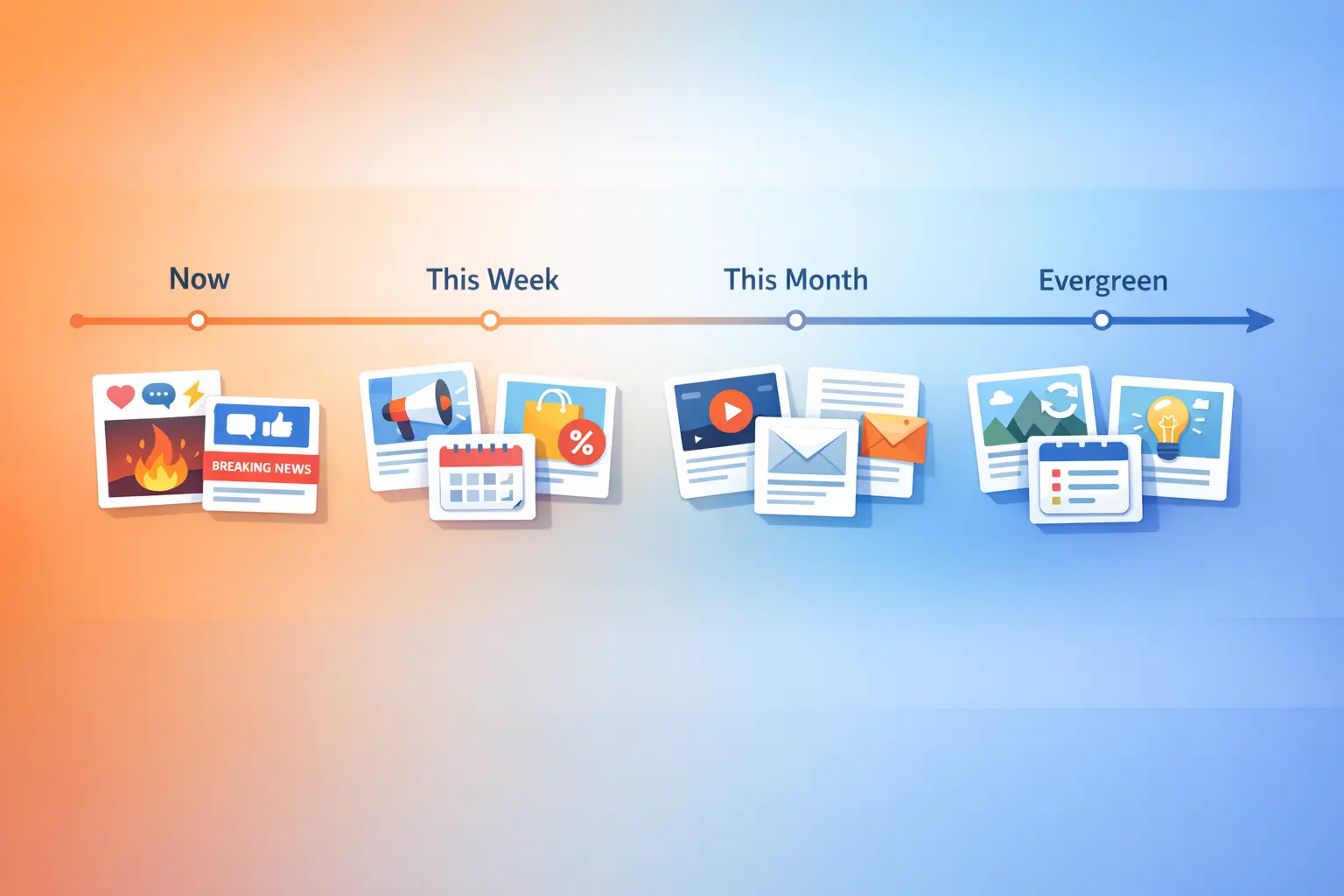
The answer to how far ahead should you schedule social media posts depends on what you’re posting. A timeless tip about your craft and a reactive take on breaking industry news require completely different lead times — and scheduling both the same way guarantees that one of them underperforms. The real skill isn’t picking a single magic number of days. It’s matching each type of content to the right planning horizon so that your evergreen pieces run on autopilot while your timely posts still land when they matter.
This guide gives you a concrete framework: four lead-time horizons, the content types that belong in each, the risks of over-scheduling, and how to set all of it up inside BrandGhost so the system runs itself. If you’re building a broader multi-platform workflow, this fits directly into the system covered in Schedule Content for Multiple Social Media Platforms.
The Four Lead-Time Horizons
Not all scheduled content should sit in the same queue. Think of your scheduling pipeline as four lanes, each with its own speed and purpose. Knowing how to plan social media content in advance starts with understanding these lanes.
Same-day to 24 hours ahead. This is your reactive lane. Hot takes, trending audio, industry news, event commentary, and anything that loses value with every passing hour lives here. You write it, review it once, and schedule it for the next available slot — or publish it immediately. The goal is speed, not perfection.
2–7 days ahead. This is the weekly lane. Original posts that reference current conversations, platform-specific content like polls or engagement prompts, and posts that tie into weekly themes fit this window. A weekly batching session is the most efficient way to fill this lane — sit down once, schedule seven days, and walk away.
1–2 weeks ahead. This is the buffer lane. Promotional launches, collaboration announcements, content series installments, and posts that require design assets or approvals go here. The extra lead time gives you room for revisions without rushing the schedule.
3–4 weeks ahead (and beyond). This is the evergreen lane. Timeless tips, recurring value posts, educational carousels, and repurposed blog content can be scheduled a month out or loaded into a system that recycles them indefinitely. These posts don’t expire, so distance from the publish date doesn’t hurt them.
Each lane serves a different purpose, and a healthy content mix draws from all four. If you only schedule a month ahead, your feed will feel detached from what’s actually happening. If you only post reactively, you’ll burn out and never build a library of reusable content.
What Content Fits Each Horizon
Matching the right content to the right lead time eliminates the guesswork that makes scheduling feel overwhelming. Here’s how each content type maps to a horizon.
Same-Day / 24-Hour Content
This lane moves fast. The content here is tied to something happening right now, and its value decays quickly.
- Responses to trending topics or viral conversations in your niche
- Event live-commentary and real-time updates
- Time-sensitive announcements (flash sales, limited drops)
- Reactions to platform algorithm changes or policy updates
- “Just happened” behind-the-scenes moments
The key constraint: don’t try to batch this content. It can’t be planned in advance by definition. What you can do is leave room in your schedule for it. If every slot is pre-filled a month out, there’s no space to react when something timely comes up.
2–7 Day Content
The weekly horizon is where most original, non-evergreen content lives. You have enough time to write thoughtfully but not so much that the post goes stale before it publishes.
- Original commentary on industry trends (not breaking news, but still current)
- Engagement prompts: questions, polls, “which do you prefer” posts
- Story-driven posts about your process or recent experiences
- Platform-specific formats like Twitter/X threads or LinkedIn carousels
- Weekly content themes from your posting schedule
This is the sweet spot for a weekly batch session. Block an hour, write and schedule a full week, and only revisit the queue if something timely needs to jump the line.
1–2 Week Content
Content that needs coordination or polish benefits from the extra breathing room.
- Product or service launches with coordinated multi-platform rollouts
- Collaboration posts where another creator needs to approve the copy
- Content series where installments need to follow a specific sequence
- Posts that reference custom graphics, video edits, or branded templates
- Sponsored or partnership content with approval workflows
Two weeks of lead time turns last-minute scrambles into calm, revision-friendly production cycles. If you manage a content calendar, this is the planning layer where you slot in anything that can’t be written and shipped the same day.
3–4 Weeks Ahead (Evergreen)
This is where scheduling really starts working for you instead of against you. Evergreen content — posts that stay relevant regardless of when they publish — is the ideal candidate for long-lead scheduling.
- Educational tips that apply year-round
- How-to posts, tutorials, and resource recommendations
- Inspirational quotes or affirmations tied to your brand voice
- Repurposed blog content, podcast clips, or video snippets
- Recurring content that cycles through your best-performing posts
The advantage of scheduling evergreen content far ahead is obvious: you do the work once and it keeps publishing for weeks or months. The risk — which we’ll cover next — is that a month-old queue can feel robotic if it’s the only thing on your feed. The fix is mixing evergreen with shorter-horizon content, not avoiding long-lead scheduling entirely.
The Risks of Scheduling Social Media Posts Too Far Ahead
Scheduling weeks in advance sounds like the ultimate productivity move, and for evergreen content it is. But overloading your far-out queue with time-sensitive or context-dependent content creates real problems.
Stale references. A post written three weeks ago that mentions “this week’s algorithm update” will confuse your audience when it publishes. Anything that relies on recency — dates, current events, trending phrases — should not be scheduled more than a few days ahead unless you have a system to review before it goes live.
Missed context shifts. Tone-deaf posts happen when something significant changes between when you schedule and when the post publishes. A lighthearted promotional post scheduled weeks ago can land badly during a community crisis or industry controversy. The further ahead you schedule, the more likely the context around your content will shift.
Engagement disconnect. If your entire feed runs on autopilot, you stop engaging with your audience in real time. Followers notice when every post feels pre-programmed and nobody is responding in the comments. Scheduling should free up time for engagement, not replace it.
Over-reliance on set-and-forget. Scheduling is a tool, not a strategy. Creators who schedule a month of posts and never check back miss opportunities to respond to what’s resonating, double down on high-performing content, or pull posts that are underperforming.
The antidote to all four risks is the same: schedule your evergreen and planned content far out, but keep your short-horizon lane active for timely, reactive, and engagement-driven posts. This balance is exactly what a system like BrandGhost’s topic streams is designed to handle — but more on that in a moment.
Balancing Evergreen and Reactive Content
The best feeds blend scheduled reliability with real-time responsiveness. Here’s a practical ratio to start with and adjust based on your engagement data.
Aim for roughly 60–70% scheduled content (evergreen and planned) and 30–40% reactive or timely content. This isn’t a rigid formula — some weeks you’ll lean harder into reactive posting because your niche is buzzing, and other weeks your pre-scheduled content will carry the entire load because life gets busy.
What matters is that your system accommodates both modes without one crowding out the other. If your far-out queue fills every slot on your calendar, there’s literally no room to add a timely post when inspiration strikes. Conversely, if you never schedule ahead, you’ll find yourself scrambling every morning to figure out what to post.
A practical way to maintain this balance: designate specific slots in your posting schedule as “flex slots.” These are time slots that remain unscheduled until 24–48 hours before they go live. If nothing timely comes up, you can fill them with additional evergreen content or leave them empty. If something worth posting surfaces, the flex slot is ready.
This is where knowing how to plan social media content in advance stops being about filling a calendar and starts being about designing a system that adapts. Your evergreen lane runs in the background. Your weekly batch fills the mid-range. Your flex slots catch the rest.
How BrandGhost Handles Both Modes
BrandGhost’s scheduling infrastructure was built around the idea that creators need both long-lead automation and quick-add flexibility — not one or the other.
Topic streams for the evergreen lane. When you load evergreen content into a topic stream, you’re not just scheduling individual posts — you’re creating a self-replenishing queue that publishes on whatever cadence you set and automatically recycles posts when the stream runs through its library. (For a full walkthrough of setting up topic streams and automation, see the automation guide.) This is how you schedule weeks or months ahead without manually placing each post on a calendar. Your tips, tutorials, repurposed blog links, and recurring content formats live in streams and keep your feed active whether you’re at your desk or not.
Calendar scheduling for the weekly and mid-range lanes. For content that’s original and time-relevant — your weekly commentary, engagement posts, and planned promotions — BrandGhost’s calendar view lets you drag posts into specific time slots across platforms. This works naturally with a weekly batching workflow: sit down, write the week’s content, place it on the calendar, and let it publish on schedule.
Quick-add for the reactive lane. When something timely comes up and you need to get a post out today or tomorrow, BrandGhost’s quick-add flow lets you compose, select platforms, and schedule in under a minute. No navigating through calendar views or disrupting your pre-set queue. The post slots into the next available window or publishes immediately — your choice.
This three-mode system means you never have to choose between planning ahead and staying responsive. Your evergreen streams handle the “how far ahead” question automatically by running indefinitely. Your calendar handles the week-to-two-week window. And quick-add handles everything that can’t wait.
How Far Ahead Should You Schedule Social Media Posts? A Practical Framework
Here’s a concrete workflow for deciding how far ahead to schedule each piece of content. This framework works whether you’re managing one platform or five.
Step 1: Categorize before you create. Before writing a post, ask one question: does this content have a shelf life? If no, it’s evergreen — load it into a topic stream and let the system handle timing. If yes, decide whether it’s timely (same-day lane), current (weekly lane), or planned (two-week lane).
Step 2: Set your evergreen streams first. Get your timeless content running on autopilot before you worry about weekly or reactive posts. Even two or three streams with 20–30 posts each will keep your feed active during weeks when you can’t create anything new. This is the foundation that makes everything else optional rather than urgent.
Step 3: Batch your weekly content in one session. Dedicate one hour per week to writing and scheduling the next seven days of original content. This fills the weekly lane and gives you a predictable rhythm without daily scrambling. Follow the step-by-step process in how to schedule a week of content if you want a structured workflow for this session.
Step 4: Leave flex slots for reactive content. Don’t fill every slot on your calendar. Keep two to three open windows per week where you can drop in timely posts, trending takes, or engagement responses. If nothing timely materializes, the slot stays empty or you pull another evergreen post into it.
Step 5: Review your queue weekly. Spend five minutes scanning what’s scheduled to go out in the next seven days. Catch anything that’s gone stale, adjust timing if needed, and confirm that the mix of evergreen, planned, and reactive content feels balanced.
This five-step framework turns the question of how far ahead you should schedule social media posts into a repeatable system instead of a recurring decision. The answer isn’t “always two weeks” or “always a month.” It’s “each type of content gets the lead time it needs, and the system handles the rest.”
Frequently Asked Questions
How far in advance should you schedule social media posts?
It depends on the content type. Evergreen content — tips, tutorials, and repurposed material — can be scheduled weeks or even months in advance, especially using automated systems like topic streams. Time-sensitive posts should be scheduled no more than a day or two ahead.
Is it bad to schedule social media posts too far ahead?
Only if the content relies on current context. Posts that reference trending topics, specific dates, or current events can feel stale or tone-deaf when published weeks later. Evergreen content doesn't carry this risk.
How do you plan social media content in advance without sounding robotic?
The robotic feel comes from feeds that are 100% pre-scheduled with no real-time interaction. Maintain a mix of scheduled and spontaneous content, engage with comments on scheduled posts as they go live, and use flex slots to add timely posts that show you're present and responsive. Scheduling is about timing — your voice and personality should still come through in the content itself.
What's the difference between scheduling posts and using topic streams?
Scheduling places a specific post at a specific date and time. Topic streams are automated queues — you load content into a stream, set a publishing cadence, and the system cycles through the library continuously, recycling posts when it reaches the end. The method comparison guide covers how calendar, queue, and hybrid approaches compare in practice.
Should you schedule the same content across all platforms at the same time?
Not necessarily. While cross-posting saves time, different platforms have different peak engagement windows and audience expectations. If you're using a multi-platform scheduling tool, stagger your publish times by 30–60 minutes and tailor the format where it matters (hashtags for Instagram, shorter copy for Twitter/X, professional framing for LinkedIn).
How much content should be scheduled versus posted in real time?
A practical starting ratio is 60–70% scheduled and 30–40% reactive or real-time. This gives your feed consistency through pre-planned content while leaving room for timely responses, trending topics, and spontaneous engagement. Adjust based on your niche — fast-moving spaces like tech or news lean more reactive, while evergreen-heavy niches like education or wellness can lean more scheduled.
Can you over-schedule and hurt your engagement?
Yes. If your feed is entirely pre-scheduled and you never interact with followers in real time, engagement tends to drop. Audiences can sense when an account is running on pure autopilot.