The Best Way to Schedule Social Media Posts: Method Comparison for Creators
Compare the best ways to schedule social media posts and find which method actually fits your creator workflow.
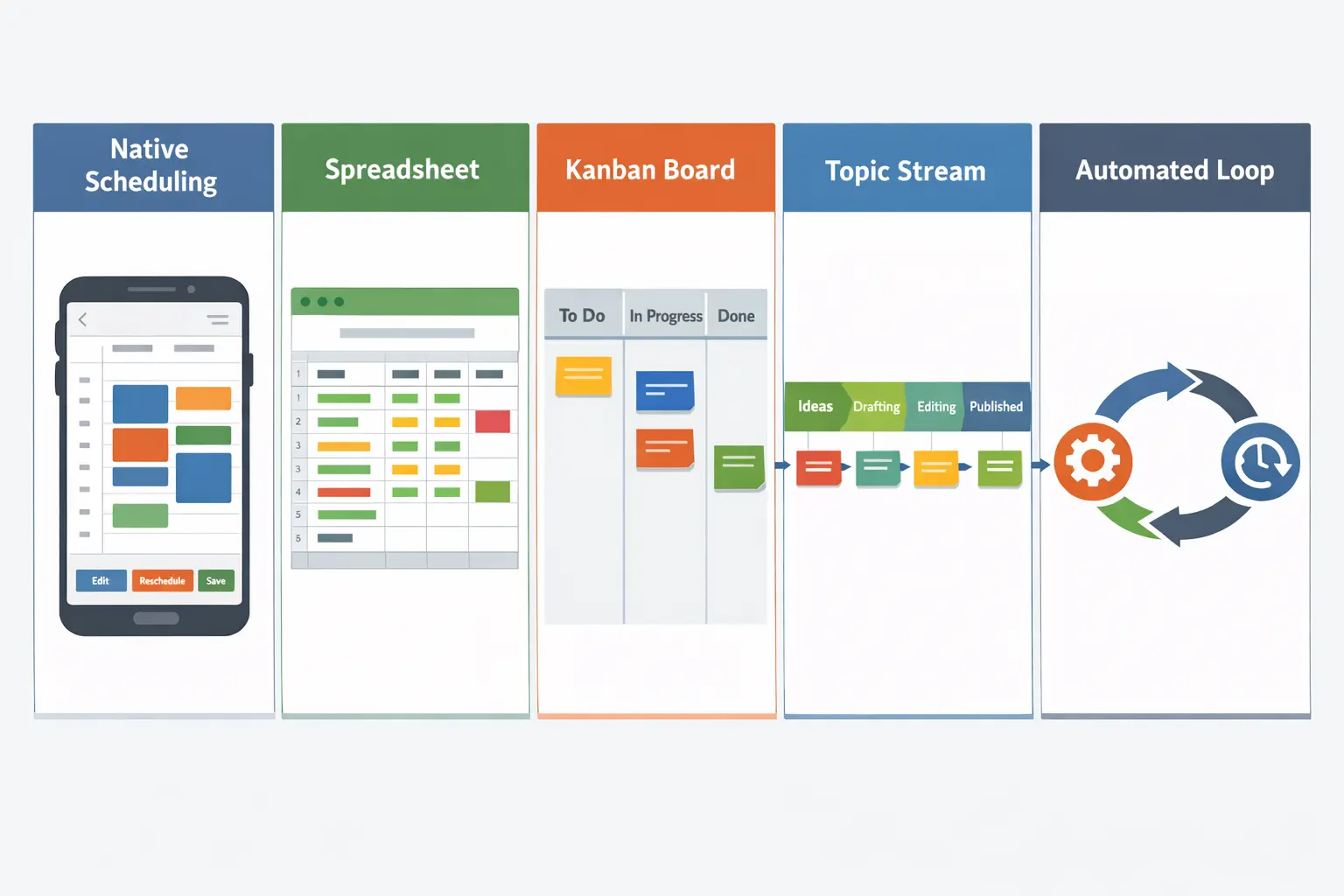
You’ve tried scheduling your posts before. Maybe you used Instagram’s built-in scheduler, maybe you loaded up a spreadsheet, maybe you set everything up in a third-party dashboard and still ended up posting manually half the time. The issue isn’t that scheduling doesn’t work — it’s that you picked the wrong method for how you actually create. Finding the best way to schedule social media posts isn’t about choosing the trendiest app. It’s about matching a scheduling method to your workflow, your volume, and the number of platforms you manage.
This post breaks down five scheduling methods, what each one is good at, where each one falls apart, and which approach gives you the most leverage across multiple channels.
Native Platform Scheduling
Every major platform now lets you schedule posts from within its own interface. Twitter/X has scheduled tweets, Instagram and Facebook have built-in scheduling through Meta, LinkedIn lets you set a publish time on posts, and YouTube has had scheduled uploads for years.
The appeal is obvious: there’s nothing to set up. You’re already inside the platform composing your post, and you just pick a date and time before publishing. No third-party authorization, no learning curve, no subscription fee.
But native scheduling breaks down fast once you manage more than one or two platforms. Each platform’s scheduler lives in its own silo. You can’t see your full week at a glance, can’t batch across channels, and there’s no content recycling or way to adapt a single post for multiple formats in one workflow.
Native scheduling works in exactly one scenario: you post to a single platform, a few times a week, and you want zero overhead. The moment you add a second or third platform, you’re logging into separate dashboards, duplicating work, and losing visibility into your overall output.
Who this fits: Single-platform creators who post infrequently and want to avoid external tools entirely.
Where it breaks: Any multi-platform workflow. The cognitive load of switching between native schedulers compounds with every channel you add, and there’s no batching advantage since you’re still composing posts one at a time inside each app.
Meta Business Suite Scheduling
Meta Business Suite deserves its own section because a lot of creators default to it thinking it solves the multi-platform problem. It does — but only within Meta’s ecosystem. You can schedule posts and stories to Facebook and Instagram from a single dashboard, view a content calendar, and manage some basic analytics.
For creators whose entire presence lives on Facebook and Instagram, Business Suite is a workable free option. The calendar view helps you spot gaps, and composing for both platforms at once saves a step over scheduling natively on each one.
The limitations surface once you think beyond Meta. Business Suite doesn’t touch Twitter, LinkedIn, Pinterest, Reddit, Threads, Mastodon, Bluesky, Telegram, or any other platform. If you’re trying to reach audiences across the social web, Business Suite covers only a fraction of your workflow.
There’s also the formatting constraint. Business Suite pushes you toward content that works equally on Facebook and Instagram, but those platforms have different audience expectations. A unified composer for both can flatten your content into the lowest common denominator if you’re not careful.
Who this fits: Creators who exclusively operate on Facebook and Instagram with no plans to expand.
Where it breaks: The moment you add any non-Meta platform. You’re back to managing two systems — Business Suite for Meta and something else for everything else — which defeats the purpose of consolidated scheduling.
Third-Party Scheduler Dashboards
This is where most creators land: a tool like Hootsuite, Buffer, Later, or Sprout Social that connects to multiple platforms and gives you a single dashboard to compose, schedule, and publish from. Third-party schedulers are the most common answer to “I need tools to manage multiple social media accounts,” and for good reason — they work.
The typical workflow is straightforward. You connect your social accounts, open the composer, write your post, select which platforms it goes to, pick a date and time, and schedule it. More advanced tools let you customize per platform, preview each version, and view everything on a calendar.
The strength of a traditional scheduler is breadth. You can manage five, eight, even twelve platforms from one place. The weakness is that the scheduling model is still fundamentally one-post-at-a-time. You compose a post, schedule it, move on, compose the next one, schedule it, move on. Over a batch session you might schedule twenty posts, but each one required a manual scheduling decision — date, time, platforms, customization.
That’s manageable if you post a few times a week. It starts to strain when you’re maintaining daily content across multiple platforms with different cadences. The calendar fills up, but filling it requires dedicated scheduling sessions where you’re making dozens of micro-decisions about timing and placement.
For a deeper look at how traditional tools stack up, the best social media management tools for creators and teams comparison covers the main players. The point here isn’t which dashboard is best — it’s that the dashboard scheduling method works better for some creators than others.
Who this fits: Creators who post moderately (three to five times per week per platform), want cross-platform visibility, and don’t mind spending regular time in a scheduling dashboard.
Where it breaks: High-volume creators. If you’re publishing daily across five or more platforms, the one-post-at-a-time model turns scheduling sessions into a chore. There’s also no content recycling built into most traditional dashboards — once a post goes out, it’s gone.
Calendar-Based Scheduling
Calendar-based scheduling is what most third-party tools offer on the surface, but some creators take it further by building their entire content strategy around the calendar as the central organizing structure. Instead of thinking in terms of individual posts, you plan your content week or month visually, slotting content into dates and time blocks across platforms.
This approach works well when your content follows predictable patterns — “Tip Tuesday” on Twitter, a blog share every Thursday on LinkedIn, a carousel every Saturday on Instagram. The calendar gives you a bird’s-eye view of your posting cadence, makes gaps immediately visible, and lets you drag-and-drop posts to rebalance your week.
If you’ve ever tried to build a content calendar that actually works, you know the challenge: calendars are great for planning but they need constant feeding. Every empty slot is a task waiting for you. The calendar tells you when to post but doesn’t help you decide what to post or keep content flowing once your initial batch runs out.
This is why calendar-based scheduling works best in combination with batching. If you dedicate a session to content batching, you can load up your calendar for the next two weeks in one sitting, then step away. But once those two weeks pass, you’re back to an empty calendar and another batching session.
The calendar method also struggles with evergreen content. If you have a post that performed well three months ago and is still relevant, the calendar has no mechanism to resurface it automatically. You’d have to manually find the old post, duplicate it, and drop it into a future date — the kind of busywork that makes creators abandon their calendars entirely.
Who this fits: Creators who think visually, post on a predictable rhythm, and commit to regular batching sessions to keep the calendar populated.
Where it breaks: Evergreen content, high-volume publishing, and anyone who finds that their calendar goes from “neatly planned” to “empty and guilt-inducing” within a few weeks.
Queue-Based and Topic-Stream Scheduling
Queue-based scheduling flips the model. Instead of assigning each post to a specific date and time, you add content to a queue and let the system publish it according to a preset schedule. You define the cadence — “post from this queue every weekday at 9 AM to Twitter and LinkedIn” — and then you just keep the queue fed. The system pulls the next item and publishes it automatically.
Topic streams take this a step further. Instead of a single queue, you create multiple streams organized by content theme — one for evergreen tips, one for blog promotions, one for engagement posts, one for industry commentary. Each stream has its own schedule and platform targets. The result is a diversified, multi-platform publishing engine that runs on its own once you’ve loaded content into each stream.
The biggest advantage here is evergreen recycling. When a topic stream reaches the end of its queue, it loops back to the beginning and starts publishing again. Your best content keeps working for you without any manual intervention. For creators who produce reusable, timeless content — advice, tips, insights, how-tos — this means a post you wrote once can continue reaching new audiences for months or years.
This is also where the distinction between scheduling methods and scheduling tools matters most. You can read about the best tools for multi-platform creators elsewhere — the method itself is what changes your workflow. Queue-based publishing separates the creative act (writing great content) from the logistics (deciding when and where it goes). That separation is what makes batching truly effective.
The drawback of pure queue-based scheduling is predictability. If all your content runs through queues, your feed can feel like it’s on autopilot — because it is. There’s no room for timely posts, reactive content, or one-off announcements unless you layer in a secondary method for ad-hoc publishing.
Who this fits: Creators who produce evergreen content, value hands-off publishing, and want their content to keep working after the initial effort.
Where it breaks: Creators whose content is primarily time-sensitive or reactive. Pure queue-based systems also lack the visual overview that calendar-based methods provide.
Why a Hybrid Method Wins
If you’ve read through each method’s strengths and weaknesses, a pattern emerges: no single method covers every scenario a multi-platform creator faces. Native scheduling is too fragmented. Business Suite is too narrow. Traditional dashboards are too manual at scale. Calendars need constant feeding. Queues lack spontaneity.
The best approach is a hybrid that combines the visual planning power of a calendar with the automation and recycling capabilities of topic streams. This is the method built into BrandGhost, and it’s why the platform’s scheduling experience feels different from a standard dashboard.
Here’s how the hybrid works in practice. You use topic streams for your recurring, evergreen content — the posts that don’t need to go out on a specific date but should keep publishing on a rhythm. Tips, blog shares, engagement posts, evergreen promotions — these all live in streams that run automatically. Meanwhile, you use the calendar for time-sensitive content — product launches, seasonal posts, collaborations, or anything tied to a specific date.
This means your calendar never sits empty. Even if you don’t schedule a single time-sensitive post this week, your topic streams are still publishing across your platforms. The calendar shows you what’s going out and when, including stream-generated posts, so you maintain that visual overview without the pressure of manually filling every slot.
For creators who want to automate social media posting while keeping creative control, the hybrid method solves the core tension: automation for the repetitive work, manual control for the content that matters most.
The hybrid also scales with you. Each stream runs independently, so going from three platforms to seven doesn’t triple your scheduling effort — it means adding new channels to existing streams.
This is also why BrandGhost handles multi-platform scheduling differently from tools that focus on the calendar alone. The whole system is designed around the idea that scheduling content for multiple social media platforms shouldn’t mean more time in a dashboard. It should mean more time creating and less time managing logistics.
Picking the Right Method for Your Situation
Rather than prescribing a single answer, here’s how to match your situation to the method that makes sense:
If you post to one platform a few times a week, native scheduling is fine. There’s nothing to set up and nothing to pay for. You’ll outgrow it quickly if you expand, but it’s the simplest option for single-channel creators.
If you’re entirely within Meta’s ecosystem, Business Suite covers your scheduling needs at no cost. Just know that it won’t travel with you if you move beyond Facebook and Instagram.
If you post moderately across multiple platforms and prefer a visual overview, a calendar-based approach inside a third-party scheduler gives you the control and visibility you need. Pair it with regular batching sessions to stay ahead.
If you produce a lot of evergreen or reusable content, queue-based topic streams should be the backbone of your scheduling system. They eliminate the need to re-schedule content that’s already proven to work.
If you want the best of both worlds, a hybrid method — topic streams for evergreen automation, calendar for time-sensitive posts — is the most sustainable approach for creators managing multiple platforms. This is the method BrandGhost is built around, and it’s the approach that scales without increasing your time commitment.
The right method also depends on how you create. If you’re a content batcher who produces everything in one session, queue-based methods give you the biggest return. If you prefer creating in the moment, a calendar gives you the flexibility to place posts wherever they fit.
Whatever you choose, the goal is the same: spend more time creating and less time deciding when and where to post.
Start Scheduling Smarter Today
You don’t need to overhaul everything at once. Pick the method that matches your current workflow and commit to it for two weeks. If you’re managing more than two platforms and producing any amount of evergreen content, the hybrid method will save you the most time — and BrandGhost is the fastest way to set it up.
Connect your accounts, build your first topic stream, load your evergreen content, and let the system handle scheduling while you focus on creating.
Frequently Asked Questions
What is the best way to schedule social media posts if I manage multiple platforms?
A hybrid method that combines topic streams with a content calendar gives you the best balance of automation and control. Topic streams handle your recurring and evergreen content across all connected platforms automatically, while the calendar lets you place time-sensitive posts on specific dates. This approach means your platforms stay active even during weeks when you don't have time for a dedicated scheduling session.
Is native scheduling on each platform good enough?
Native scheduling works if you only post to one platform a few times per week. Beyond that, it quickly becomes inefficient. You lose any unified view of your content, can't batch effectively, and end up context-switching between dashboards.
What is the difference between calendar-based and queue-based scheduling?
Calendar-based scheduling assigns each post to a specific date and time on a visual timeline. Queue-based scheduling adds posts to an ordered list that publishes automatically on a preset cadence. The calendar gives you precise control and visual planning, but requires constant manual feeding.
Can I use BrandGhost alongside other scheduling tools?
Yes, but most creators find they don't need to. BrandGhost connects to all the major platforms — Twitter/X, Instagram, LinkedIn, Facebook, Threads, Bluesky, Pinterest, Reddit, Mastodon, Telegram, Tumblr, and more — so there's rarely a gap that another tool would fill. If you're migrating from a different scheduler, you can transition gradually by starting with topic streams for evergreen content while keeping your existing tool for time-sensitive posts.
How many topic streams should I start with?
Two to four streams is the sweet spot for most creators. A common setup is one stream for evergreen tips or advice, one for content promotion (blog links, video shares), and one for engagement posts (questions, polls, conversation starters). You can always add more as you produce more content.
Do I need a content calendar if I use topic streams?
Not necessarily, but having one available helps. Topic streams handle your baseline publishing automatically, so your calendar doesn't need to be packed. Instead, you can use the calendar exclusively for time-sensitive content — launches, events, collaborations, or seasonal posts.
Will scheduling posts hurt my reach compared to posting manually?
No. Social platforms don't penalize scheduled posts versus manually published ones. What matters is content quality, timing relative to your audience's activity, and consistency over time.