How to Schedule a Week of Social Media Content in One Sitting
Schedule a week of social media content in one batch session with this step-by-step workflow for busy creators.
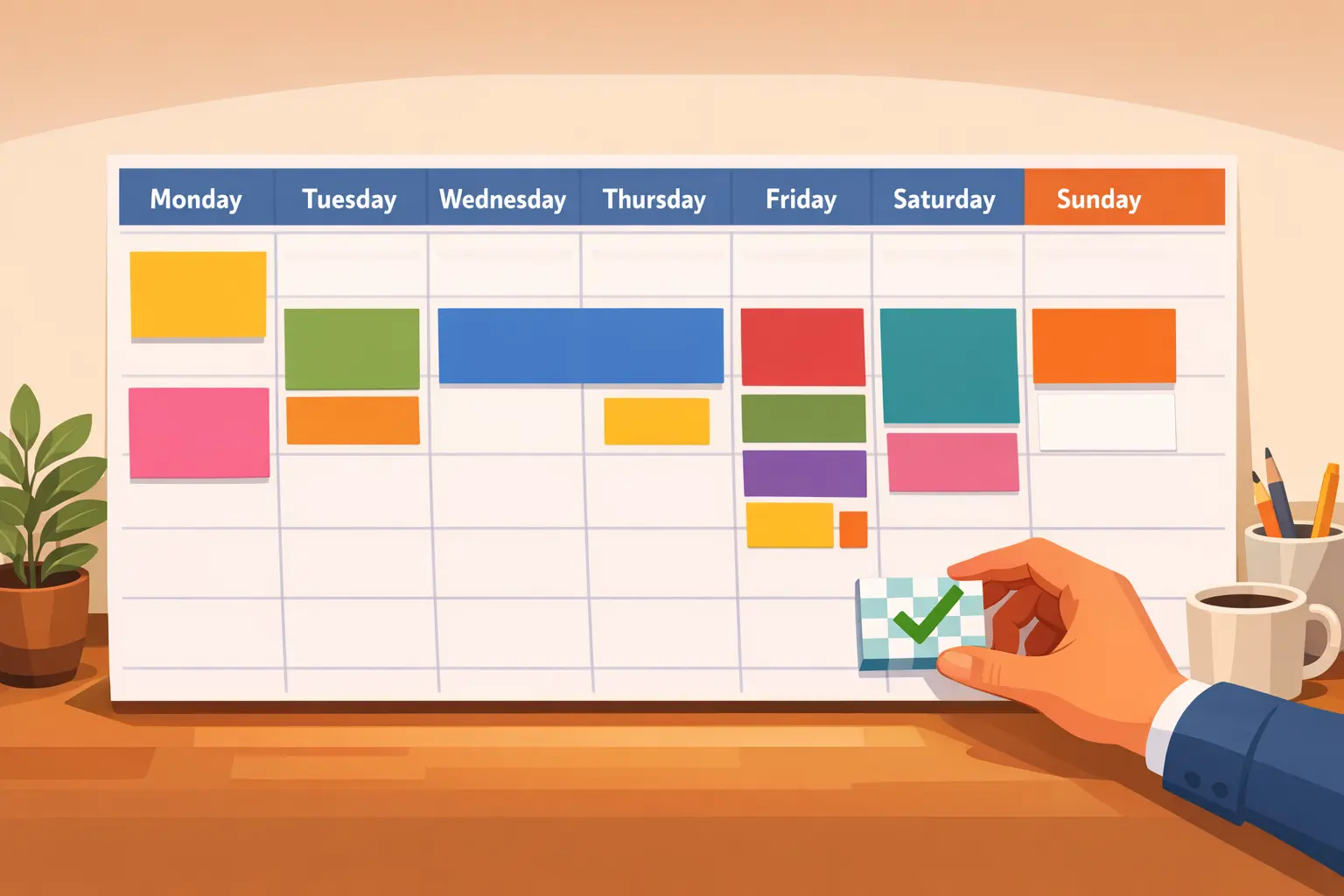
You’ve blocked off an hour. Your coffee is ready. It’s time to fill next week’s entire social media calendar — all seven days, all platforms — and then walk away until the content starts posting itself. This guide walks you through exactly how to schedule a week of social media content in a single focused session, step by step, using a workflow built around BrandGhost’s scheduling tools.
This isn’t theory. There’s no background lesson on why consistency matters or how batching works conceptually. If you want that context, read our content batching deep-dive. This is the “sit down and do it” playbook. By the end, you’ll have seven days of posts queued, reviewed, and ready to publish without touching another dashboard until next week.
This workflow fits into the broader system covered in Schedule Content for Multiple Social Media Platforms, our complete guide to multi-platform scheduling. Think of what follows as the weekly execution layer of that system.
Before You Start: The Three Things You Need Ready
Don’t open BrandGhost yet. Spend five minutes gathering what you need so the actual scheduling session runs without interruptions.
Your daily theme rotation. Assign a content theme to each day of the week so you never stare at a blank screen wondering what to post. If you’ve already set up topic streams, this is already done — each stream maps to a theme. If you haven’t, here’s a simple starter rotation:
- Monday: Educational tip or how-to
- Tuesday: Behind-the-scenes or personal story
- Wednesday: Promotional (product, service, or link to your own content)
- Thursday: Industry insight or curated share
- Friday: Engagement post (question, poll, or conversation starter)
- Saturday: Evergreen repost or repurposed content
- Sunday: Inspirational or reflective
You can adjust these themes to match your content pillars, but having any rotation is better than having none. The point is to remove the decision of what kind of post to create before you sit down to write.
Your media assets. Gather all images, videos, carousels, or graphics you plan to use for the week into a single folder. If you’re reusing visuals, have them accessible. Hunting for images mid-session is one of the biggest time-killers in a batching workflow.
Your content source material. This could be a notes app with rough ideas, a swipe file of posts you liked, your own blog archive, or a list of evergreen content pieces that need resharing. The goal is to have raw material to work from — not to generate ideas from scratch during the session.
With these three pieces ready, the scheduling session itself should take 45 to 60 minutes for most creators.
Step 1: Open Your Calendar View and Map the Week
Start by opening BrandGhost’s calendar view. Look at the next seven days. What you’re looking for is simple — which slots are already filled (from topic streams or previously scheduled posts) and which are empty.
If you use topic streams, some days may already have posts queued automatically. This is the advantage of the stream system: your evergreen content recycles on a schedule you set once, and it keeps filling slots in the background. Your job in this step is to identify the gaps.
Mark which days and time slots still need content. Think of your weekly calendar as a grid: days across the top, time slots down the side. For most creators, one to two posts per day per platform is the target. If you’re working across three or four platforms, that might look like five to eight content pieces total per day when you factor in cross-posting.
Don’t overthink platform-specific timing here. If you’re not sure about your ideal posting schedule, use the defaults BrandGhost suggests based on platform norms. You can fine-tune posting windows later once you have engagement data — right now, the priority is filling the week.
Step 2: Write Your Seven Posts in Theme Order
This is the core of the session and where most of your time goes. Instead of writing posts day-by-day (Monday’s post, then Tuesday’s, then Wednesday’s), write them in theme batches. Group all similar content together.
Here’s why this matters: when you write all your educational content at once, your brain stays in “teaching mode.” When you write all your engagement posts at once, you’re in “conversation mode.” Switching between modes costs time and energy, and content batching is specifically designed to eliminate that context-switching tax.
Work through your daily theme rotation like this:
First batch — educational and insight posts. Pull from your source material and write Monday’s tip and Thursday’s industry insight back-to-back. These are your highest-effort posts, so knock them out while your focus is sharpest.
Second batch — personal and engagement posts. Write Tuesday’s behind-the-scenes post and Friday’s engagement question together. These are more casual and conversational, so they tend to flow quickly.
Third batch — promotional and evergreen posts. Write Wednesday’s promotional post, find Saturday’s evergreen repost from your library, and draft Sunday’s reflective post. Promotional content is often the easiest because you already know what you want to share — a link, a product update, a newsletter signup.
As you write each post, think about which platforms it’s going to. A LinkedIn post might need a longer intro paragraph. A tweet might need to be tighter. But don’t rewrite everything from scratch for each platform — write the core message once and adapt. BrandGhost lets you customize the copy per platform within the same post, so you can write your anchor version first and make quick adjustments for other channels.
For posts where you’re stuck on the caption, BrandGhost’s AI tools can generate a draft from a rough idea or remix an existing post into a fresh version. Use this for speed, not to replace your voice — the AI gives you a starting point that you refine into something that sounds like you.
Step 3: Attach Media and Adapt for Each Platform
With all seven posts written, go back through and attach your media assets. This is a separate step on purpose — batching the writing and the media attachment into distinct phases keeps you from getting derailed by image editing or file-hunting while you’re trying to write.
For each post, attach the relevant image, video, or carousel. If a post is going to multiple platforms, check that your media meets the requirements for each one. A few things to watch for:
- Instagram needs square or 4:5 images for feed posts; stories need 9:16 vertical
- Twitter/X performs well with landscape images at 16:9
- LinkedIn supports most aspect ratios but horizontal tends to get more real estate in the feed
- Pinterest needs tall, vertical pins — ideally 2:3 ratio
BrandGhost shows you how your post will render on each platform in the preview panel, so you can catch formatting issues before anything goes live. Take 30 seconds per post to preview and confirm everything looks right.
If you’re cross-posting the same content across platforms with different media needs, duplicate the post in BrandGhost and swap the media for the platform-specific version. This takes seconds and prevents the “it looked fine on Twitter but got cropped on Instagram” problem.
Step 4: Slot Everything into the Calendar
Now comes the satisfying part — dragging your posts into the calendar. You’ve got seven posts written, media attached, and platform-specific adjustments made. It’s time to schedule them.
Open the calendar view and assign each post to its designated day and time slot. If you use topic streams, remember that some slots may already be claimed. Your manually scheduled posts should fill the remaining gaps, not compete with your automated streams.
A few principles for slotting:
Your highest-value posts should go into your highest-engagement time slots. If Tuesday mornings consistently perform well for you, that’s where your educational tip goes — not a casual repost. Your posting schedule data should inform this, but if you’re just getting started, mornings (8–10 AM in your audience’s timezone) and early evenings (5–7 PM) are solid defaults for most platforms.
Space your promotional content away from other promotional content. If Wednesday is your dedicated promo day, avoid scheduling additional sales-oriented posts on Tuesday or Thursday. Audiences notice when your feed tilts too heavily toward self-promotion, even if the individual posts are good.
Don’t schedule all your posts for the same time across platforms. Stagger them by 15 to 30 minutes so each platform gets a fresh publishing moment. This also prevents you from flooding your own feed for followers who follow you on multiple channels.
Step 5: Run the Pre-Publish Review Checklist
You’re almost done. Before you close your laptop and walk away for the week, run through this quick checklist for every scheduled post. This takes five minutes and prevents the kind of mistakes that are embarrassing to fix after a post goes live.
Copy check. Read each post out loud or at least mouth the words. You’ll catch typos, awkward phrasing, and sentences that are too long. If a post feels clunky when spoken, shorten it.
Link check. Click every link in every post. Dead links, wrong URLs, and expired pages make you look careless. If you’re linking to your own blog content — like your content calendar guide or your monthly planning post — make sure the URLs resolve correctly.
Media check. Confirm every image and video is attached and displaying properly in the preview. Check for cropping issues, blurry thumbnails, or missing alt text.
Platform check. Verify that each post is assigned to the correct platforms. It’s easy to accidentally leave a platform toggled on or off when you’re moving quickly through seven posts.
Timing check. Scan the calendar one more time. Make sure nothing is double-booked, nothing is scheduled for 3 AM by accident, and your daily rhythm looks intentional rather than random.
Once the checklist passes, you’re done. Close the session. Your week is scheduled, and you can spend the next seven days engaging with your audience, responding to comments, and doing the real-time work that can’t be batched — without the nagging pressure of needing to create and post something new every day.
How Topic Streams Supercharge This Workflow
If you followed the five steps above, you just scheduled a full week in under an hour. But if you add topic streams into your workflow, future weeks get even faster.
Topic streams let you preload entire categories of content — educational tips, memes, blog links, evergreen quotes — into automated queues that publish on their own schedule. Once a stream is set up and filled, it keeps posting without any manual intervention. When it runs out of fresh content, it recycles older posts automatically.
Here’s how topic streams change the weekly session: instead of writing seven posts from scratch, you might only need to write three or four. Your evergreen stream covers Saturday. Your educational tips stream covers Monday. Your engagement question stream covers Friday. The manual work is limited to the posts that need to be timely or personal — the behind-the-scenes content, the promotional pushes, the one-off reactions to industry news.
Over time, this means your weekly scheduling session shrinks from 60 minutes to 30 minutes or less, because the repeatable content runs itself and you only focus on what’s new. If you’re looking at this from a longer time horizon, our guide on how far ahead to schedule social media covers how weekly scheduling fits into broader planning windows.
Adjusting the Workflow for Different Creator Types
This session workflow is flexible enough for most creator profiles, but here are a few tweaks depending on your situation.
Solo creators juggling multiple platforms. Focus your writing effort on your anchor platform — the one with your largest or most engaged audience — and adapt from there. Write the anchor version of each post first, then spend two to three minutes customizing for secondary platforms. The core idea doesn’t change; only the formatting and tone shift slightly. If you’re still deciding which scheduling method fits your style, the scheduling method comparison breaks down the options. Our hub guide on scheduling content for multiple platforms covers this adaptation process in detail.
Creators with a backlog of content to repurpose. If you have a blog, podcast, or YouTube channel, your weekly session can lean heavily on repurposing. Pull key quotes, insights, or takeaways from existing long-form content and package them as social posts. This pairs well with an evergreen content strategy — once you’ve created social snippets from your best content, they can go into topic streams and recycle indefinitely.
Teams or creators with a VA. Assign the session prep (gathering media, pulling source material, setting up the daily theme rotation) to your assistant. Then sit down for the writing and scheduling portion yourself. The creative judgment stays with you; the logistics get delegated. BrandGhost’s shared workspace makes this handoff smooth since both of you can see the same calendar and queue.
Your Weekly Scheduling Template
Here’s a condensed version of the entire workflow you can reference every time you sit down for a weekly session.
- Gather your daily theme rotation, media assets, and source material (5 minutes)
- Open the calendar, identify gaps not covered by topic streams (5 minutes)
- Write all seven posts in theme batches, not day-by-day order (25–35 minutes)
- Attach media and preview on each platform (5–10 minutes)
- Slot posts into the calendar at optimal times (5 minutes)
- Run the pre-publish review checklist (5 minutes)
Total: 50–65 minutes for a full week of scheduled content. Each subsequent week gets faster as you build muscle memory, refine your themes, and fill your topic streams.
If you want to take this further and plan at a monthly level, our monthly content planning guide extends this same approach to a 30-day horizon. And for the full picture of how weekly scheduling fits into a multi-platform content operation, explore our complete scheduling system.
Ready to schedule your first full week in one session? Open BrandGhost, set up your daily theme rotation, and work through the five steps above. Your future self — the one who doesn’t have to scramble for a post idea every morning — will thank you.
Frequently Asked Questions
How long does it take to schedule a full week of social media content?
Most creators finish a full week in 50 to 65 minutes during their first few sessions. As you build your daily theme rotation, stock your topic streams, and develop a rhythm, the session often drops to 30 minutes or less because automated streams handle the repeatable content and you only write what's new or timely.
What if I don't have enough content ideas to fill seven days?
Start with your existing content. Blog posts, past social media hits, customer questions, and industry articles you've bookmarked are all valid source material. Pair those with a daily theme rotation so you always know what kind of post you need — that removes the blank-page problem entirely.
Should I write platform-specific posts or cross-post the same content?
Write a core message once and adapt it for each platform. The underlying idea stays the same, but you adjust the length, tone, and media format to match where it's being published. BrandGhost lets you customize per-platform copy within a single post, so you're not starting from scratch — you're making quick tweaks to an anchor version.
Can topic streams handle my entire week automatically?
They can, but most creators use topic streams for three to four days of the week and reserve the rest for timely, personal, or promotional content that needs a human touch. The sweet spot is letting streams handle your evergreen content and repeatable themes while you manually schedule posts that are time-sensitive or require your direct voice.
What's the best day to do a weekly scheduling session?
Sunday evening or Monday morning works well for most creators because you're setting up the week ahead with a clear mind. The exact day matters less than the consistency — pick whatever slot fits your routine and protect it. If you treat it like a recurring meeting with yourself, the habit sticks within two or three weeks.
How is this different from monthly content planning?
Monthly planning sets the high-level strategy — which campaigns to run, which themes to emphasize, how content aligns with launches or events. Weekly scheduling is the execution layer where you actually write, attach media, and queue posts. They complement each other: the monthly plan gives you direction, and the weekly session turns that direction into published content.
Do I need to be online every day if my week is pre-scheduled?
You don't need to post every day, but you should still spend a few minutes engaging — replying to comments, joining conversations, and responding to DMs. The scheduling handles publishing so you can use your daily social media time for genuine interaction instead of content creation logistics. That's where the real relationship-building happens.