Best Threads Scheduler in 2026: Top Tools for Meta's Text Platform
Find the best Threads scheduler for 2026. Compare top scheduling tools, features, pricing, and recommendations for creators and businesses.
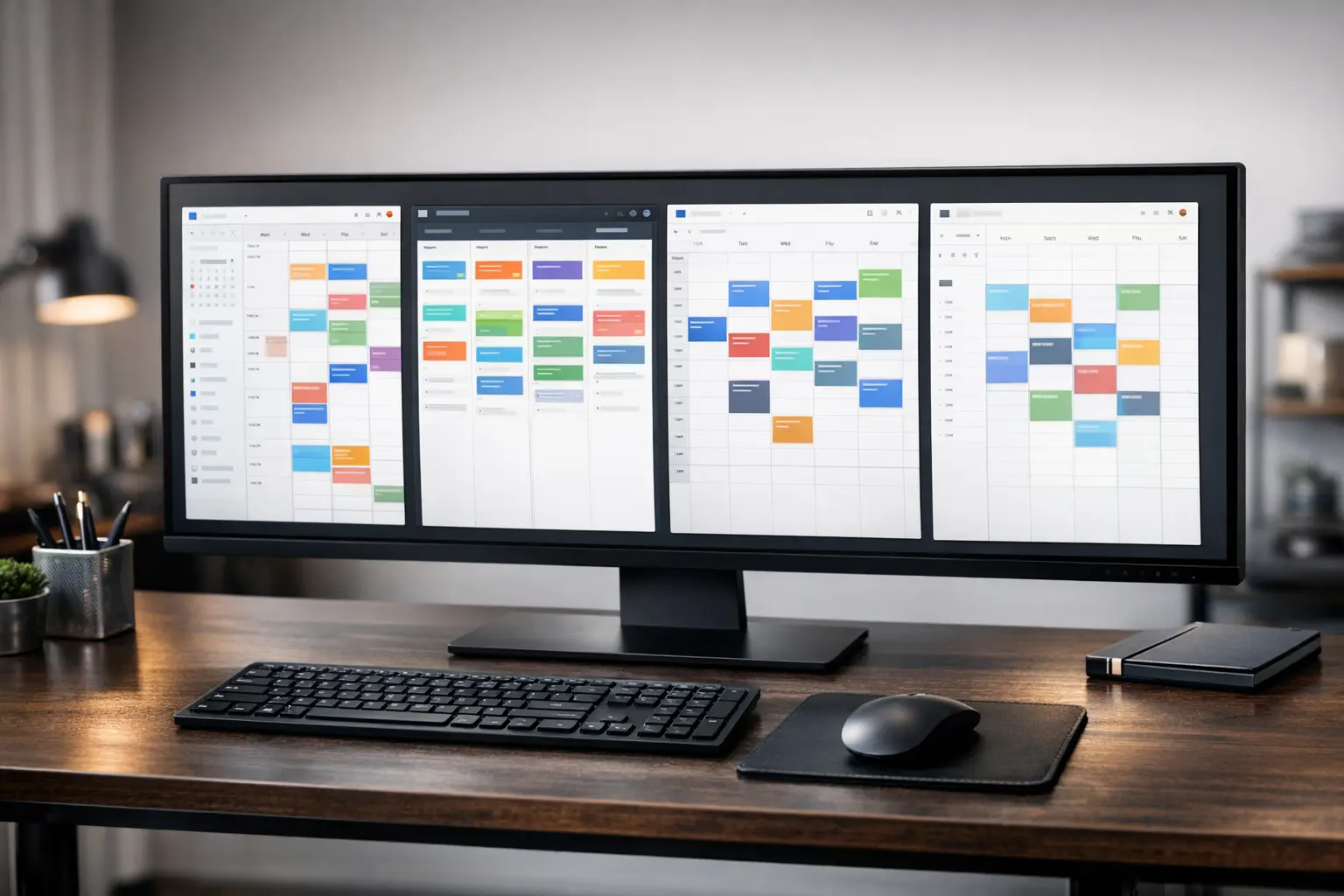
Finding the best Threads scheduler transforms how you manage your presence on Meta’s growing text platform. When it comes to best threads scheduler in 2026, instead of logging in multiple times daily to post manually, the right scheduling tool lets you plan content in advance, maintain consistency, and focus your real-time energy on engaging with your audience.
Since Threads doesn’t offer native scheduling, third-party tools are essential for anyone serious about building a consistent presence. This guide compares the top Threads scheduling options available in 2026, helping you choose the tool that fits your workflow, budget, and goals.
What Makes a Great Threads Scheduling Tool?
Before comparing specific tools, understanding what distinguishes excellent schedulers from adequate ones helps you evaluate options effectively.
The best Threads scheduler options share these essential qualities:
- Reliability: Consistent posting without failures or missed schedules
- Threads-specific features: Character counting, post previews, and format optimization
- Multi-platform support: Manage Threads alongside Instagram, X, and other networks
- Analytics integration: Track engagement to refine your content strategy
- Intuitive interface: Clean design that makes scheduling faster than manual posting
Reliability matters most fundamentally. A scheduler that occasionally fails to publish your content defeats its primary purpose. Look for tools with proven track records, clear uptime commitments, and responsive support for when issues arise. Reading reviews from other Threads creators reveals which tools consistently deliver and which experience frequent failures.
Threads-specific features improve your workflow significantly. Since Threads has specific character limits, tools with character counting help you optimize posts before scheduling. Preview features showing how your content will appear on Threads prevent formatting surprises after publication. As Meta continues developing the Threads API, scheduling tools gain access to more native features.
Multi-platform support matters if you’re active beyond Threads. Managing separate tools for each platform fragments your workflow and increases coordination complexity. Tools handling Threads alongside Instagram, Twitter/X, Facebook, and other platforms create efficiency that compounds over time.
Analytics integration helps you improve continuously. Tools that track engagement on scheduled posts—likes, replies, reposts—provide data for refining your strategy. Without analytics, you’re scheduling blind, unable to identify which content resonates with your Threads audience.
User experience affects whether you actually use the tool consistently. Clunky interfaces, slow loading, and confusing workflows create friction that discourages regular use. The best tools feel intuitive and make scheduling faster than manual posting.
Top Threads Schedulers Compared
Several tools have emerged as leading options for Threads scheduling in 2026. Each has distinct strengths depending on your specific needs, from solo creator simplicity to enterprise team management. The following reviews examine the most popular options, covering their core capabilities, pricing approaches, and ideal use cases. Understanding each tool’s positioning helps you identify which aligns best with your workflow and goals.
| Tool | Best For | Starting Price | Platforms | Key Strength |
|---|---|---|---|---|
| BrandGhost | Multi-platform creators | $9/month | Threads, Instagram, X, Facebook, LinkedIn | AI-assisted content creation |
| Buffer | Beginners & solo creators | Free tier available | Threads, Instagram, X, Facebook, Pinterest | Simple, reliable interface |
| Later | Visual content creators | Free tier available | Threads, Instagram, TikTok, Pinterest | Visual calendar planning |
| Hootsuite | Teams & agencies | $99/month | All major platforms | Team collaboration workflows |
| Sprout Social | Enterprise users | $249/month | All major platforms | Advanced analytics & CRM |
BrandGhost
BrandGhost positions itself as a scheduling solution designed specifically for content creators managing multiple platforms. The unified approach means you create content once and schedule it across Threads, Instagram, Twitter/X, Facebook, and other connected platforms from a single interface.
The platform emphasizes simplicity without sacrificing capability. Content creation happens in a clean composer that shows character counts and previews. The calendar view displays all scheduled content across platforms, making cross-platform coordination visible at a glance. AI-assisted features help with content creation and optimization.
Threads integration works through Meta’s API infrastructure. After connecting your account, scheduling posts follows the same workflow as other platforms. The tool handles publication automatically at your designated times.
Key BrandGhost features:
- Unified content composer with real-time character counting
- AI-powered content suggestions and optimization
- Cross-platform calendar view for coordination
- Bulk scheduling with CSV import support
- Engagement analytics across all connected platforms
Pricing targets individual creators and small teams rather than enterprise users. The value proposition centers on saving time and maintaining consistency across platforms without requiring separate tools for each channel.
Buffer
Buffer has established itself as one of the most recognized names in social scheduling over many years. The platform offers a clean, simple interface that emphasizes ease of use over feature density.
Threads support connects through the standard integration process. Buffer’s queue-based approach lets you add content, and the system publishes at your next available time slot. The visual calendar shows scheduled content across connected platforms.
The free tier covers basic scheduling needs for users just starting out. Paid plans unlock team collaboration, analytics, and increased scheduling capacity. The pricing structure scales from individual creators to small businesses.
Why creators choose Buffer:
- Established reputation with 10+ years of reliable service
- Queue-based scheduling that’s easy to understand
- Extensive knowledge base and tutorials
- Browser extension for quick content saving
Buffer’s strengths include its established reliability, widespread recognition, and wealth of educational resources. Years of operation mean proven stability and mature features.
Later
Later began as an Instagram-focused visual planning tool and has expanded to support multiple platforms including Threads. The visual, drag-and-drop calendar interface appeals to creators who think visually about their content schedules.
The platform particularly suits creators whose Threads content includes images and visual media. The media library and visual planning features help coordinate visual content across platforms.
Threads support provides standard scheduling capabilities alongside the platform’s broader visual planning tools. The experience emphasizes seeing your content calendar visually rather than managing text-based queues.
Later standout features:
- Drag-and-drop visual content calendar
- Media library for organizing images and videos
- Linkin.bio for driving traffic from profiles
- Best time to post recommendations
Pricing includes free and paid tiers with features scaling by plan level. The tool works well for creators who value visual calendar management and whose content emphasizes imagery.
Hootsuite
Hootsuite serves larger teams and agencies managing multiple clients and many social accounts. The comprehensive feature set includes content approval workflows, team collaboration tools, detailed analytics, and social listening capabilities.
Threads scheduling works within Hootsuite’s broader social management ecosystem. For users already on Hootsuite for other platforms, adding Threads to their workflow requires minimal adjustment.
The platform’s complexity suits teams needing governance, approval processes, and client management features. Individual creators or small teams may find the feature density overwhelming relative to simpler tools.
Pricing reflects the enterprise focus, with Hootsuite generally costing more than creator-focused alternatives. The investment makes sense for organizations needing robust team and client management.
Sprout Social
Sprout Social targets enterprise users and large agencies needing sophisticated reporting, CRM integration, and advanced analytics. The platform provides comprehensive social media management rather than simple scheduling.
Threads support integrates with Sprout’s broader publishing workflow. Teams can schedule, approve, and publish Threads content alongside other platforms within unified workflows.
Analytics capabilities exceed what simpler tools offer, with detailed engagement reporting and competitive analysis features. For organizations prioritizing data-driven social strategy, these capabilities justify the premium pricing.
The platform makes sense for enterprises with dedicated social media teams and substantial budgets. Smaller creators would likely find simpler, less expensive tools sufficient.
Comparing Key Threads Scheduler Features
Understanding how these tools differ across specific features helps match tools to your priorities. Rather than evaluating tools as overall packages, examining individual capabilities reveals which platform excels in areas most important to your workflow. Some users prioritize scheduling volume while others care more about analytics depth or team collaboration. According to Social Media Examiner, consistent scheduling is one of the top factors in social media success. The following feature comparisons help you weight tradeoffs according to your actual needs.
Scheduling Capacity
The number of posts you can queue varies by tool and plan. Some tools offer unlimited scheduling on paid plans while others cap queues at specific numbers. If you’re planning weeks or months of content in advance, verify that your chosen tool accommodates your volume.
Typical scheduling limits by tier:
- Free plans: 10-30 scheduled posts
- Starter plans: 100-200 scheduled posts
- Professional plans: Unlimited scheduling
- Enterprise plans: Unlimited with team queues
High-volume Threads strategies may require tools specifically designed for bulk scheduling. Some tools support CSV uploads and batch operations that simplify scheduling large content volumes. For sustained high volume, see our guide on Threads bulk scheduling.
Multi-Platform Support
Most mentioned tools support major platforms beyond Threads. However, specific platform coverage varies. Verify that any tool you’re considering supports all the platforms you use actively.
Managing multiple platforms from one tool provides significant efficiency benefits. The time saved from unified scheduling compounds as your platform count increases.
Content Creation Features
Basic schedulers provide text input fields and image upload. More advanced tools offer AI assistance, media editing, link shortening, hashtag suggestions, and optimization recommendations.
Character counting matters for Threads given its limits. Tools showing real-time character counts help you stay within bounds without trial and error during scheduling.
Analytics and Reporting
Analytics depth ranges from basic engagement metrics to comprehensive reporting dashboards. Consider whether you need simple performance tracking or detailed analytics for strategy optimization.
For data-driven Threads strategies, see our guide on Threads analytics and scheduling which covers using performance data to improve your scheduled content.
Team Collaboration
Solo creators may not need collaboration features, but teams require content approval workflows, role-based permissions, and shared calendars. Evaluate team features if multiple people contribute to your Threads presence.
Pricing
Cost ranges from free tiers with limitations to substantial monthly subscriptions. Evaluate pricing relative to the time saved and value created. A tool costing $20/month that saves several hours monthly may provide excellent value.
Free tools work for basic needs but typically limit scheduling capacity, platform connections, or feature access. Paid tools remove limitations and often provide better reliability and support.
Choosing the Best Threads Scheduler for Your Situation
Different situations call for different scheduling tools, and matching your selection to your specific context prevents both overpaying for unnecessary features and underbuying capabilities you’ll need. A solo creator has vastly different requirements than an agency managing dozens of client accounts. The following recommendations segment by user type, helping you identify which tool category and specific platforms deserve your evaluation time.
For Solo Creators
Individual creators building personal brands benefit from tools balancing capability with simplicity. You don’t need team features, enterprise analytics, or client management. Look for reliable scheduling, clean interfaces, reasonable pricing, and sufficient capacity for your posting frequency.
Solo creator priorities:
- Affordable pricing under $20/month
- Simple, intuitive interface
- Multi-platform support for 3-5 networks
- Basic analytics to track growth
- Mobile app for on-the-go scheduling
BrandGhost, Buffer, and Later all serve solo creators well at accessible price points. Choose based on which interface you find most intuitive and whether you need specific features like AI assistance or visual planning.
For Small Businesses
Small business accounts need reliable scheduling with some analytics to understand what’s working. Team features become relevant if multiple people manage social media. Pricing should scale appropriately—enterprise tools are likely overkill.
Buffer’s paid plans, Later’s business tier, and BrandGhost’s team features all suit small business needs. Evaluate which platform your team finds easiest to adopt and use consistently.
For Agencies
Agencies managing multiple clients need robust client management, approval workflows, and reporting capabilities. The ability to switch between client accounts efficiently matters operationally.
Hootsuite and Sprout Social cater specifically to agency needs with client management and white-label reporting features. The premium pricing reflects these specialized capabilities.
For Creator-Brand Partnerships
Creators working with brands may need specific workflow features for content approval before publication. Some tools offer approval queues and collaboration features suited to these partnerships.
Evaluate whether your brand partners have preferred tools or requirements that affect your selection.
Getting Started with Your Threads Scheduler
After selecting a Threads scheduler, setup follows a common pattern across most tools.
Follow these steps to set up your scheduler:
- Create an account with your chosen platform if you don’t already have one. Most offer free trials allowing you to evaluate before committing to paid plans.
- Connect your Threads account through Meta’s authentication process. Since Threads links to Instagram, you’ll authorize through your Instagram credentials. Grant the necessary permissions for posting on your behalf.
- Explore the interface to understand where things are. Find the content composer, calendar view, analytics, and settings. Familiarization prevents confusion when you start creating content.
- Create and schedule a test post to verify everything works. Schedule something simple for a few minutes in the future and confirm it publishes correctly. This validation catches authorization issues before you build out your content strategy.
- Configure default settings—timezone, notification preferences, content categories—before creating substantial content.
For detailed setup guidance, see our complete guide on how to schedule Threads posts.
Maximizing Your Threads Scheduler’s Value
Having a tool is only valuable if you use it effectively. These practices help you get maximum benefit from your Threads scheduler.
Best practices for scheduling success:
- Develop a consistent workflow that incorporates scheduling naturally. Perhaps Sunday afternoons become your content planning time, or you schedule while reviewing analytics each morning.
- Use calendar views to spot gaps and clustering. Seeing your content schedule visually reveals when you’ve accidentally scheduled nothing for days or bunched multiple posts at the same time.
- Leverage content library features to save and reuse successful content. Building a library of tested posts that can be rescheduled periodically multiplies the value of your best content.
- Review scheduled content before publication times. Circumstances change, and content that made sense when scheduled might be inappropriate by publication time.
- Track what works and adjust your strategy. Use analytics from your scheduler to identify high-performing content and refine your approach based on actual results.
Common Scheduler Selection Mistakes
Avoid these errors when choosing and using Threads schedulers.
Mistakes to avoid:
- Overbuying features you won’t use wastes money. Enterprise tools with extensive features cost more. If you’re a solo creator who won’t use team collaboration, client management, or advanced analytics, simpler tools provide better value.
- Underestimating reliability leads to missed posts and frustration. Saving a few dollars on a less reliable tool costs more in missed opportunities and time spent troubleshooting. Prioritize proven reliability.
- Ignoring workflow fit causes adoption failure. A powerful tool with a confusing interface that you don’t actually enjoy using will be abandoned. Choose tools that fit how you naturally work.
- Not using the tool consistently defeats its purpose. Subscribing to a scheduler then rarely using it provides no value. Commit to actually integrating scheduling into your content workflow.
- Expecting magic from any tool leads to disappointment. Schedulers help with logistics but don’t create great content for you. The best tool in the world can’t make mediocre content perform well.
Future of Threads Scheduling
The Threads scheduling landscape continues evolving as the platform matures.
Meta’s API development affects what third-party tools can offer. As Meta expands Threads API capabilities, scheduling tools gain access to new features. Stay aware of your chosen tool’s updates and new capabilities.
AI integration is expanding across scheduling platforms. Expect more tools to offer AI-assisted content creation, optimization suggestions, and automated posting recommendations. These features may change how you create and schedule content.
Native Threads scheduling may eventually arrive. Other Meta platforms offer native scheduling, so Threads gaining similar capabilities wouldn’t be surprising. If native scheduling doesn’t emerge, third-party tools remain essential.
Competitive dynamics among scheduling tools benefit users through improved features, better pricing, and ongoing innovation. The current tool that best fits your needs might not remain optimal indefinitely—periodic reevaluation makes sense.
Frequently Asked Questions
What is the best overall Threads scheduler?
The best overall Threads scheduler depends on your specific situation. BrandGhost works well for multi-platform creators wanting simplicity. Buffer offers proven reliability with a clean interface.
Are there free Threads scheduling options?
Free scheduling options exist with limitations. Buffer's free tier covers basic needs. Some tools offer free trials that let you test before paying.
Can I switch between Threads schedulers?
Switching schedulers is possible but involves some transition work. You'll need to reconnect accounts, recreate any scheduled content, and learn the new interface. Data portability varies by tool.
Are some Threads schedulers more reliable than others?
Reliability differences between tools exist, and reading user reviews helps identify which tools consistently deliver scheduled posts and which experience issues. Established tools with years of operation tend to be more stable than newer alternatives.
Should I use multiple schedulers for different platforms?
Multiple schedulers for different platforms works but creates complexity. Unified tools handling all your platforms simplify workflow and enable cross-platform coordination. Using separate tools makes sense only if specific platforms require specialized capabilities not available in unified options.
Do scheduling tools provide Threads analytics?
Scheduling tool analytics provide insights into your Threads performance that complement platform-native analytics. For strategy optimization, using both data sources gives you the fullest picture of what's working.