YouTube Upload Schedule by Day of Week: Complete 2026 Timing Guide
A complete YouTube upload schedule guide by day of week. Learn which days drive the most views, how the algorithm responds to timing, and how to build a sustainable posting cadence.
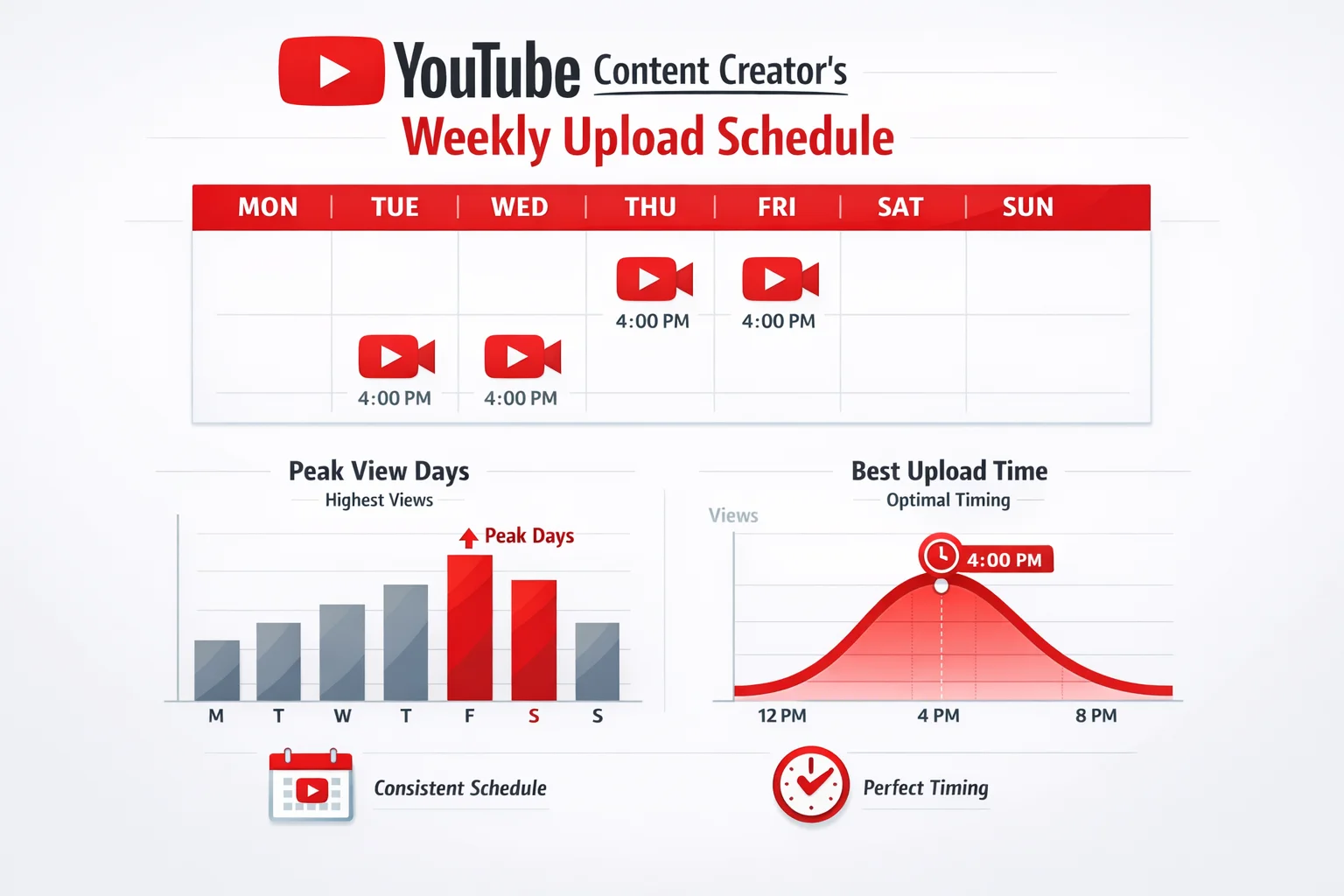
Your YouTube upload schedule determines more than just when subscribers see your notification. It shapes how much early engagement your video earns, how quickly the algorithm amplifies it, and whether you build the kind of audience that shows up reliably week after week.
Most timing advice online gives you a single best day or time without context. The reality is that no universal posting schedule exists. The right upload days for your channel depend on your niche, your audience’s habits, and your own production capacity. What this guide does is break down how day-of-week timing works on YouTube, what the data shows for different content categories, and how to find your specific optimal schedule using the tools already built into YouTube Studio.
For a broader overview of timing factors beyond the day-of-week question, including time zone considerations and algorithm mechanics, see the best time to post on YouTube guide.
How YouTube’s Algorithm Responds to Upload Timing
Before diving into day-specific patterns, it helps to understand why upload timing affects performance in the first place.
YouTube uses engagement velocity — how quickly a video accumulates views, likes, comments, and watch time in its first hours — as a signal for algorithmic amplification. When your video earns strong early engagement, the recommendation engine interprets it as evidence the content is resonant and starts surfacing it to a wider audience. When a video launches slowly, even if it’s high quality, it may never gain the algorithmic momentum to break out of your existing subscriber base.
Upload timing interacts with this dynamic in a straightforward way: if you publish when your audience is asleep or at work, the video’s first hours pass without the engagement it would receive during active viewing windows. That slow start can permanently cap the video’s reach.
This is why the upload schedule matters more than creators often realize. The goal isn’t just to reach people — it’s to reach enough people in the first 24 to 48 hours to signal to the algorithm that the content deserves broader distribution.
Processing Time Adds a Buffer Requirement
YouTube needs time to process and transcode your video after upload. Shorter videos may be ready within minutes, but longer, high-resolution uploads can take 30 to 90 minutes before they’re fully available in all quality settings and indexed by the recommendation system.
Uploading right at the moment you want viewers to see the video creates a risk: they may find a processing-in-progress placeholder, or the video may not yet appear in search and recommendations. The common practice is to upload 1 to 2 hours before your intended peak window, which creates a processing buffer without letting the video sit live for so long that the initial impression window is wasted.
Many creators handle this by uploading the completed video the previous night and using YouTube’s scheduled publication feature to set an exact go-live time, rather than uploading and publishing simultaneously.
Day-by-Day Audience Patterns on YouTube
YouTube’s audience doesn’t behave uniformly across the week. General patterns emerge from aggregated data and creator reporting, though these should be treated as starting hypotheses to validate with your own analytics rather than universal rules.
Monday
Monday carries lower overall viewer traffic compared to mid-week and weekend days. Viewers are often returning to work or school routines, and leisure screen time — which dominates YouTube consumption — is compressed.
However, Monday uploads face less content competition. Fewer creators publish on Mondays, which can result in stronger search visibility and recommendation placement for niche queries with lower competition. Educational content, productivity tutorials, and motivational content tend to perform relatively better on Mondays because the start-of-week mindset aligns with those topics.
Creators targeting weekday audiences with professional development or how-to content may find Monday a workable upload day. Entertainment and gaming content typically shows weaker Monday performance.
Tuesday and Wednesday
Mid-week represents a moderate traffic window. Viewers have settled back into their week routines but haven’t yet shifted into weekend mode. These days perform better than Monday for most content types while generating less competition than the Thursday–Saturday peak.
Tuesday and Wednesday work well for creators who can’t consistently publish at the end of the week and still want reasonable first-day engagement. For channels with a strong subscriber base that creates immediate notification opens, mid-week performance can approach weekend levels because existing subscribers respond reliably regardless of broader platform traffic.
Thursday
Thursday marks the beginning of the strongest YouTube traffic window for most audiences. Viewers begin shifting toward leisure and entertainment consumption as the workweek approaches its end. The algorithm’s recommendation activity increases as more users open the app and browse.
For creators who can only choose one weekday, Thursday consistently emerges as the strongest option across multiple content categories. It captures the early-weekend browsing surge while still landing before the Saturday peak when the most upload competition hits.
Friday
Friday combines high viewer intent with a meaningful competitive increase as more creators publish before the weekend. Total platform traffic is strong, but the content supply increases proportionally.
For niche content with low competition — specific tutorials, specialized topics, or content serving a defined audience — Friday remains an excellent option. For broad entertainment topics where dozens of large channels publish simultaneously, Friday can mean your video is competing against more noise for the same recommendation slots.
Saturday
Saturday typically delivers the highest raw view counts for entertainment, gaming, and lifestyle content. Viewers have free time, leisure intent is high, and the platform sees some of its highest overall traffic. For these content categories, Saturday uploads often outperform every other day of the week.
The challenge with Saturday is that it’s also the most competitive upload day across popular content categories. If your channel is in an early growth phase or targets a niche topic, the increased competition may offset the traffic advantage. For established channels with a loyal subscriber base that generates strong immediate engagement, Saturday leverage is more accessible.
Sunday
Sunday performance varies more by niche than any other day. For channels targeting families, children’s content, or casual entertainment, Sunday is often the second-strongest day of the week after Saturday. For professional or educational content, Sunday performance tends to drop because the audience mindset shifts toward preparation for the coming week.
Sunday also presents an interesting opportunity for creators who want good engagement with lower competition than Saturday: overall traffic is still elevated from the weekend, but fewer creators publish on Sunday compared to Friday and Saturday, reducing the content supply for recommendation slots.
Content Category and Timing Alignment
Different YouTube content categories see different day-of-week performance patterns. Matching your upload day to your content type’s audience behavior improves early engagement even before you’ve analyzed your own channel data.
Educational and Tutorial Content
Viewers seeking educational content — coding tutorials, cooking techniques, language learning, academic help — show stronger engagement on weekdays, particularly Tuesday through Thursday. These viewers are in a learning mindset during structured parts of their week. Weekend searches for educational content do occur but are generally lower intent.
For educational channels, a Tuesday or Thursday upload often outperforms a Saturday upload despite lower overall Saturday platform traffic favoring general entertainment.
Entertainment and Pop Culture
Entertainment content — commentary, vlogs, gaming, reaction videos — follows the weekend traffic peak closely. Thursday through Saturday uploads typically show the strongest performance for these categories. Viewer intent is highest when people have discretionary time to watch longer, entertainment-focused content.
For gaming content specifically, Saturday and Sunday evenings often represent peak viewing windows because the audience is both active and has extended availability for longer gameplay videos.
Fitness and Wellness
Fitness content shows an interesting pattern: Monday has stronger-than-average performance for workout and motivation videos because viewers seeking a fresh start align their viewing habits with new-week intentions. Sunday also performs well for wellness content as viewers prepare for the week ahead.
This is one category where the general “Thursday through Saturday is best” guidance doesn’t apply uniformly. If your channel covers fitness, testing Monday and Sunday uploads is worthwhile even if it contradicts broader platform patterns.
Business and Professional Development
Business-focused content — marketing tutorials, productivity systems, career advice — performs best on weekdays, typically Tuesday through Thursday. The audience for this category is often watching during commutes, lunch breaks, or structured learning time rather than leisure sessions.
Friday afternoon and weekends tend to underperform for professional content as the target audience disengages from work-adjacent topics.
How to Find Your Optimal YouTube Upload Day
General patterns are a starting point, not a destination. Your channel’s optimal schedule is specific to your audience, and YouTube Studio gives you the data to find it.
Reading Your Audience Activity Data
In YouTube Studio, navigate to Analytics, then the Audience tab. The activity heat map shows when your current subscribers are most active on YouTube, broken down by day of week and hour of day. This data reflects your actual subscribers’ behavior — not averages across all YouTube users.
Your highest-activity days are strong candidates for your upload days. The heat map doesn’t tell you which day to upload — it tells you when your subscribers are watching. Publishing shortly before those windows gives your video a better chance of reaching them while it’s fresh.
Running Day-of-Week Tests
Once you have a hypothesis about your best upload days, test it systematically. Publish comparable videos — similar length, format, production quality, and topic depth — on different days across a 6 to 8 week period. Compare 48-hour view counts and 7-day engagement rates, controlling for topic variation as much as possible.
YouTube analytics allow you to see the view count trajectory for each video over its first week. Patterns that repeat across multiple uploads on the same day provide more reliable data than any single video test.
Separating Day Effects from Topic Effects
One challenge with testing upload timing is separating day-of-week effects from topic performance differences. A video that performs well on Thursday might be performing well because of its topic, not its timing. Running tests with closely matched content reduces this confounding effect.
A useful approach: if you publish multiple videos per week, alternate upload days between pairs of comparable videos and compare their early performance over time. With enough data points, the day effect becomes visible even when individual video topics vary.
Building a Sustainable YouTube Upload Schedule
The best YouTube upload schedule is the one you can maintain consistently at your quality standard. Posting every Saturday for three months, then missing three weeks because production fell behind, does more long-term harm than posting every other Tuesday reliably.
Subscriber expectations form around your schedule. When viewers know you publish at a predictable cadence, they develop habits around your content. Those habits translate to higher notification open rates, stronger first-hour engagement, and more reliable subscriber retention.
For most solo creators, one video per week is a sustainable starting point that leaves time for quality production without the burnout that comes from overcommitting to a twice-weekly or daily schedule. Choosing the day that works best for your production workflow — so you’re not rushing at the last minute — often matters as much as choosing the theoretically optimal day.
If your production workflow allows two uploads per week, spacing them across the week rather than publishing both on the same day captures multiple audience activity windows and avoids the videos competing with each other for recommendation slots.
Scheduling Features and Upload Timing Mechanics
YouTube’s scheduled publication feature lets you separate the upload process from the go-live moment. You can upload a completed, fully processed video and specify the exact date and time it becomes public. This workflow eliminates the processing-time risk of uploading and publishing simultaneously.
Scheduled publishing also lets you upload during off-peak periods — when YouTube’s servers may be less congested — while timing the public release to your optimal window. For creators uploading large, high-resolution files, this flexibility is practically useful.
For managing your full YouTube publishing calendar alongside other social media channels, tools like BrandGhost provide a unified scheduling dashboard that handles cross-platform timing alongside your YouTube upload schedule, reducing the coordination overhead of managing multiple platform calendars separately.
Understanding how your full YouTube content calendar fits together — including the relationship between upload frequency, topics, and day-of-week distribution — helps you plan timing decisions as part of a broader content strategy rather than optimizing each upload in isolation.
Common YouTube Upload Schedule Mistakes
Several timing patterns consistently underperform, even when creators intuitively think they should work.
Uploading Too Close to Your Target Window
Publishing and immediately going live right at your intended peak time means the video hasn’t been fully processed when viewers would most likely encounter it. The 1 to 2 hour pre-publish buffer is worth building into your workflow.
Abandoning a Schedule After Low Early Performance
New channel uploads often underperform not because the timing is wrong but because the channel has a small subscriber base that generates low first-hour engagement regardless of when it’s published. The algorithmic momentum problem affects small channels more acutely. Switching upload days repeatedly based on one or two data points prevents you from gathering enough information to identify genuine patterns.
Optimizing for Peak Traffic Instead of Peak Opportunity
Peak traffic days aren’t always peak opportunity days. If you’re in a niche with high publication volume on weekends, publishing on a less contested day when your specific audience is still active — even if total platform traffic is lower — may result in better recommendation placement and discovery performance.
Ignoring Time Zone Distribution
If your audience is distributed across multiple time zones, “posting at 2 PM” means something different for each of them. Your YouTube Analytics audience data shows your primary audience geography, which should anchor your time zone reference for scheduling decisions. Using YouTube’s scheduling feature to set an exact UTC time removes ambiguity from the timing execution.
Connecting Your Schedule to a Long-Term Growth Strategy
Your upload schedule is one lever in a larger YouTube growth system. Timing works best when it’s combined with consistent quality, audience understanding, and content strategy.
The YouTube analytics and scheduling guide covers how to connect your performance data to upload schedule adjustments over time, including which metrics to monitor and how often to revisit your timing decisions as your channel grows. Understanding how to schedule YouTube videos efficiently is also worth reading if you’re still managing uploads manually without taking advantage of scheduled publication.
Your YouTube upload schedule isn’t a one-time decision. As your channel grows, your audience demographics may shift, your niche may evolve, and platform behavior changes. Treating your schedule as an ongoing experiment — anchored by data from YouTube Studio rather than generic advice — gives you the best foundation for sustained growth.
Frequently Asked Questions
Which days of the week are best for uploading to YouTube?
Thursday, Friday, and Saturday consistently perform well across most content categories because viewer intent and platform traffic peak heading into and through the weekend. However, your best days depend heavily on your specific audience and niche — educational and productivity content often performs better mid-week, while entertainment and gaming content sees stronger weekend numbers. Use your YouTube Studio audience activity data to find your personal optimal days.
Does it matter what day of the week I upload to YouTube?
Yes, day of week meaningfully affects how much early engagement your video receives, which directly influences algorithmic amplification. YouTube surfaces videos that accumulate engagement quickly in the first 24 to 48 hours — uploading when your audience is most active gives your video the best chance at that early velocity. The difference between a Tuesday upload and a Saturday upload for a gaming channel can be significant for the first-day view count.
Should I post on the same day every week?
Consistency matters more than picking the single 'best' day. Subscribers who expect your content on a specific day develop a viewing habit around your schedule. Publishing irregularly — even if you occasionally hit a high-traffic day — makes it harder to build audience anticipation. Choose days you can sustain for months, not days that are theoretically optimal but practically difficult to maintain.
How far in advance should I upload my YouTube video?
Upload your video at least 1 to 2 hours before your target peak viewing window. YouTube needs time to process, transcode, and begin indexing the video before it can surface in recommendations and search. Uploading too close to your peak window means the video isn't fully processed when your audience would be most likely to click. Many creators upload the night before and schedule publication for the next morning.
Does posting more frequently on YouTube help with growth?
Frequency helps only when quality is maintained. Publishing twice a week with lower production quality often underperforms publishing once a week with strong, well-researched content. YouTube's algorithm rewards watch time and engagement rate more than raw upload frequency. Start with a schedule you can sustain at your quality bar, then increase frequency once that baseline is solid.
How do I find the best upload day for my specific YouTube channel?
Open YouTube Studio, navigate to Analytics, and look at the Audience tab. It shows a heat map of when your subscribers are most active, broken down by day and hour. This data reflects your actual audience's behavior — not general averages — and should be the primary input for your upload schedule decisions.