TikTok for Content Creators: The Complete Scheduling and Growth Guide
Everything content creators need to know about scheduling TikTok posts, growing an audience, and automating their TikTok presence with BrandGhost.
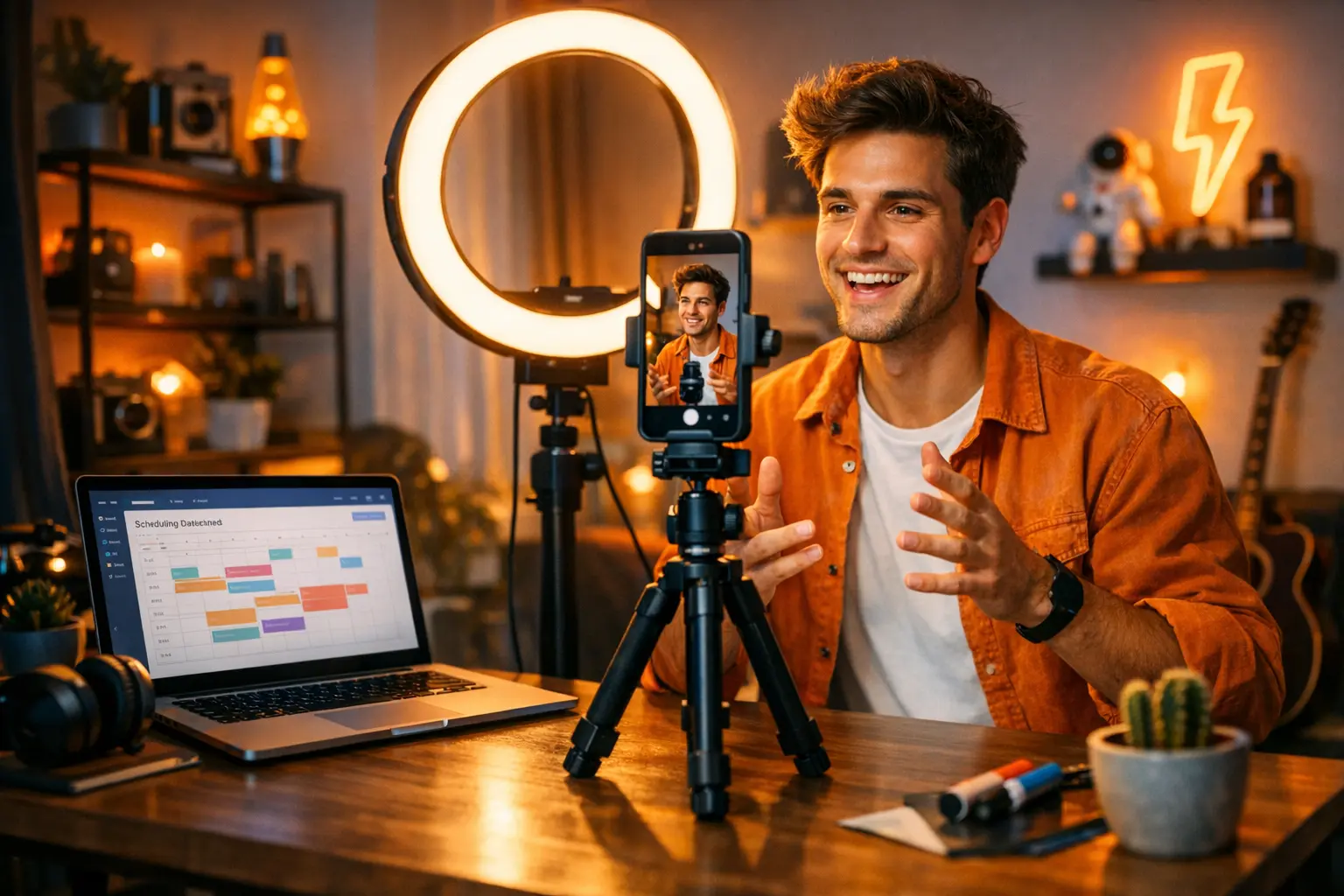
TikTok is no longer just an app for dance videos. As of 2024, the platform has over one billion monthly active users [source: ByteDance], making it one of the most powerful organic discovery engines in social media history. For content creators — whether you’re building a personal brand, running a coaching business, or growing a niche audience — TikTok offers something most platforms can’t: the ability to reach people who have never heard of you. The For You Page (FYP) distributes content based on interest signals, not follower counts, which means a first-time creator can go viral on their third post while an established account can stagnate if the content stops connecting. This guide covers everything you need to know to build a sustainable, strategic TikTok presence — from understanding the algorithm to scheduling your posts and growing your audience without burning out.
TikTok at a Glance: Quick Reference
Before diving in, here’s a factual snapshot of what you’re working with on TikTok as a creator.
| Factor | Detail |
|---|---|
| Max video length | 10 minutes (feed video), 60 seconds (Stories) |
| Optimal aspect ratio | 9:16 vertical |
| Recommended posting frequency | 1–3 times per day |
| Best scheduling tools | BrandGhost, Later, Buffer, TikTok Studio |
| API scheduling available | Yes — via TikTok’s Content Posting API |
| Content types | Videos, TikTok LIVE, Stories, Photo Mode, Duets, Stitch |
| Key algorithm signal | Watch time and completion rate |
| Business features | Creator Marketplace, TikTok Shop, TikTok Ads, Creator Rewards Program |
| Parent company | ByteDance |
| Headquarters | Los Angeles, CA (global operations) |
Understanding these fundamentals shapes every decision you’ll make on the platform — from how you structure your videos to when you hit publish.
What Makes TikTok Different from Every Other Platform
TikTok, owned by ByteDance, launched globally in 2018 after merging with Musical.ly. What separated it from competitors immediately was its recommendation engine. While platforms like Instagram and YouTube prioritized content from accounts you already followed, TikTok’s For You Page was designed from the start to surface content from strangers — content matched to your demonstrated interests rather than your social graph.
This algorithmic philosophy has massive implications for creators. On Instagram, building an audience means cultivating followers first. On TikTok, a single well-performing video can add thousands of followers overnight — even for an account with zero prior reach. The trade-off is volatility: what works one week may underperform the next, and the algorithm rewards consistency and experimentation more than polished perfection.
For creators, this means TikTok is genuinely one of the most accessible platforms to grow on from scratch — but it requires a different mindset than traditional social media. Think of it less as a social network and more as a discovery platform, one where your content competes for attention across a global feed every single time you post.
Understanding the For You Page (FYP)
The For You Page is TikTok’s main content feed and the primary driver of organic reach on the platform. When a video performs well, the algorithm progressively shows it to larger and larger audiences — starting with a small test cohort, then expanding based on engagement signals.
The key signals TikTok’s recommendation system weighs include:
- Watch time and completion rate: The percentage of your video that viewers actually watch is one of the most important signals. A video watched to completion — or rewatched — is a strong positive signal.
- Engagement interactions: Likes, comments, shares, and saves all contribute, with shares typically weighted most heavily because they indicate the viewer found the content valuable enough to send to someone else.
- Video information: Captions, hashtags, sounds, and effects help TikTok categorize your content and match it to relevant interest groups.
- Device and account settings: Language, location, and device type play a secondary role in distribution.
One common misconception is that hashtags alone drive FYP reach. Hashtags help TikTok categorize content, but watch time and completion rate are the real gatekeepers. A poorly performing video with perfect hashtags will not get distributed. A video with high completion rates and a generic caption can go viral. Focus on the first few seconds of your videos above everything else — if you don’t hook viewers immediately, they swipe away, and the algorithm takes note.
TikTok Content Types: What Works for Creators in 2025
TikTok has expanded well beyond short-form video since its early days. Creators now have several content formats to work with:
Short-Form Video (15–60 Seconds)
This is TikTok’s core format and still the highest-performing content type for organic reach. Videos in the 15–60 second range consistently produce stronger watch completion rates than longer content, making them the most efficient format for algorithmic distribution. Hook viewers in the first 1–3 seconds — a question, a surprising statement, or a visual that creates immediate curiosity.
Long-Form Video (1–10 Minutes)
TikTok expanded to 10-minute videos to compete with YouTube for long-form content. This format works well for tutorials, storytelling, and in-depth educational content where audience retention is strong. Long-form videos perform best in niches where viewers are actively seeking detailed information — cooking, DIY, personal finance, fitness, and similar how-to categories.
TikTok LIVE
Going live on TikTok surfaces your stream to followers and can attract new viewers through the LIVE discovery tab. TikTok LIVE is particularly effective for Q&A sessions, product demos, and real-time community engagement. LIVE streams also unlock gifting features, allowing viewers to send virtual gifts that convert to creator earnings.
Photo Mode (Carousel Posts)
TikTok’s Photo Mode allows creators to post a series of still images in a scrollable carousel format, set to music. This format works well for list-style content, before-and-after posts, travel highlights, and any content that benefits from multiple images rather than video. Engagement rates on photo carousels have been competitive with short video in certain niches.
Duets and Stitch
Duets place your video side-by-side with another creator’s video in real time. Stitch lets you clip and respond to another creator’s content as a reaction or commentary. Both formats are powerful for reaching new audiences by attaching your content to existing viral videos. They also signal collaboration to the algorithm, which can boost distribution for both parties.
Stories
TikTok Stories disappear after 24 hours and appear in a dedicated section of the app. They’re best used for behind-the-scenes content, quick updates, and informal creator-to-follower communication. Stories don’t have the same organic reach potential as feed videos, but they serve an important role in maintaining follower engagement between major posts.
How to Schedule TikTok Posts
Consistency is one of the most reliable predictors of TikTok growth. The problem is that creating content every day — and publishing it at the right time — is difficult to sustain manually. Scheduling solves this by letting you batch your content creation and then automate the distribution.
There are two main ways to schedule TikTok posts:
TikTok Studio’s Native Scheduler
TikTok Studio is TikTok’s built-in creator dashboard, available on desktop at studio.tiktok.com. Within the upload workflow, you can toggle from “Post Now” to “Schedule” and pick a date and time up to 10 days in advance. This is completely free, requires no third-party app, and publishes directly through TikTok’s own infrastructure.
The main limitation is the 10-day window. If you batch-create a month of content, the native scheduler won’t accommodate your full queue. It also doesn’t support multi-platform posting, so creators managing TikTok alongside Instagram Reels, YouTube Shorts, or Pinterest need to schedule each platform separately.
Third-Party Scheduling Tools
For creators who want a longer planning horizon, bulk scheduling, or multi-platform management, third-party tools are the practical choice. BrandGhost connects via TikTok’s Content Posting API to publish on your behalf automatically, with support for scheduling weeks in advance and managing your full content calendar in one place.
When choosing a TikTok scheduler, look for these capabilities:
- Auto-publish (vs. reminder-only): Some tools notify you when it’s time to post rather than posting automatically. Auto-publish is significantly more convenient.
- Bulk scheduling: The ability to upload and schedule multiple videos at once is a major time-saver.
- Analytics integration: Knowing how scheduled posts perform helps you refine your calendar over time.
- Multi-platform support: If you’re cross-posting to other platforms, a unified tool eliminates redundant work.
You can explore TikTok bulk scheduling as a strategy for creators who batch their content creation in weekly or monthly sessions rather than producing on the fly.
Is There a Free Way to Schedule TikTok?
Yes. TikTok Studio’s native scheduler costs nothing and covers the basics for most solo creators. If you want to schedule TikTok posts free with third-party tools, some platforms — including BrandGhost — offer free-tier plans that include basic scheduling access. Advanced features like bulk scheduling and team collaboration are typically gated behind paid plans.
When to Post on TikTok: Timing Your Content for Maximum Reach
Publishing at the right time gives your video an early engagement boost. TikTok’s algorithm uses early signal data — how quickly a video accumulates views, likes, and completions in the first hour — to decide whether to expand its distribution. Posting when your audience is most active maximizes that initial signal window.
General research across the creator community points to three daily windows that perform consistently across most niches:
- Morning: 6 AM – 9 AM (audience scrolling before work or school)
- Midday: 12 PM – 3 PM (lunch break browsing)
- Evening: 7 PM – 11 PM (peak leisure hours, typically highest traffic)
The best time to post on TikTok varies by audience time zone, niche, and follower demographics. A fitness creator with a largely US-East-Coast audience will see different results than a cooking creator whose followers are concentrated in Europe.
Day-of-week also matters. Research across creator datasets generally shows that mid-week and Friday posts outperform weekend posts for most niches, though there are meaningful exceptions. For granular guidance, see timing breakdowns by day:
- Best time to post on TikTok on Mondays
- Best time to post on TikTok on Tuesdays
- Best time to post on TikTok on Wednesdays
- Best time to post on TikTok on Thursdays
- Best time to post on TikTok on Fridays
- Best time to post on TikTok on Saturdays
- Best time to post on TikTok on Sundays
The most reliable timing data always comes from your own TikTok Analytics. Go to your profile, tap the Analytics tab (Creator Tools > Analytics), and check the Followers section to see when your specific audience is most active. Cross-reference this with your top-performing videos and their posting times to find the windows that work for your unique audience.
You can also connect TikTok analytics with your scheduling workflow to use performance data to inform when and what you schedule next — closing the loop between insights and execution.
How Often Should You Post on TikTok?
This is one of the most common questions creators ask, and the honest answer is: it depends on your capacity, but consistency matters more than frequency.
TikTok’s Creator Academy has recommended posting 1–4 times per day for creators actively trying to grow. In practice, posting once or twice daily is a realistic and sustainable target for most independent creators. Accounts that post 3–5 times per week on a consistent schedule reliably outperform accounts that post daily for two weeks and then go silent for a month.
The best day to post on TikTok matters, but your publishing rhythm matters more. Set a schedule you can maintain for months — not one that burns you out in weeks.
A practical framework for solo creators:
- Beginner (starting out): 3–5 posts per week while you find your voice and test formats
- Growth phase: 1–2 posts per day once you have a content library and understand what resonates
- Established creator: Maintain 5–7 posts per week, using scheduling tools to stay consistent without daily manual effort
If consistency is a challenge, this is precisely where TikTok automation and scheduling tools pay for themselves. Batching a week or month of content in a single session and scheduling it out removes the daily decision-making burden entirely.
Growing Your TikTok Following: Strategies That Actually Work
Follower growth on TikTok is a byproduct of content quality, consistency, and smart distribution — not hacks or tricks. Here are the strategies that reliably drive sustainable growth:
Nail Your Niche and Hook
The fastest-growing TikTok accounts are clearly positioned. Viewers should know within two seconds of landing on your profile exactly what you create and who it’s for. This niche clarity also helps TikTok’s algorithm categorize your content and serve it to the right audience.
Your hook — the first 1–3 seconds of every video — is the most important element of your content. Strong hooks include:
- A surprising or counterintuitive statement
- A visual that creates immediate curiosity
- A direct question that your target viewer can’t ignore
- A “you won’t believe this” setup that creates a loop
Weak hooks include slow intros, long logos, or any version of “hey guys, welcome back.” Get to the point before a viewer’s thumb moves.
Use Trending Sounds Strategically
TikTok’s algorithm gives a meaningful distribution boost to videos that use trending audio. This doesn’t mean you should force trending sounds onto unrelated content — it means monitoring the Discover and Creative Center sections of TikTok to find trending sounds relevant to your niche and building content around them.
Trending sounds also help with discoverability, since users who interact with a sound’s trend page can find your video through that audio.
Engage With Your Comments Section
Responding to comments — especially in the first 30–60 minutes after posting — sends activity signals to the algorithm. TikTok’s Creator Academy has noted that comment engagement is one of the indicators that your content is creating genuine community activity, which can influence further distribution.
A practical tactic: “Video reply” comments, where you record a video responding to a specific comment, are a reliable content format that simultaneously builds community and generates new posts.
Leverage Duets and Stitch
These features exist specifically for creators to build on top of existing viral content. Reacting to, analyzing, or expanding on a trending video places your content in front of the original video’s audience. When used well, Duets and Stitch can be some of the most efficient reach-generating content formats on the platform.
Maintain Cross-Platform Presence
While TikTok is a powerful standalone channel, the most resilient creator businesses distribute content across multiple platforms. Content repurposing — taking a TikTok video and redistributing it as an Instagram Reel, YouTube Short, or Pinterest Idea Pin — multiplies the return on every piece of content you create. Tools that support multi-platform social media scheduling make this significantly more efficient.
TikTok Analytics: What to Track and Why It Matters
TikTok’s native analytics, available through Creator Tools, provide actionable data for creators on a Creator or Business account. Understanding which metrics matter — and which are vanity metrics — is essential for making informed decisions about your content strategy.
The Metrics That Drive Growth
Average Watch Time and Completion Rate: These are the most important metrics on TikTok because they most directly correlate with algorithmic distribution. A video that 60% of viewers watch to completion is a strong signal. A video that viewers abandon at the 10% mark is a weak signal, regardless of how many people were initially shown it.
Shares: Shares indicate that viewers found your content so valuable or entertaining they sent it to someone else. This drives organic discovery beyond your follower base and is weighted heavily in TikTok’s ranking signals.
Traffic Sources: The Analytics Traffic Source report shows you how viewers are finding your content — through the For You Page, through hashtag search, from your profile directly, or from Following feeds. High FYP traffic on a video means the algorithm is distributing it broadly. High search traffic means your content is ranking for specific queries, which is valuable for long-term discoverability.
Follower Growth Rate: Not just total followers, but the rate at which followers are growing. A spike in follower growth correlated with a specific video identifies your best content for attracting new audience members.
Profile Views: Spikes in profile views indicate that your content prompted curiosity — viewers wanted to see more of what you make. High profile views with low follower conversion suggest your profile itself needs optimization (bio, pinned videos, visual consistency).
Using Analytics to Refine Your Schedule
If you track posting time alongside performance data, patterns emerge. You may find that your Thursday evening posts consistently outperform your Monday morning ones, or that a specific content format reliably generates stronger completion rates. Pairing TikTok analytics with your scheduling strategy allows you to systematically improve your calendar based on evidence rather than guesswork.
Practical workflow: review analytics weekly, identify your two or three best-performing videos, note the posting times, content format, and topic, then test similar content in the same time windows the following week.
TikTok for Business: Monetization Paths for Creators
TikTok offers creators several routes to monetization, and understanding which paths are available is essential for anyone treating content creation as a career.
Creator Rewards Program
TikTok’s Creator Rewards Program (which replaced the original Creator Fund) pays eligible creators based on video performance metrics including views, engagement, and originality. Payment rates under the Creator Rewards Program are generally higher than the original fund, though exact rates vary by niche, geography, and content quality. Eligibility typically requires a minimum follower count (10,000+) and minimum video views in the past 30 days.
Brand Partnerships via Creator Marketplace
TikTok’s Creator Marketplace is the platform’s official channel for brand-creator collaborations. Brands post campaign briefs and eligible creators can apply directly. Marketplace deals typically pay more than adsense-style programs and offer opportunities for long-term brand relationships. Creators with strong engagement rates and niche audiences often command more value than accounts with large but disengaged followings.
TikTok Shop and Product Links
TikTok Shop lets creators tag products directly in their videos and earn affiliate commissions on sales. It’s one of the highest-converting e-commerce formats in social media because the purchase intent is built into the content experience itself. Creators in beauty, fashion, home, and fitness have seen particularly strong performance with TikTok Shop.
TikTok LIVE Gifting
During live streams, viewers can send virtual gifts that convert to “diamonds,” which creators cash out. For engaged communities with loyal audiences, LIVE gifting can generate meaningful recurring income — especially combined with regular Q&A or community events that incentivize viewers to tune in.
For creators building a business on TikTok, a Business Account (switched from a personal account in Settings) unlocks additional analytics depth, Creator Marketplace access, and advertising capabilities. If you’re managing TikTok as part of a larger content business, TikTok for business scheduling tools that support team accounts and approval workflows become important operational considerations.
TikTok Video Production: Technical Best Practices
You don’t need professional equipment to succeed on TikTok — many top creators shoot entirely on smartphones. But a few technical fundamentals consistently improve performance:
Format and Dimensions
Always shoot and export in 9:16 vertical format. Horizontal or square video is technically supported, but it performs significantly worse because it breaks the full-screen viewing experience TikTok is designed around. If you’re repurposing content from YouTube or other platforms, crop and reformat before posting.
Recommended specifications:
- Resolution: 1080 × 1920 pixels (1080p vertical)
- File format: MP4 or MOV
- Frame rate: 30 fps or 60 fps
- Maximum file size: 287.6 MB (for videos up to 60 seconds); 500 MB for longer videos
Safe Zones and Text Placement
TikTok’s interface overlays several UI elements on your video:
- Bottom of frame: Caption, sound name, creator handle, and action buttons
- Right side: Like, comment, share, and follow icons
- Top of frame: Following/For You toggle and search
Keep critical text and visual elements in the center 80% of the frame, away from the bottom 25% and right 15%. Text placed in these zones gets obscured by TikTok’s native UI.
Audio Quality
Good audio is more important than good video on short-form platforms. Viewers tolerate grainy footage far more readily than they tolerate poor audio. An inexpensive clip-on lavalier microphone dramatically improves perceived production quality, even if you’re filming on a phone in natural light.
Captions and Accessibility
Auto-captions in TikTok Studio are accurate and easy to add during upload. Including captions significantly improves watch time for viewers who scroll with sound off (estimated at 40–60% of users in some studies [source: Verizon Media/Publicis study]), and captions also make your content accessible to deaf and hard-of-hearing creators.
Building a Sustainable TikTok Content System
The creators who build lasting TikTok audiences aren’t the ones who work the hardest in any given week — they’re the ones who build systems that make consistent output sustainable over months and years.
A practical content system for TikTok looks like this:
1. Content Batching: Dedicate one or two sessions per week to filming multiple videos. This separates the creative work from the operational work and prevents the daily “what do I post today?” decision fatigue.
2. Scheduling: Use a tool like BrandGhost or TikTok Studio to schedule everything you filmed in advance, at the optimal times for your audience. Once scheduled, you don’t have to think about posting — it happens automatically.
3. Analytics Review: Once weekly, spend 15–20 minutes reviewing what worked. Update your content plan based on what your data shows.
4. Trend Monitoring: Spend a few minutes daily in the TikTok Creative Center or your For You Page watching what’s trending in your niche. Capture ideas and sounds to incorporate into upcoming batches.
5. Engagement Block: Set a defined time each day (15–30 minutes) for responding to comments and engaging with other creators in your space. Avoid the trap of being “always on” while still maintaining the community signals the algorithm rewards.
This kind of system — rather than reactive, daily posting — is what separates creators who grow steadily from those who have bursts of activity followed by burnout.
Frequently Asked Questions
How do I schedule TikTok posts in advance?
You can schedule TikTok posts natively through TikTok Studio, which allows scheduling up to 10 days in advance at no cost. For more flexibility — including bulk scheduling, multi-platform publishing, and longer scheduling windows — third-party tools like BrandGhost connect via TikTok's Content Posting API to let you queue and automate posts well ahead of time. Either approach works; the right choice depends on how far in advance you like to plan and whether you manage multiple platforms.
What is the best time to post on TikTok?
Research consistently points to early morning (6–9 AM), midday (12–3 PM), and evening (7–11 PM) in your audience's primary time zone as the strongest windows. Tuesday, Thursday, and Friday tend to generate the highest engagement across general audiences, though your results will vary by niche. The most reliable answer always comes from your own TikTok Analytics — check the Followers tab to see exactly when your specific audience is online.
How often should content creators post on TikTok?
Most growth-focused creators post between 1 and 3 times per day. TikTok's Creator Academy has recommended posting 1–4 times daily for maximum algorithmic reach. That said, consistency matters more than volume — posting 3 to 5 times per week on a reliable schedule outperforms irregular daily bursts. Find a cadence you can sustain long-term without burning out, and protect your content quality above all else.
What are the best TikTok scheduling tools for creators?
BrandGhost, Later, and Buffer are among the most popular scheduling tools for TikTok creators. BrandGhost supports multi-platform scheduling, topic streams, and bulk upload, making it a strong choice for creators managing several channels. Later offers a visual content calendar and auto-publish. Buffer is widely used for its clean interface and basic scheduling. TikTok Studio's built-in scheduler is also worth using for simple, no-cost scheduling up to 10 days out.
Can TikTok posts be scheduled and automated?
Yes. TikTok's Content Posting API allows approved third-party platforms to publish content on your behalf automatically. Tools like BrandGhost integrate with this API to enable full scheduling and posting automation — you upload your video, set a time, and the tool publishes it without any manual action required. You can build out weeks of content in a single session and let automation handle the day-to-day execution.
What video formats work best on TikTok for creators?
Vertical video in a 9:16 aspect ratio is the standard on TikTok and performs significantly better than horizontal or square formats. MP4 and MOV are the recommended file formats. Videos between 15 and 60 seconds consistently see the strongest average watch completion, though TikTok supports videos up to 10 minutes. Keep important visual elements and text in the center of the frame — the bottom 25% is typically covered by captions, like buttons, and the description overlay.
How do I grow my TikTok following as a content creator?
Focus on niche consistency, hook viewers in the first 1–3 seconds, and post on a regular schedule. Use trending sounds relevant to your content category, and engage with your comments section to signal community activity to the algorithm. Duets and Stitch features help you tap into existing viral content and reach new audiences organically. Review your TikTok Analytics weekly to identify which video formats, topics, and posting times generate the most watch time and shares, then double down on what works.
Is there a free way to schedule TikTok posts?
TikTok Studio's built-in scheduler is completely free and lets you schedule posts up to 10 days in advance directly inside TikTok's native app. Some third-party tools, including BrandGhost, offer free-tier plans with basic scheduling functionality. Fully featured bulk scheduling and multi-platform automation typically require a paid subscription, but for solo creators who plan a week or two ahead, the native scheduler covers the essentials at no cost.
What analytics should TikTok creators track?
Prioritize average watch time (and watch completion percentage), total video views, profile views, follower growth, shares, and traffic sources. Watch completion rate is one of the strongest signals the For You Page algorithm uses to decide whether to distribute your video further. Traffic source data tells you how viewers are finding your content — whether through the FYP, hashtag search, or your profile directly. Shares indicate content resonance and drive organic discovery beyond your existing follower base.
How do I use TikTok for business as a content creator?
Switch your account to a TikTok Business Account to unlock full analytics, access to the TikTok Creator Marketplace for brand partnership opportunities, and eligibility for TikTok Ads. Add a link in your bio and use TikTok's product link feature to drive traffic to an external site or TikTok Shop storefront. The Creator Rewards Program (previously Creator Fund) offers direct monetization for eligible creators. Treat your profile as a business asset — optimize your bio, maintain brand consistency across videos, and use scheduling tools to maintain a predictable posting rhythm.