How to Schedule LinkedIn Newsletters: Timing and Publishing Strategy
Learn how to schedule LinkedIn newsletters with the right timing, cadence, and publishing workflow. Practical strategy for creators who want consistent results.
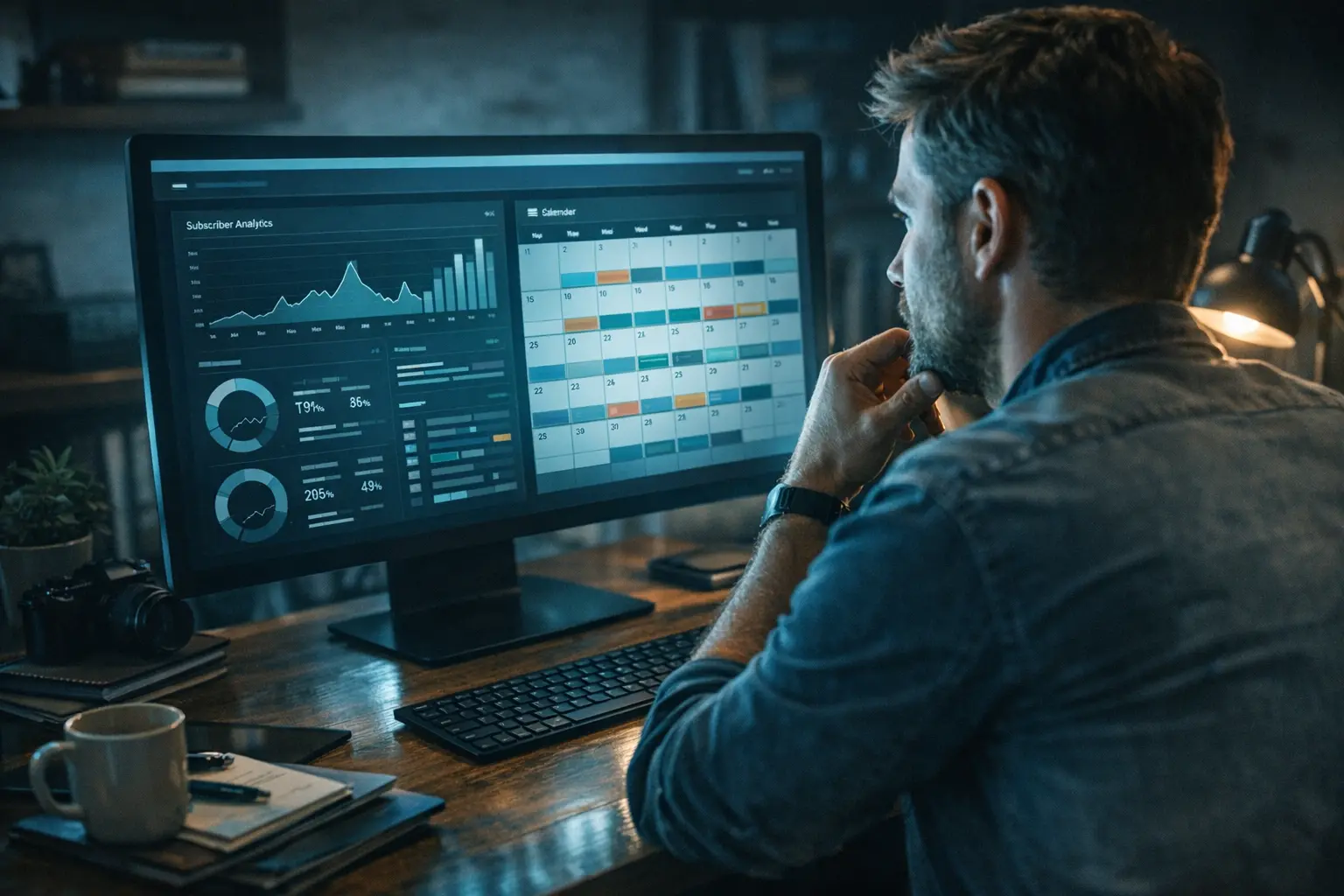
LinkedIn newsletters have become one of the more powerful content formats on the platform, giving creators and professionals a way to build a dedicated subscriber base that gets notified every time they publish. But knowing how to schedule LinkedIn newsletters — the timing, frequency, and publishing mechanics — is a distinct skill from knowing what to write in them.
This guide focuses on the tactical side of how to schedule LinkedIn newsletters effectively: how the publishing process works, why newsletters behave differently from regular posts, when to publish for maximum engagement, how to build a sustainable cadence, and how to coordinate newsletter publication with the rest of your content strategy.
How LinkedIn Newsletters Differ from Regular Posts
Before getting into timing, it’s worth understanding why newsletters require a different scheduling mindset than standard LinkedIn content.
When you publish a regular LinkedIn post, it enters the feed and surfaces to connections and followers based on engagement signals and algorithm ranking. Good timing helps you catch people during active windows, but distribution is largely at the platform’s discretion. A LinkedIn newsletter operates differently — when you publish a new edition, every subscriber receives a direct notification either in-app, via email, or both, depending on their settings. That means your content isn’t competing for feed attention at the moment of publication. It’s landing directly in someone’s notification queue.
This distinction changes what “good timing” means in practice:
- With a regular post, you’re optimizing to catch people actively scrolling their feeds
- With a newsletter, you’re optimizing for when subscribers are in the right state of mind to read something longer
- Newsletter editions also live as long-form articles on your profile and can surface in LinkedIn search results over time
- A newsletter gives you both immediate notification reach and longer-term discoverability — a combination most other LinkedIn formats don’t offer
Those are meaningfully different contexts, and the best publishing windows for each type of content can differ as a result.
LinkedIn’s Native Newsletter Publishing Process
LinkedIn does not currently offer a native scheduling feature for newsletter editions. When you create a newsletter edition within the platform, you can save it as a draft and continue refining it, but there’s no built-in way to set a future publish time and have it go live automatically.
This is a notable limitation compared to LinkedIn’s native post scheduler, which does allow setting a specific future date and time for regular posts. For newsletters, the publish action is always manual. If you want your newsletter live at 8am on a Wednesday, you need to be there to hit publish at that moment — or have a workflow in place to handle the surrounding tasks.
In practice, many creators handle this by finishing their draft a day or two early, then publishing manually during their chosen window. It adds a small friction point but becomes routine quickly.
For creators already coordinating content across multiple platforms, this manual newsletter step is worth factoring into your broader publishing workflow. How to Schedule Posts to Instagram and LinkedIn at the Same Time walks through how cross-platform scheduling workflows can reduce coordination overhead when you’re managing several channels at once.
Best Days and Times to Publish LinkedIn Newsletters
Since newsletter subscribers receive direct notifications on publication, the timing question when you schedule LinkedIn newsletters is different from chasing peak feed visibility. You’re optimizing for when subscribers are most likely to open and read a longer piece — not just scroll past a notification in a busy feed.
The table below summarizes general patterns worth considering as starting points. Specific open-rate data segmented by day and time for LinkedIn newsletters is not widely published — treat these as directional guidance, not confirmed benchmarks.
| Day | Suggested Window | Why It Tends to Work |
|---|---|---|
| Tuesday | 7am–10am | Mid-week momentum; professionals are in a working rhythm |
| Wednesday | 7am–10am | Often cited as the strongest single day for LinkedIn engagement |
| Thursday | 7am–10am | Good alternative; avoids end-of-week mental fatigue |
| Monday | 9am–11am | Use cautiously; inbox and catch-up load is higher |
| Friday | Morning only | Engagement typically drops after noon |
| Weekend | Generally avoid | Audience is largely offline or in non-work mode |
A few principles to keep in mind as you use this table:
- Your audience segment matters. Early-stage founders, corporate managers, and freelancers can have quite different reading patterns. General guidelines are a starting framework, not a final answer.
- Consistency often matters more than precision. If subscribers come to expect your newsletter every Wednesday morning, they’ll start anticipating it. Erratic scheduling erodes that expectation over time.
- Let your own data guide you. Once you’ve published several editions, look at open and click patterns. If Wednesday mornings consistently outperform other windows, let that inform your default slot.
Building Your Newsletter Publishing Cadence
Choosing how often to publish is at least as important as choosing when. The right cadence depends on your content volume, how deep each edition needs to go, and what your audience realistically expects from a subscription.
The three most common cadences each come with different tradeoffs:
| Cadence | Best For | Main Risk |
|---|---|---|
| Weekly | Steady beats, consistent topics, high engagement goals | High production pressure; quality can slip |
| Bi-weekly | Research-heavy content, longer editions, quality-focused creators | Slightly weaker subscriber habit loop |
| Monthly | Deeply reported topics, trend roundups, deeply curated content | Subscribers may forget they’re subscribed |
Weekly builds the strongest habit loop for subscribers and gives you a consistent content anchor for the rest of your LinkedIn activity — post excerpts, follow-up discussion posts, and other formats that extend the newsletter’s reach throughout the week. Bi-weekly is often where creators land after starting weekly and finding the pace unsustainable without quality compromises. Monthly can work, but the re-engagement problem is real: subscribers who only hear from you once a month often need to be reminded why they opted in.
Whatever frequency you choose, set the expectation clearly in your newsletter’s description and in your first edition. If you want to schedule LinkedIn newsletters on a consistent day each week, LinkedIn lets you specify a publishing frequency in your newsletter settings, and this appears in the details that potential subscribers see before signing up. Use it accurately — mismatched expectations tend to drive unsubscribes more than any particular content decision.
One practical habit regardless of cadence: treat the day before publication as a review day, not a writing day. Building even a 24-hour buffer lets you read the draft with fresh eyes and catch things you’d miss in the moment of writing.
How Subscriber Notifications Work
Understanding the notification mechanics helps you think about publication timing more precisely. When you publish a new LinkedIn newsletter edition, every subscriber receives:
- An in-app notification within LinkedIn
- An email notification, for subscribers who have email notifications enabled in their settings
This dual-notification system is one of the most operationally valuable aspects of the LinkedIn newsletter format. Unlike an article you publish to your profile — which has no subscriber notification system — a newsletter edition actively signals your entire opted-in audience. Your content isn’t waiting to be surfaced by the algorithm. It’s arriving directly.
The practical implication is that your publication timing functions more like an email send than a feed post. A 3am publication means subscribers wake up to a notification buried under hours of other activity. An 8am publication means the notification is near the top of their queue when they open LinkedIn with their morning coffee. LinkedIn does not offer a way to decouple publication time from notification delivery — when you publish, the notification fires.
This is worth keeping in mind if you manage a mix of content formats as part of your broader LinkedIn strategy. Coordinating newsletter publications alongside regular posts, engagement-focused content, and other formats helps you avoid clustering notifications on the same day. Tools to Schedule Interactive Polls on LinkedIn and Twitter covers how to coordinate poll scheduling as part of a mixed content calendar, which can complement your newsletter rhythm on the days between editions.
Cross-Posting and Repurposing Newsletter Content
A published LinkedIn newsletter edition is a content asset you can extend well beyond its initial notification push. Thoughtful repurposing is one of the more underused strategies among newsletter creators, and it doesn’t require significant extra effort once you build the habit.
Common ways to extend the reach of each edition:
-
Post excerpts as standalone LinkedIn posts. A key insight, a counterintuitive observation, or a strong opening paragraph from your newsletter makes an excellent standalone post. Publish it a day or two after the newsletter goes live, and you get a second distribution push through the feed algorithm — reaching people who may not be subscribers but are connected to you.
-
Adapt the content for other platforms. Newsletter content can often be published with minimal revision on Substack, Medium, your own website, or other platforms where your audience exists. This is especially useful for evergreen topics where the content stays relevant over time.
-
Share links across social channels. Linking to your published LinkedIn newsletter edition from Twitter/X, Threads, or other channels can bring external traffic and expose your newsletter to people who aren’t yet connected to you on LinkedIn.
-
Reference past editions in future content. When a later newsletter edition builds on a topic you’ve covered before, linking back to earlier editions within the newsletter text gives subscribers a path to explore more context and helps establish your newsletter as a cumulative body of work rather than a series of disconnected issues.
When you’re managing a cross-platform content workflow, keeping track of what goes where and when can get complicated quickly. Features that help coordinate publishing across channels — including handling media formatting differences between platforms — reduce some of that manual overhead. The improvements covered in BrandGhost Adds Telegram Posting, LinkedIn Imports, and Smart Media Auto-Sizing illustrate how those kinds of platform-specific features fit into a broader multi-channel workflow.
Working Around the Lack of Native Newsletter Scheduling
Because LinkedIn doesn’t offer a way to schedule LinkedIn newsletters natively in advance, creators who want precise timing need a deliberate process. The following approaches tend to work well individually or in combination:
-
Draft early, publish on schedule. Finish your newsletter draft at least one to two days before your intended publication date. On the day itself, you’re only reviewing and hitting publish — not writing under pressure. This decoupling of writing from publishing is one of the most effective habits a newsletter creator can build.
-
Set calendar reminders for your publication window. A recurring calendar event for your chosen publish day and time, with a link to your draft bookmarked, removes the risk of forgetting or missing your window by hours. Low-tech but reliable.
-
Integrate your newsletter publish date into your broader content calendar. Even though the newsletter requires a manual publish, the surrounding content — excerpt posts, engagement responses, cross-platform shares — can be planned and scheduled in advance. Mapping everything on the same calendar view helps you see your content week as a whole rather than managing the newsletter in isolation.
-
Build and use a pre-publication checklist. A short checklist you work through before each issue helps ensure consistency: Is the draft reviewed? Are all links working? Is the subject line clear? Does the edition match your stated publishing frequency? Small process habits add up across dozens of editions.
For creators managing content across multiple platforms simultaneously, systematizing the schedulable pieces of your workflow frees up attention for the steps that genuinely require you to be present. How to Schedule Posts to Instagram and LinkedIn at the Same Time covers how coordinating your cross-platform publishing can reduce the manual overhead when you’re active on more than one channel.
Putting It Together
Knowing how to schedule LinkedIn newsletters well comes down to managing two layers at once: the mechanics (building a manual publishing process that compensates for the lack of native scheduling) and the strategy (choosing timing and cadence that serve your specific audience’s behavior).
The direct subscriber notification model makes LinkedIn newsletters more similar to email marketing than social media posting in terms of how timing affects reach. You’re not fighting the feed algorithm at the moment of publication — you’re showing up in someone’s notification queue and asking for their focused attention. Getting that timing right, and doing so reliably, is what separates newsletters that compound over time from ones that plateau.
Start with a cadence you can sustain, build your draft-ahead habit, choose a publication window that fits your audience’s reading patterns, and then stay consistent. Track your open and read data edition by edition, and let that evidence guide your adjustments over time.
Frequently Asked Questions
Can you schedule LinkedIn newsletters in advance?
LinkedIn does not currently offer native scheduling for newsletter editions. You can save a newsletter edition as a draft and refine it over time, but there's no built-in mechanism to set a future publish time and have it go live automatically. This is a notable difference from LinkedIn's native post scheduler, which supports future date and time selection for standard posts.
What is the best time to publish a LinkedIn newsletter?
General LinkedIn engagement patterns suggest that weekday mornings — particularly Tuesday through Thursday, between 7am and 10am in your audience's primary time zone — tend to perform well for newsletter publications. Specific open-rate data segmented by time for LinkedIn newsletters is not widely published, so treat these ranges as a starting framework. The most reliable guide over time is your own edition-by-edition data. If you notice that certain publish windows consistently produce stronger open rates, lean into those.
How often should you publish a LinkedIn newsletter?
Weekly and bi-weekly are the most common cadences among active LinkedIn newsletter creators. Weekly builds the strongest subscriber habit and gives you a consistent content anchor for the rest of your LinkedIn activity. Bi-weekly works well when editions are research-heavy or when weekly feels unsustainable without quality compromises.
Do LinkedIn newsletter subscribers get notified every time you publish?
Yes. When you publish a new newsletter edition, all subscribers receive an in-app notification on LinkedIn. Subscribers who have email notifications enabled also receive an email.
Can you cross-post LinkedIn newsletter content to other platforms?
Yes. The text of your newsletter editions can be adapted for your own website, Medium, Substack, or other platforms where your audience exists. Many creators also post excerpts as standalone LinkedIn posts after the newsletter goes live, using the feed algorithm as a secondary distribution channel.
Does LinkedIn notify subscribers again if you edit a published newsletter edition?
No. Editing a published newsletter edition updates the live content, but LinkedIn does not send a new notification to subscribers when you make changes. Corrections and updates are visible to anyone who opens the edition, but you won't get a second push to subscribers' notification queues.
How do you grow newsletter subscribers alongside publishing consistently?
Subscriber growth is a broader topic that includes newsletter setup, profile optimization, and promotional strategy. From a purely scheduling perspective, the most useful thing you can do to support growth is publish on a reliable cadence. Irregular publishing makes it harder for new readers to understand what they're subscribing to, and can erode trust with existing subscribers over time.