How to Post to All Social Media at Once Without Losing Quality
Learn how to post to all social media at once while keeping each platform's content native and high quality.
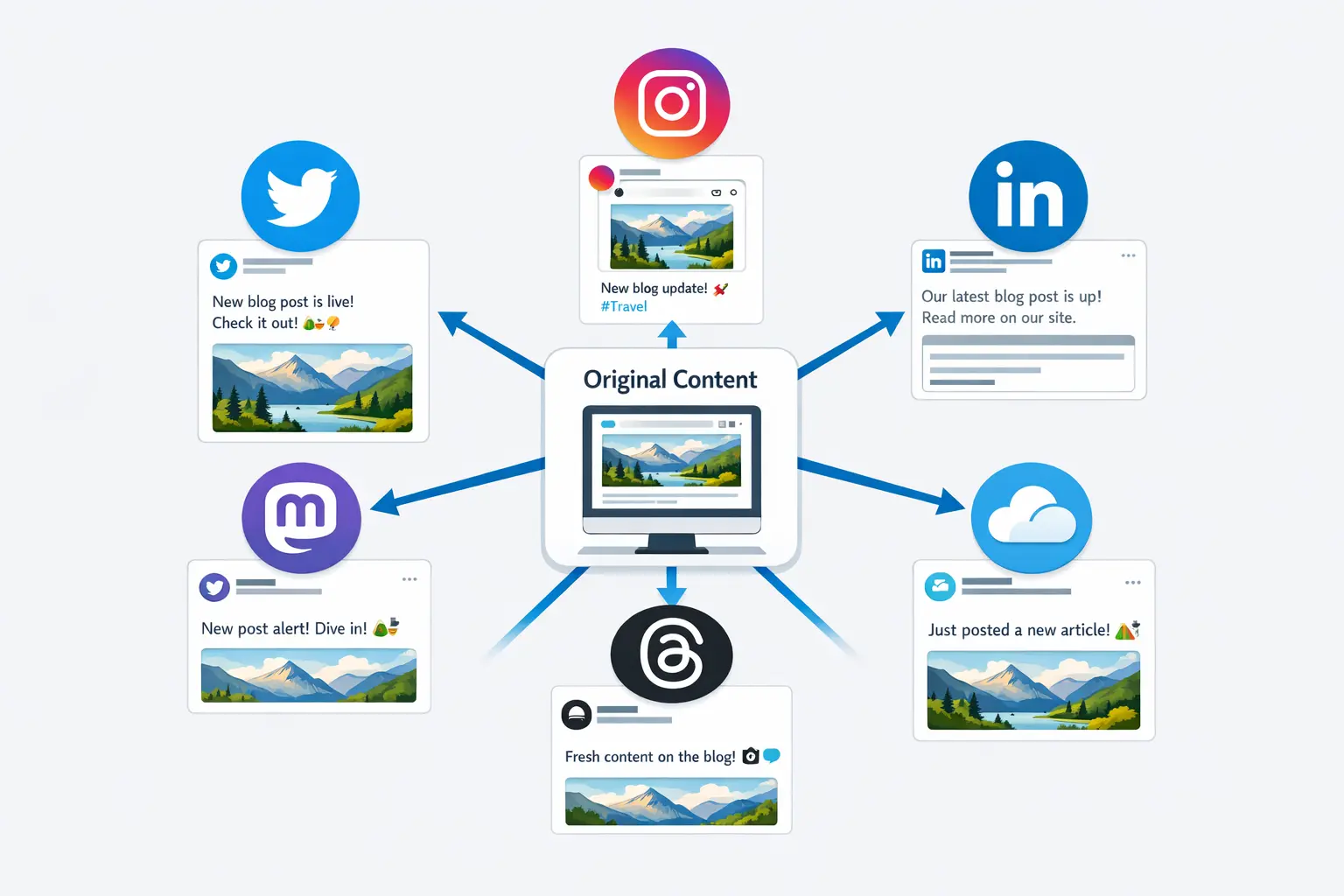
You’ve written the post. It’s good. Now you need it on Twitter, LinkedIn, Instagram, Threads, Mastodon, and maybe Bluesky too. The obvious move is copy-paste — and the obvious result is a post that looks native on one platform and awkward on every other. Learning how to post to all social media at once without destroying quality isn’t about blasting the same text everywhere. It’s about a workflow that publishes simultaneously while adapting the details each platform demands.
This walkthrough gives you that workflow. You’ll get a platform-by-platform adaptation checklist, a step-by-step publishing process, and the specific BrandGhost features that make one-click cross-posting actually work — without the quality trade-offs creators dread.
The Real Problem with “Post Everywhere at Once”
Most creators who try to publish across all their platforms simultaneously hit the same wall: the post that was perfect for LinkedIn reads terribly on Twitter, the Instagram version has no image, and the Threads caption is 600 characters too long. The issue isn’t ambition — it’s that “posting everywhere” usually means posting the LinkedIn version everywhere and hoping for the best.
That approach tanks engagement because every platform has its own set of rules around character limits, image dimensions, hashtag conventions, and audience expectations. A 2,800-character LinkedIn narrative doesn’t survive a paste into a 300-character Threads post. A text-only tweet with no image underperforms on Instagram where visuals are mandatory. The quality loss isn’t subtle — it’s the difference between a post that gets engagement and one that gets scrolled past.
The solution isn’t to create five completely separate posts. That defeats the purpose and burns your time. The solution is a single source post with per-platform adaptations applied before you hit publish. That’s where the workflow below comes in.
Platform-Specific Adaptation Checklist
Before you cross-post anything, you need to know exactly what each platform requires. This checklist covers the major platforms creators use and the specific adjustments each one demands. Run through this every time you publish — or better, build it into your workflow so the adaptations happen automatically.
Twitter/X
- Character limit: 280 per tweet (longer via threads)
- Images: Up to 4 per tweet; 1200×675 px for optimal display in the feed
- Hashtags: 1–2 max; excessive hashtags look spammy and reduce engagement
- Tone: Punchy, opinionated, direct — your opening line is everything
- Thread support: Yes — long content should be split across tweets, not crammed into one
If your source post exceeds 280 characters, you need to either distill it to a single sharp take or split it into a threaded post that unfolds across multiple tweets. BrandGhost’s auto-split feature handles this automatically based on each platform’s character limit, so you don’t have to manually chop your text.
- Character limit: 3,000 characters
- Images: Optional but helpful; 1200×627 px recommended
- Hashtags: 3–5 broad industry tags; hashtags matter less for discovery here than on Instagram
- Tone: Professional but personal — insight-driven, narrative structure works well
- Formatting: Line breaks and spacing matter; dense paragraphs get skipped
LinkedIn gives you room to breathe. Your source post likely fits without trimming. The main adaptation is framing — make sure the opening line hooks a professional audience and the conclusion offers a clear takeaway, not just a trailing thought. If you’re also scheduling for Instagram in the same session, the Instagram-LinkedIn paired workflow covers the adaptation details.
- Character limit: 2,200 for captions
- Images: Required — no text-only posts; 1080×1080 (square), 1080×1350 (portrait), or 1080×566 (landscape)
- Hashtags: 5–15 relevant tags; place them in the caption or a first comment to keep things clean
- Tone: Visual-first, conversational, personality-forward
- Reels/carousels: Often outperform static single-image posts
Instagram is the platform where skipping the adaptation step hurts the most. If you’re cross-posting a text-heavy LinkedIn thought piece, you need a visual asset that complements the message and a caption rewritten with a scroll-stopping first line. Posting without an image isn’t an option.
Threads
- Character limit: 500 characters
- Images: Optional; up to 10 images
- Hashtags: Limited usefulness; the platform is still evolving its discovery features
- Tone: Casual, conversational, more like talking to friends than broadcasting
- Thread support: Yes — multi-part posts are supported
Threads sits between Twitter and Instagram in format. The 500-character limit means your source post will likely need trimming, but not as aggressively as for Twitter. Keep it conversational and resist the urge to over-optimize.
Bluesky
- Character limit: 300 characters per post
- Images: Up to 4; standard web-friendly dimensions
- Hashtags: Not a primary discovery mechanism yet
- Tone: Early-adopter, authentic, less polished than LinkedIn
Bluesky’s tight limit means long content needs condensation or thread splitting. The audience values genuine voice over performative professionalism.
Mastodon
- Character limit: 500 characters (varies by instance)
- Images: Up to 4; alt text is culturally expected and appreciated
- Hashtags: Important for discovery — no algorithmic feed means hashtags are how people find content
- Tone: Community-oriented, anti-spam; adapt to be less “broadcast” and more “conversation”
Keeping all of these requirements in your head while manually publishing to each platform is exactly the kind of busywork that makes creators give up on multi-platform presence. That’s why the checklist needs to be embedded in your tool, not taped to your monitor.
The One-Source-Post Workflow for Cross-Posting
Here’s how to go from a single piece of content to a published post across every platform — in one session, without sacrificing quality on any of them.
Start with your strongest version. Write the post for the platform where it matters most or where you have the most room — usually LinkedIn or a blog draft. Don’t constrain yourself to any single platform’s limits. Write the full thought, include every point you want to make, and let the adaptation step handle the trimming. This is your source post.
Identify which platforms get this content. Not every post belongs everywhere. A deeply personal reflection might be perfect for Instagram and Threads but feel out of place on LinkedIn. A data-driven industry take might thrive on LinkedIn and Twitter but flop on Instagram without a strong visual. Decide before you adapt — it saves you from wasted reformatting work.
Apply platform-specific adaptations. Using the checklist above, adjust each version for its destination. Trim for character limits. Add or remove hashtags. Swap the opening line to match the platform’s tone. Attach the right image dimensions. If your post is too long for short-form platforms, split it into a thread instead of butchering the message.
This is where most manual workflows fall apart because you’re switching between apps, reformatting text by hand, and resizing images in separate tools. The entire point of a cross-posting tool is to collapse these steps into a single interface.
Publish or schedule simultaneously. Once your adaptations are in place, publish all versions at the same time — or stagger them if your strategy calls for it. The key is that the publishing decision is made once, not repeated per platform.
If you’re building this into a broader multi-platform scheduling system, this one-source-post process becomes one step in a larger weekly workflow. If you’re just getting started, this is the workflow to master first.
How BrandGhost Handles Cross-Posting with Per-Platform Customization
BrandGhost is built around the idea that cross-posting shouldn’t mean copy-pasting. When you compose a post in BrandGhost, you write your source content once, select all the platforms you want to publish to, and then customize each platform’s version individually before anything goes live.
Here’s how the key features map to the workflow above:
One-click platform selection. Toggle on every platform you want this post to reach — Twitter, LinkedIn, Instagram, Threads, Bluesky, Mastodon, Pinterest, Tumblr, Reddit, and more. You’re not duplicating posts manually. You’re telling BrandGhost “this idea goes everywhere,” and it creates a version for each destination.
Per-platform text editing. After selecting your platforms, you can customize the caption, body text, and hashtags for each one individually. The LinkedIn version keeps your full narrative. The Twitter version gets trimmed to a single punchy take. The Instagram version gets adapted for visual-first consumption. Each platform’s version lives inside the same post — no switching between apps or browser tabs.
Automatic post splitting. If your source post exceeds a platform’s character limit, BrandGhost’s auto-split feature breaks it into a threaded sequence automatically. A 1,500-character thought piece becomes a clean Twitter thread or a multi-part Bluesky post without you counting characters or manually inserting break points.
Platform-aware media handling. Attach your image once and BrandGhost delivers it to each platform in the format that platform expects. If you need different images for different platforms — say, a square crop for Instagram and a landscape version for Twitter — you can set that up within the same post composer.
First-comment support. On platforms where hashtags or additional context work better in a comment than in the main post, BrandGhost lets you write a first comment that publishes automatically alongside your post. This keeps your Instagram captions clean while still leveraging hashtag discovery.
Unified feed for verification. After scheduling, BrandGhost’s unified feed lets you review everything that’s going out across all platforms in a single view. You can catch inconsistencies, fill gaps, and confirm that each platform’s version looks right before it publishes.
The net effect: you spend your creative energy on the content itself, not on the logistics of making it fit six different platforms. That’s the difference between cross-posting that feels like a shortcut and cross-posting that actually maintains quality.
Character Limits, Image Ratios, and Hashtag Rules: The Quick Reference
When you’re in the middle of a publishing session, you need these numbers fast. Here’s the condensed reference for the platforms creators use most.
| Platform | Character Limit | Image Ratio | Max Images | Hashtag Sweet Spot |
|---|---|---|---|---|
| Twitter/X | 280 | 16:9 (1200×675) | 4 | 1–2 |
| 3,000 | 1.91:1 (1200×627) | 20 | 3–5 | |
| 2,200 | 1:1, 4:5, or 1.91:1 | 10 | 5–15 | |
| Threads | 500 | Flexible | 10 | 2–5 |
| Bluesky | 300 | Flexible | 4 | 0–3 |
| Mastodon | 500 | Flexible | 4 | 3–8 |
| 500 (description) | 2:3 (1000×1500) | 1 | 0 (use keywords) | |
| 63,206 | 1.91:1 (1200×630) | 10 | 1–3 |
The biggest mistakes creators make aren’t about forgetting a platform exists — they’re about publishing content that violates these basics. A landscape image on Pinterest gets buried. A hashtag-stuffed tweet loses reach. A text-only Instagram post doesn’t exist. Nailing these details is what separates a cross-post that drives engagement from one that just fills a queue.
If you want to dive deeper into how image handling works per platform, the tweet images guide covers visual optimization for X/Twitter specifically, and the same principles extend to other platforms.
Common Quality Killers (And How to Avoid Them)
Even with a solid workflow, certain mistakes consistently degrade cross-posted content. Here’s what to watch for.
Identical text across every platform. This is the most common quality killer. Your LinkedIn audience and your Twitter audience don’t want the same thing. If the text is identical on every platform, at least one audience is getting a bad experience. Always adapt — even if the adaptation is just trimming a few lines and swapping the opening hook.
Wrong image dimensions. Uploading a square image to a platform that expects landscape, or a landscape image where portrait performs best, makes your post look sloppy. It signals to your audience that you didn’t care enough to get the basics right. Use a tool that handles resizing, or prepare multiple crops before your publishing session.
Hashtag mismatches. Fifteen hashtags on LinkedIn looks like spam. Zero hashtags on Mastodon means nobody discovers your post. Each platform has its own hashtag culture, and mismatching it hurts more than helping. Customize your hashtag set per platform, every time.
Ignoring thread formatting. Long content crammed into a single tweet is unreadable. If your post exceeds the character limit, split it into a proper thread — don’t just truncate the ending and hope people figure it out. BrandGhost’s auto-split handles this automatically, but if you’re doing it manually, make sure each tweet in the thread can stand on its own while contributing to the larger narrative.
Publishing at the wrong time for each platform. Your LinkedIn audience is most active during business hours. Your Twitter audience might peak in the evening. Publishing everything at the same moment is convenient, but staggering by even an hour or two per platform can meaningfully improve reach. If you’re working within a scheduling workflow, build this timing offset into your process. If you want to automate the entire publishing step, timing offsets can be configured once and handled automatically.
Putting It All Together: Your Publishing Checklist
Before you hit publish on your next cross-post, run through this checklist. It takes less than five minutes and prevents the quality issues that make multi-platform publishing feel like a downgrade.
- Source post written and finalized. Your core message is clear, complete, and not constrained to any single platform’s format.
- Platforms selected. You’ve decided which platforms get this content — not every post needs to go everywhere.
- Character limits respected. Each version fits within its platform’s limit, either through trimming or automatic thread splitting.
- Images attached and sized correctly. Every platform that expects a visual has one, in the right aspect ratio.
- Hashtags customized per platform. Your Instagram version has discovery hashtags; your LinkedIn version has 3–5 industry tags; your Twitter version has 1–2 at most.
- Opening lines adapted. Each platform’s version has a hook that matches its audience’s expectations — punchy for Twitter, insight-driven for LinkedIn, visual-first for Instagram.
- First comments set where needed. Hashtags or supplementary context are in first comments on platforms where that’s the convention.
- Unified feed reviewed. You’ve checked the unified feed to confirm everything looks right across all platforms before it goes live.
That’s the complete workflow. Write once, adapt per platform, publish everywhere, and verify in a single view. If you’re doing this inside BrandGhost, steps 3 through 7 are largely handled by the platform — you’re reviewing and confirming rather than manually executing each one.
Frequently Asked Questions
Can you schedule posts to all social media platforms at the same time?
Yes. Tools like BrandGhost let you compose a single post, select multiple platforms, customize each version, and schedule them all to publish simultaneously — or with staggered timing if you prefer. The key is using a tool that supports per-platform customization so that "scheduling everywhere" doesn't mean "pasting the same thing everywhere."
Does cross-posting hurt engagement on individual platforms?
Not if you adapt the content for each platform. Cross-posting only hurts engagement when you paste identical text and media across platforms without considering their individual requirements. When each version is tailored to its platform's character limits, image formats, and audience expectations, your content performs as if it were native to each one.
How do I handle different image sizes across platforms?
Prepare your primary image at the highest resolution you'll need — typically 1200px wide minimum — and crop it for each platform's preferred ratio before publishing. BrandGhost lets you attach images once and handles delivery to each platform, but if a platform like Pinterest requires a vertical 2:3 image and your source is landscape, you'll want to create a separate crop. Spending an extra minute on image preparation prevents posts from looking stretched, cropped, or pixelated.
What happens when my post is too long for certain platforms?
You have two options: distill the message into a shorter standalone post, or split it into a threaded sequence. Threading preserves your full message while respecting character limits. BrandGhost's auto-split feature automatically breaks long posts into threads for platforms like Twitter and Bluesky, so you don't have to manually count characters or decide where to insert break points.
Should I post to every platform every time?
No. Not every piece of content fits every platform. A detailed case study might belong on LinkedIn and your blog but not on Twitter.
How do I keep my brand voice consistent across platforms while adapting content?
Your brand voice stays consistent by keeping the core message, perspective, and values the same across every version. The adaptations are structural — trimming length, adjusting tone slightly, changing hashtag strategy — not ideological. You're the same creator on LinkedIn as you are on Twitter; you're just speaking in the format each audience expects.
Is it better to publish everything simultaneously or stagger posting times?
It depends on your goals. Simultaneous publishing is simpler and works well for announcements or time-sensitive content. Staggered publishing lets you optimize for each platform's peak engagement window.