Instagram for Content Creators: The Complete Scheduling and Growth Guide
Everything content creators need to know about scheduling Instagram posts, growing an audience, and automating their Instagram presence with BrandGhost.
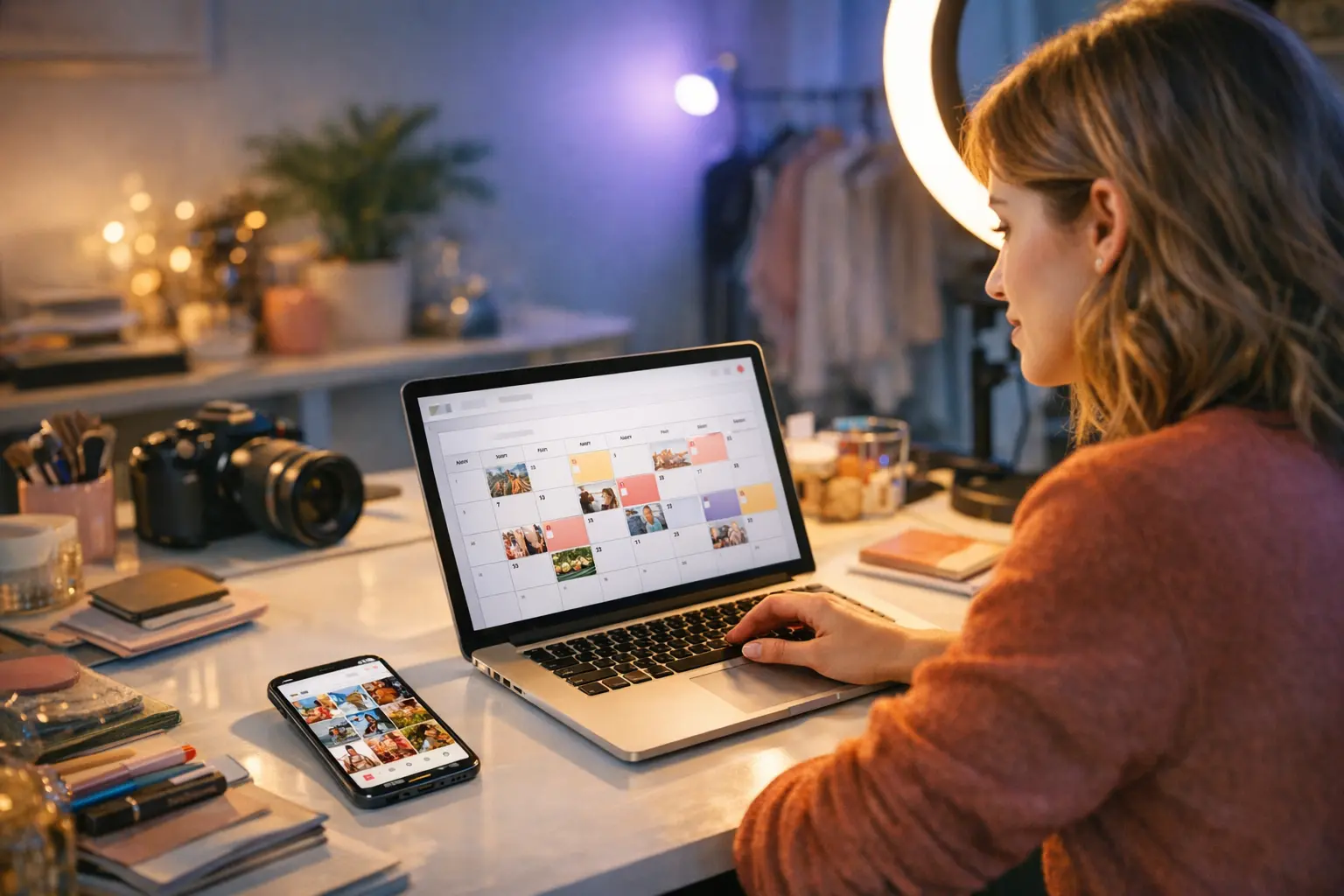
Managing Instagram effectively as a content creator isn’t just about posting great content — it’s about doing so consistently, at the right times, in the right formats, without letting the platform consume your entire creative process. The answer to how creators schedule and manage Instagram effectively comes down to three things: a reliable scheduling system, an understanding of which content types serve which goals, and analytics that tell you what’s actually working. This guide is the definitive reference for content creators who want to build a sustainable Instagram presence — covering scheduling, content formats, timing, analytics, automation, and the tools that make all of it manageable.
Quick Reference: Instagram for Content Creators
| Factor | Detail |
|---|---|
| Max video length | 90 seconds (Reels), 60 minutes (Live) |
| Image aspect ratios | 1:1 (square), 4:5 (portrait), 1.91:1 (landscape) |
| Optimal posting frequency | 3–5x per week (feed), daily (Stories) |
| Best scheduling tools | BrandGhost, Later, Buffer |
| API scheduling available | Yes (via Instagram Graph API) |
| Content types | Feed posts, Reels, Stories, Carousels, Lives |
Instagram Essentials: What Every Creator Needs to Know
Instagram is owned by Meta and launched in October 2010. As of 2024, Meta reports over 2 billion monthly active users, making it one of the largest social platforms in the world. The platform is particularly dominant in the 18–34 demographic and skews toward visual, lifestyle, and entertainment content — though creators across virtually every niche, from finance to fitness to food, have built significant audiences there.
The Instagram algorithm distributes content across multiple surfaces: the Home feed, the Explore page, the Reels feed, the Stories bar, and Search. Each surface has its own ranking signals. Reels are amplified beyond your existing followers into the Explore and Reels feeds, making them the primary organic growth lever for new creators. Feed posts and carousels are shown primarily to existing followers, with distribution influenced by likes, comments, saves, and shares. Stories reach only your followers and expire after 24 hours unless saved as Highlights.
Instagram supports creator and business accounts (separate from personal accounts) that unlock the Instagram Graph API, native analytics through Insights, and eligibility for monetization features like subscriptions, badges, and bonuses. Creators must have a creator or business account — not a personal account — to use most third-party scheduling tools.
The Instagram Graph API is what powers third-party scheduling. It allows authorized applications to publish feed posts, Reels, carousels, and Stories on behalf of an account automatically, without any manual action required at publish time. This is a core enabler of the automated workflows covered throughout this guide.
Why Instagram Scheduling Changes Everything for Creators
The biggest operational problem most creators face on Instagram isn’t ideation — it’s execution. Showing up consistently, every day or multiple times a week, while also responding to comments, creating new content, and managing everything else in a creator’s life, is genuinely hard to sustain.
Scheduling breaks the link between “when content is ready” and “when content goes live.” You can batch-create content on a Tuesday afternoon and have it publish across the week automatically. This is not a shortcut — it’s the same workflow that professional media teams have used for decades, now accessible to individual creators.
If you’re new to Instagram scheduling, our guide on how to schedule Instagram posts walks through the full process step by step, including connecting your account, composing posts, and setting publish windows. If you want to schedule without paying for a premium tool right away, schedule Instagram posts free covers the best no-cost options available today.
One nuance worth flagging: scheduling doesn’t mean set-and-forget for engagement. The first 30–60 minutes after a post goes live are often the most algorithmically important. Even if the post publishes automatically, being available to respond to early comments and engage with your audience in that window can meaningfully affect how widely the post is distributed.
The Instagram Content Type Playbook
Understanding what each content type does — and when to use it — is foundational to building an effective Instagram strategy as a creator.
Feed Posts
Static image posts remain the backbone of most creators’ profiles. They contribute to your profile grid, which is often the first thing a new visitor evaluates when deciding whether to follow. High-quality, visually consistent feed posts build the aesthetic trust that converts visitors into followers. From an algorithmic standpoint, static posts distribute primarily to existing followers rather than new audiences, but they generate saves and shares — engagement types the algorithm weighs heavily as signals of lasting value.
Reels
Reels are the single most powerful organic reach tool on Instagram. They are distributed to non-followers through the Reels feed and Explore page, meaning a well-performing Reel can reach tens or hundreds of thousands of people who have never encountered your account before. The sweet spot for Reels length, based on creator community data and Meta’s own guidance, has shifted toward 15–60 seconds for maximum retention, though the platform allows up to 90 seconds. Reels scheduled in advance perform identically to those published manually — if you’re not already scheduling Reels, how to schedule Instagram Reels covers exactly how to do it.
Stories
Stories are ephemeral — they disappear after 24 hours unless pinned to your Highlights — but they serve a distinct and important purpose: daily touchpoints with your existing audience. Stories keep you top of mind without requiring the polish of a feed post. Polls, questions, quizzes, and countdown stickers drive active engagement. For creators, Stories are also useful for driving traffic to new posts, links, or external content. Scheduling Instagram Stories is now widely supported by major third-party tools, though some interactive sticker types require native manual posting.
Carousels
Carousels (multi-image or multi-video posts) consistently generate high save rates, which is one of the algorithm’s strongest quality signals. A well-structured carousel — where the first slide hooks the viewer and each subsequent slide delivers distinct value — keeps users swiping, extending time-on-post. Educational carousels (“5 things creators get wrong about Instagram”), storytelling carousels, and before/after formats tend to perform well. How to schedule Instagram carousels walks through the mechanics of queuing multi-slide posts in advance.
Lives
Instagram Live has no pre-scheduling equivalent in the same way — it’s inherently real-time. However, you can schedule a Live in advance through the app (up to 90 days out), which generates a countdown and notification for followers. Lives run for up to 60 minutes and can be saved to Reels or your profile afterward.
Instagram Video Specs: What Creators Need to Know
Video specifications on Instagram are a source of frustration for creators who discover their content was cropped or compressed after posting. Getting them right before scheduling saves time and protects visual quality.
For Reels, the recommended aspect ratio is 9:16 (full vertical, same as TikTok), with a resolution of at least 1080 × 1920 pixels. The maximum length is 90 seconds. Text and essential visual elements should stay within the center safe zone, avoiding the top and bottom 15% of the frame where UI overlays appear.
For feed videos, the 4:5 portrait ratio (1080 × 1350 pixels) maximizes screen real estate in the feed. Square (1:1) works universally across contexts. Landscape (1.91:1) is technically supported but displays smaller in the feed and is generally not recommended for creator accounts focused on mobile consumption.
If you’ve ever wondered exactly how long a video can be on Instagram across all formats — Reels, Stories, Lives, and feed videos — that guide covers every limit in detail, including recent changes Meta has made to video length caps.
Timing: When to Post on Instagram
Timing is one of the most discussed — and most misunderstood — variables in Instagram strategy. The generic “best times to post on Instagram” published by scheduling tools are averages across millions of accounts in different niches, time zones, and audience demographics. They are a starting point, not a prescription.
The most reliable timing data for your account lives inside Instagram Insights. Under the Audience tab, you can see hour-by-hour and day-by-day breakdowns of when your followers are most active. Aligning your post times with those peaks gives the algorithm more follower engagement in the first hour — which in turn signals quality and drives broader distribution.
That said, some patterns hold up broadly across creator categories: mid-morning (9–11 AM) and early evening (6–8 PM) in your audience’s primary time zone tend to outperform overnight posting, simply because more people are actively scrolling. For Reels specifically, timing matters less because they are distributed over a longer window — a Reel published at 11 PM can still go wide the following morning.
Best time to post on Instagram goes much deeper on this topic, including a breakdown by content type and a framework for running your own timing experiments using Insights data.
Building an Instagram Content Calendar
A content calendar is the operational backbone of a sustainable Instagram strategy. Without one, most creators fall into reactive posting — publishing when inspiration strikes, going dark when life gets busy, and losing the consistency that Instagram’s algorithm rewards.
An effective Instagram content calendar includes:
Format mix. Plan your ratio of Reels to carousels to feed posts to Stories in advance. A common sustainable mix for growth-focused creators is: 2–3 Reels per week, 1–2 carousels, 2–3 feed posts, and daily Stories. Adjust based on what your analytics tell you about which formats your specific audience responds to.
Themes or pillars. Assign content themes to different days or slots. If you’re a fitness creator, pillars might be: workout tips (Reels), nutrition education (carousels), personal updates (Stories), and community engagement (Q&As). Content pillars prevent calendar-planning paralysis and help maintain variety.
Batch windows. Block time on your calendar for content creation separately from planning. Many creators batch all content for the following week in a single 2–4 hour session, then schedule everything in one go. This separates creative work from administrative work and reduces context-switching overhead.
Seasonal and campaign hooks. Plan ahead for product launches, seasonal moments (New Year, summer, holidays), or platform trends. A calendar makes it easy to see four to six weeks out and reserve slots for planned content.
How to build a social media content calendar covers the full methodology, including templates and tools that work for solo creators. If you want to go even further with your content efficiency, content batching for creators is a practical guide to the batch-and-schedule workflow that the most consistent creators use.
Instagram Analytics: Knowing What’s Working
Publishing consistently is only half the equation. The other half is understanding what your data is telling you so you can double down on what works and cut what doesn’t.
Instagram Insights (available on creator and business accounts) provides:
- Reach and impressions per post — how many unique accounts saw your content vs. total views
- Profile visits and follows driven by individual posts — crucial for understanding which content converts viewers into followers
- Engagement breakdown — likes, comments, saves, shares, and replies, each of which carries different algorithmic weight
- Audience demographics — age, gender, location, and active hours for your follower base
- Reel metrics — plays, average watch time, and completion rate
For creators who want to go beyond native Insights, third-party analytics tools offer benchmarking, trend analysis, and automated reporting. The combination of platform Insights and a dedicated scheduling tool like BrandGhost gives you a complete view — see what’s performing and when you posted it, all in one dashboard.
The metrics that matter most depend on your goals. If you’re focused on growth, track reach, Reel plays, and follower conversion rate. If you’re building an engaged community, prioritize saves, shares, and comment depth. If you’re working with brand partners, track link clicks, story swipe-ups, and overall reach with demographic breakdowns.
Posting Frequency and Engagement: Finding Your Rhythm
One of the most common questions creators ask is how often to post on Instagram. The honest answer is that there is no universal right answer — but there is a framework for finding yours.
The algorithm doesn’t penalize you for posting less frequently, but it does reward consistency. An account that posts three times a week, every week, for six months will typically outperform an account that posts twelve times in two weeks and then goes quiet for a month. Consistency builds follower habit and signals to the algorithm that your account is active.
For creators just starting or returning after a break, three feed posts per week is a manageable floor. Add daily Stories as a low-effort engagement layer. As your workflow becomes more efficient — especially with scheduling tools — you can increase Reel frequency to accelerate growth.
Instagram posting schedule for engagement offers a deeper look at how different posting frequencies affect engagement rates across different account sizes, with practical cadence templates for creators at different growth stages.
Instagram Automation: What You Can (and Can’t) Automate
The word “automation” means different things in different contexts. It’s worth being precise about what is and isn’t possible — and what is and isn’t advisable — for creator accounts.
What you can automate:
- Post publishing (feed, Reels, carousels, Stories) via the Instagram Graph API
- Hashtag sets (saved in scheduling tools and applied automatically)
- Cross-posting content from other platforms (TikTok to Instagram Reels, for example)
- Comment moderation filters
- DM quick-reply triggers for common inquiries (available in Meta Business Suite)
What you should not automate:
- Generic comment-bot responses (violates Instagram’s Terms of Service and alienates real followers)
- Mass-following/unfollowing schemes
- Fake engagement pods or bot activity
Ethical automation means removing friction from legitimate workflow tasks — publishing, captioning, cross-posting — while keeping authentic human engagement intact. Instagram automation for creators covers the full spectrum of what’s safe, effective, and compliant with Meta’s policies.
For creators building a growing content library, the combination of evergreen content and a consistent publishing schedule is one of the most scalable setups a solo creator can build — automation handles the delivery so you can focus on creating.
Scheduling from Desktop vs. Mobile
Most Instagram users interact with the platform exclusively on mobile, but for creators managing high volumes of content, desktop scheduling is a meaningful workflow upgrade. Uploading batch content, writing long captions, managing multiple accounts, and reviewing analytics are all significantly faster on a desktop with a full keyboard and large screen.
Instagram’s native desktop experience (instagram.com) supports basic post and Reel creation and scheduling, but it’s limited compared to third-party tools. For a full desktop scheduling workflow — including bulk uploads, drafting queues, and calendar views — dedicated tools are the practical choice.
Schedule Instagram posts from desktop covers the most effective desktop workflows available today, comparing native options against third-party tools for different use cases.
Instagram vs. Other Platforms: Is Instagram Right for You?
Instagram is not the right primary platform for every creator. Knowing how it compares to alternatives helps you allocate your time and creative energy wisely.
Instagram vs. TikTok: Both platforms use short-form video as a primary growth driver, but TikTok’s algorithm is more aggressive about surfacing new creators to large audiences quickly. Instagram’s advantage is a more established creator monetization ecosystem, stronger brand partnership culture, and better tools for content types beyond video (carousels, static posts, Stories).
Instagram vs. YouTube: YouTube serves long-form video and has the strongest search-based discovery of any social platform. Instagram is better for habitual daily engagement and lifestyle-driven content. Many creators use both — short-form Reels to drive Instagram growth, long-form YouTube for deeper content and ad revenue.
Instagram vs. Pinterest: Both are visual platforms, but Pinterest functions more like a search engine than a social network. Content on Pinterest can drive traffic for months or years, while Instagram content typically peaks in distribution within the first 48 hours. Pinterest vs. Instagram scheduling compares the scheduling workflows and content strategies for both platforms side by side.
For creators or small businesses evaluating Instagram as part of a broader social strategy, Instagram scheduling for small business covers how businesses with limited content resources can use scheduling tools to maintain a consistent presence without a dedicated social media team.
BrandGhost: Built for Creators Who Post Everywhere
Managing Instagram is complicated enough on its own. Most creators also have a presence on TikTok, YouTube, LinkedIn, Pinterest, or X — and repeating the same manual publishing workflow on each platform is unsustainable at scale.
BrandGhost is built around the way modern creators actually work: create content once, adapt it for each platform, and let the scheduling infrastructure handle the publishing. With BrandGhost, you can:
- Batch-schedule Instagram posts, Reels, and carousels from a single dashboard without switching between apps
- Cross-post content from TikTok or YouTube Shorts to Instagram Reels with format-appropriate adjustments
- Manage multiple accounts — useful for creators who run both a personal brand and a business or niche account
- Set up recurring content streams so that evergreen content cycles back into your schedule automatically
- Review upcoming posts in a visual calendar so you can spot gaps or imbalances in your content mix before they go live
The goal isn’t to replace your creative process — it’s to remove the scheduling overhead so you can spend more time on the content itself. Creators who batch and schedule consistently report spending less time on Instagram administration while posting more frequently and more reliably than they did when publishing manually.
Putting It All Together: A Creator’s Instagram Operating System
The most effective Instagram creators treat the platform as a system, not a series of one-off moments. Here’s what that looks like in practice:
Weekly batch session (1–3 hours): Create or finalize content for the following week. Record Reels, export carousels, write captions, finalize hashtag sets.
Weekly scheduling session (30–60 minutes): Upload everything to your scheduling tool, set publish times based on your Insights data, review the calendar for the next two weeks.
Daily micro-engagement (10–15 minutes): Check notifications, respond to comments on new posts, post a Story or two, engage with accounts in your niche.
Monthly analytics review (30 minutes): Pull your top five and bottom five performing posts for the month. Identify patterns. Adjust your content mix or posting cadence for the following month accordingly.
This operating system scales. Whether you’re posting three times a week or fifteen times a week, the structure is the same — only the volume changes. And the scheduling tool handles the volume so you don’t have to.
If you’re still building out your content planning infrastructure, how to build a social media content calendar is the right place to start. Once you have a calendar in place, the scheduling workflow snaps into it naturally.
Final Thoughts
Instagram for content creators in 2026 is not what it was in 2016 or even 2020. The platform has evolved into a multi-format ecosystem with distinct distribution mechanics for each content type, sophisticated analytics, and a mature API that enables the kind of automated publishing workflow that was previously only accessible to large media operations.
The creators who thrive on Instagram today are not necessarily the ones with the most followers or the biggest production budgets. They’re the ones who show up consistently, understand their analytics, use their tools well, and spend their creative energy on content rather than logistics.
Scheduling is not a cheat code — it’s an infrastructure decision. And like any good infrastructure, it makes everything built on top of it more reliable, more scalable, and less stressful.
BrandGhost is the tool designed to be that infrastructure for creators who are serious about their Instagram presence. Start scheduling smarter — and get back to creating.
Frequently Asked Questions
How do I schedule Instagram posts?
You can schedule Instagram posts using tools that connect to the Instagram Graph API, such as BrandGhost, Later, or Buffer. Once connected, you compose your post, set a date and time, and the tool publishes automatically. Meta also offers native scheduling through Creator Studio and the professional dashboard for creator and business accounts.
What is the best time to post on Instagram?
The best time to post on Instagram varies by audience, but research generally points to mid-morning (9–11 AM) and early evening (6–8 PM) on weekdays as high-engagement windows. The most reliable approach is to check your own Instagram Insights under the Audience tab, which shows when your specific followers are most active.
How often should content creators post on Instagram?
Most creators see strong results posting to the feed 3–5 times per week, while Stories benefit from daily posting since they disappear after 24 hours. Reels can be posted 2–4 times per week. Consistency matters more than volume — a predictable cadence trains the algorithm and builds audience expectations.
What tools do content creators use to schedule Instagram posts?
Popular Instagram scheduling tools include BrandGhost, Later, Buffer, Hootsuite, and Sprout Social. BrandGhost is particularly useful for creators who manage content across multiple platforms, since it lets you batch-create and cross-post from a single dashboard. The best tool depends on your volume, budget, and whether you need multi-platform support.
Can you schedule Instagram Reels in advance?
Yes. Instagram Reels can be scheduled in advance using tools that access the Instagram Graph API. BrandGhost, Later, and Buffer all support Reel scheduling. You upload the video, add your caption and cover image, pick a publish time, and the tool handles the rest. Scheduling Reels lets you batch your video content creation separately from your publishing day.
What is the best Instagram content calendar for creators?
A strong Instagram content calendar maps out your post types (Reels, carousels, Stories, feed posts), publish dates, captions, and hashtag sets at least two weeks in advance. Many creators use a spreadsheet combined with a scheduling tool like BrandGhost to keep planned content visible and ensure a balanced mix of formats. A good calendar also aligns with seasonal trends, product launches, or campaign windows.
How do I grow my Instagram following as a content creator?
Consistent posting, Reels, and niche-specific hashtags are the most reliable organic growth levers. Reels in particular get significantly more reach than static posts due to the Explore feed distribution. Engaging with your audience through Stories and comments, collaborating with other creators, and maintaining a recognizable content style all compound over time. Scheduling tools help you stay consistent without burning out.
Can Instagram posts be scheduled and automated?
Yes. Instagram supports automated publishing via the Instagram Graph API, which powers third-party scheduling tools. You can automate feed posts, Reels, carousels, and Stories (with supported tools). Full end-to-end automation — where you batch content weekly and let a tool handle all publishing — is entirely possible for creator and business accounts.
What content types perform best on Instagram for creators?
Reels consistently deliver the highest reach and new follower growth, especially when under 60 seconds. Carousels drive strong saves and shares, which are high-quality engagement signals. Stories maintain daily touchpoints with existing followers. Standard feed photos tend to have lower organic reach than Reels but still matter for profile aesthetics and evergreen searchability.
Is there a free way to schedule Instagram posts?
Yes. Meta's native Creator Studio and professional dashboard offer free scheduling for business and creator accounts. Third-party tools like BrandGhost, Later, and Buffer offer free tiers with limited post volumes per month. Free plans typically support basic feed post scheduling but may restrict Reel or Story scheduling to paid tiers.