AI Image Generation Social Media Guide: Tools, Prompts, and Platform Specs
A practical guide to ai image generation social media: tools overview, prompt strategies, platform image specs, and brand consistency tips.
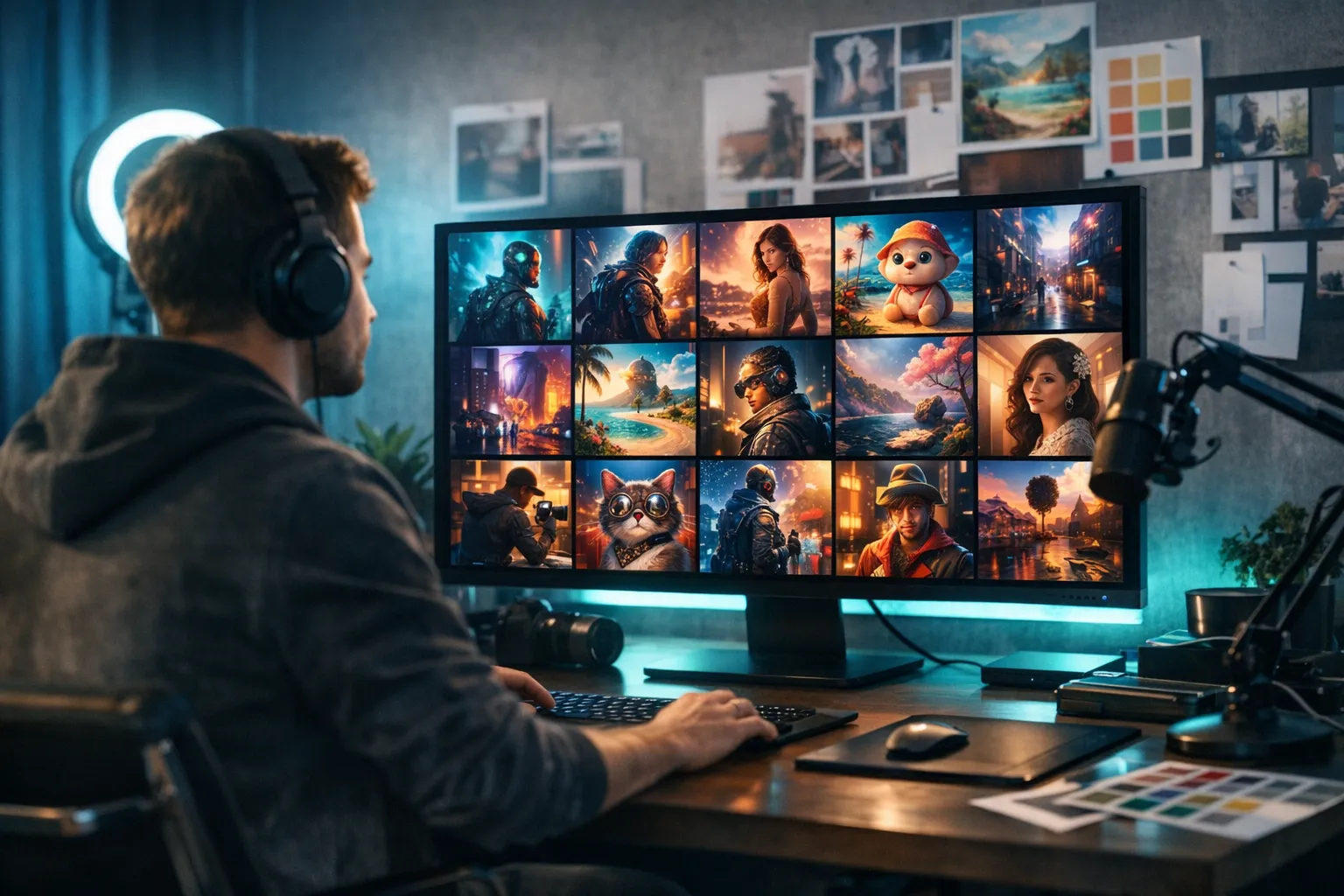
AI image generation social media workflows have evolved from novelty into a genuine production tool for creators who need consistent visual content at volume. Whether you need branded quote graphics, educational carousel backgrounds, or eye-catching visuals to pair with your captions, AI image tools can dramatically reduce the time and cost of visual production – especially if you do not have a dedicated designer or a photography budget.
This guide covers the main tools for ai image generation social media use, how to write prompts that produce social-ready visuals, platform-specific image dimensions, maintaining visual brand consistency, and what to check before scheduling any AI-generated image.
AI Image Generation Social Media Tools: A Practical Comparison
The landscape of AI image generation social media tools has expanded considerably. Here is a practical comparison of the four most widely used options:
| Tool | Access Method | Best For | Key Strength |
|---|---|---|---|
| DALL-E | ChatGPT Plus subscription | ChatGPT workflow users | Photorealism + inpainting |
| Midjourney | Discord subscription | Editorial and artistic content | Distinctive aesthetic quality |
| Canva AI | Canva subscription (included) | Quick branded graphics | Design-tool integration |
| Adobe Firefly | Adobe Express / Photoshop | Adobe workflow users | Commercial-safe training data |
DALL-E via ChatGPT
DALL-E is OpenAI’s image generation model, accessible through ChatGPT Plus. If you already use ChatGPT for content creation tasks – drafting captions, repurposing long-form content, brainstorming – DALL-E is the most natural extension of that workflow. You can generate images within the same conversation where you are working on text, keeping the process tightly integrated.
DALL-E handles photorealistic scenes and illustration-style outputs well. Its inpainting feature (editing specific areas of a generated image without regenerating from scratch) is particularly useful for targeted adjustments. For creators who want ai image generation social media production to fit into an existing ChatGPT workflow, DALL-E is the most frictionless starting point.
Midjourney
Midjourney is primarily accessed via Discord (with a web interface also available) and is widely recognized for producing visually striking, highly stylized output. Its aesthetic default is strong – images often look polished and artistically distinctive even with relatively simple prompts. This makes it popular for creators who want visually memorable images without extensive prompting work.
The learning curve is steeper than DALL-E, but the Midjourney community has produced extensive resources on effective prompt strategies. Midjourney operates with a subscription model and supports aspect ratio arguments directly in prompts, which helps with non-square social formats.
Canva AI
Canva’s AI image generation is integrated directly into the Canva design tool. You can generate an image and immediately place it into a design template – a story graphic, a carousel slide, a quote post – without switching applications. This integrated workflow is particularly valuable if you already design in Canva.
Image quality from Canva AI is generally lower than DALL-E or Midjourney, but the workflow integration compensates for many use cases, especially when you need to produce simple branded graphics quickly.
Adobe Firefly
Adobe Firefly is Adobe’s AI image generation model, integrated into Adobe Express and Photoshop. A key advantage for commercial use is that Firefly is trained on Adobe Stock images and public domain content, making its outputs commercially safe by default – a meaningful consideration for brands and businesses. If you are already in the Adobe ecosystem, Firefly provides the tightest integration with professional design tools.
How to Write Effective Prompts for AI Image Generation Social Media Posts
Prompt quality is the most important variable in any ai image generation social media workflow. A well-structured prompt consistently produces better results than re-generating with a vague description. Follow these steps to write prompts that produce social-ready images:
-
Start with the subject and action. Describe specifically what you want in the image: “a woman in a modern home office, looking at a laptop screen, smiling.”
-
Define the visual style. Choose from terms like “photorealistic,” “flat design illustration,” “editorial photography,” “hand-drawn illustration,” or “minimalist graphic.” Different tools respond differently to these terms – note which phrasings produce consistent results for your tool of choice.
-
Specify the color palette. Include your brand colors or a general direction: “warm orange and cream tones,” “cool blues and white,” or “high contrast black and gold.” AI tools cannot match exact hex codes, but color direction makes a meaningful difference in output.
Steps 1–3 establish the core subject, look, and color of your image. Once you have those locked in, the following steps add the detail layers that make images genuinely usable on social platforms rather than generic starting points.
-
Describe the mood and energy. “Calm and professional,” “energetic and vibrant,” “cozy and approachable” – emotional direction shapes the color palette, lighting, and composition the AI gravitates toward.
-
Add composition notes. Social media formats have specific framing requirements. Include “centered subject with empty space on the left for text overlay,” “wide shot for a banner format,” or “square composition with subject in the lower third” to guide the output toward usable formats.
-
Specify lighting. “Natural window light,” “soft studio light,” “bright outdoor daylight,” or “moody low light” – lighting direction often produces one of the most noticeable changes in image tone and feel.
-
Note the platform or format. “Suitable for an Instagram feed post,” “portrait orientation for Stories,” or “wide banner format” helps the tool calibrate the output toward the right aspect ratio and visual weight.
Effective prompting for ai image generation social media content is a skill that improves with practice. Keeping a personal prompt library – a document where you save your most effective prompt structures – builds into a reliable toolkit over time.
Platform Image Size Specs
A practical consideration in any ai image generation social media workflow is that different platforms require different image dimensions. Most AI tools generate square images by default. Knowing the dimensions you need before generating saves significant reformatting time.
| Platform | Recommended Size | Aspect Ratio | Notes |
|---|---|---|---|
| Instagram Feed (Square) | 1080 × 1080 px | 1:1 | Safe standard for all feed posts |
| Instagram Feed (Portrait) | 1080 × 1350 px | 4:5 | More screen real estate; can increase feed engagement |
| Instagram Stories | 1080 × 1920 px | 9:16 | Vertical full-screen; most AI tools need cropping |
| Instagram / Facebook Reels | 1080 × 1920 px | 9:16 | Same as Stories |
| LinkedIn Post Image | 1200 × 628 px | 1.91:1 | Standard for single images in feed posts |
| Twitter / X | 1200 × 675 px | 16:9 | Single image post standard |
| Facebook Feed / Link Preview | 1200 × 630 px | ~1.9:1 | Works for organic posts and link previews |
| 1000 × 1500 px | 2:3 | Vertical pins tend to outperform square in most feed contexts |
For non-square formats, you have two practical options:
- Specify the aspect ratio in your prompt. Midjourney supports
--ar 9:16style arguments. DALL-E allows aspect ratio selection in ChatGPT. This produces the correct orientation at generation time. - Generate square and crop in a design tool. Generate in the AI tool, then crop or expand to the required dimensions in Canva or Adobe Express. Most experienced creators use this approach for fine-tuned layout control.
Maintaining Brand Consistency With AI Image Generation Social Media Content
One of the persistent challenges in ai image generation social media workflows at scale is visual consistency. Without intentional constraints, AI outputs can vary significantly in style, color, and feel from one generation to the next – making your feed look disjointed.
One of the most effective approaches is a reusable prompt template that encodes your brand’s visual direction. You fill in only the subject-specific details for each new image; the style, color, mood, and composition parameters stay constant across all generations.
Sample brand prompt template:
[Subject and action], [photorealistic / illustration / flat design] style, [brand color palette], clean composition, [light quality], [mood], square format, high quality.
Using the same template structure keeps output visually cohesive even as the subjects change. Consistency comes from the repeating parameters, not from the AI making the same stylistic choices automatically.
Additional practices that support visual brand consistency:
- Save your most successful prompts. When a generation produces exactly the look you want, save that prompt. It becomes your visual benchmark for similar future images.
- Generate multiple variations and select the most on-brand. Most tools generate two to four images per prompt. Reviewing all options before choosing applies human judgment before anything reaches your feed.
- Run outputs through a consistent design template. Using every AI-generated image through a branded Canva or Adobe Express template – adding your logo, brand fonts, and layout – creates visual coherence that transcends what the AI alone can produce.
- Maintain a visual style reference. Save three to five examples of your best on-brand social images. Evaluate new AI outputs against these references rather than making judgments in isolation.
For guidance on maintaining brand consistency in the text and caption side of your content, Best AI Tools for Generating Authentic Brand Voice Captions covers the written side of the same challenge.
What AI Image Generation Cannot Do Well
Understanding current limitations is as important as understanding capabilities. Knowing where AI image tools fall short helps you plan your workflow accordingly.
- Text within images. Current AI image generators struggle to render readable text. Words in AI-generated images are frequently misspelled, distorted, or illegible. Generate the background image with AI and add text in a design tool afterward.
- Specific real people. AI image generators cannot reliably produce images of specific real individuals. For any social content featuring real people, you need actual photography.
- Exact brand elements. AI tools cannot reproduce your specific logo, brand font, or precise hex color values within a generated image. Add these in post-production using a design tool.
- Repeatable characters and visual motifs. If you want a consistent character, mascot, or visual motif across a series of images, AI tools will produce variations rather than exact replications. Design templates remain more reliable for strict visual repeatability.
- Factual accuracy in real locations or products. AI image generators interpret subjects creatively rather than accurately. Generated images of real locations, branded products, or specific objects will be generic interpretations, not accurate representations.
What to Verify Before Publishing AI-Generated Social Media Images
A brief review before publishing any AI-generated social media image prevents problems that are easy to miss when working quickly but noticeable to an audience. Build this checklist into your publishing workflow:
-
Check all text in the image. Any text appearing inside an AI-generated image is likely distorted or misspelled. If there is visible text, replace it in your design tool before publishing.
-
Review for anatomical inconsistencies. Hands, fingers, and faces are the most common sources of AI image artifacts. If the image includes people, inspect these areas carefully before publishing.
-
Confirm brand alignment. Colors, mood, and visual style should match the rest of your feed. An off-brand image undermines the visual consistency you are building.
These first three checks address the most common failure modes – garbled text, AI anatomy artifacts, and off-brand color choices. The remaining checks focus on technical fit for the specific platform and any commercial considerations that apply to your content.
-
Test at actual crop and aspect ratio. An image that looks fine at full size may crop poorly in a feed card or look crowded in a Story frame. Preview it at the actual platform dimensions before scheduling.
-
Check for AI artifacts. Look for unusual textures, merged objects, strange backgrounds, or geometric inconsistencies that signal a partially failed generation. When in doubt, regenerate with a refined prompt.
-
Confirm commercial usage rights. If you are publishing commercial content or sponsored posts, verify that the terms of service for your AI image tool permit commercial use of generated images.
This review takes only a few minutes per image and significantly reduces the risk of publishing AI-generated content that reflects poorly on your brand.
Integrating AI Image Generation Into Your Social Media Workflow
AI image generation social media workflows work best when AI handles image creation and separate tools handle scheduling and distribution. The practical workflow most creators follow:
- Generate a base image with your AI tool of choice, using your saved prompt template as a starting point.
- Refine in Canva, Adobe Express, or a similar design tool – add text, branding elements, and adjust the layout for the target platform dimensions.
- Export at the correct dimensions for each platform you are publishing to.
- Schedule across platforms using a social media scheduling tool that handles cross-platform distribution.
Tools like BrandGhost handle the scheduling and distribution step – letting you queue visual posts across multiple platforms without manually uploading to each one. For a broader look at how AI tools connect across the full content creation process, AI for Content Creators: The Complete Guide covers where image generation fits alongside writing, scheduling, and strategy tools.
If you are working on the written content that pairs with your visuals, AI Social Media Caption Generator: A Practical Guide covers how to produce captions that match the tone and platform requirements of your visual content. For repurposing visual content across platforms, AI Content Repurposing: A Practical Guide covers how to extend the reach of content you have already created.
Getting Started
The most practical starting point for ai image generation social media production is picking one tool and spending time learning its prompting conventions. Each tool has specific quirks – terms that reliably produce better output, preferred aspect ratio handling, style references that work consistently. The investment in learning one tool’s behavior pays off quickly as you generate images faster with more predictable results.
Start with simple, concrete subjects – a workspace, an abstract background for a quote graphic, a product flat lay – before moving to complex scenes. Simple subjects give faster feedback on which prompting approaches produce reliable results.
From there, build your prompt template library: reusable prompt structures for the types of images you generate most often. Once that template library is established, ai image generation social media production becomes genuinely efficient rather than a trial-and-error process each time you need a new visual. The combination of a reliable prompt template, a consistent design template, and a scheduling tool creates a repeatable visual content workflow that scales without requiring a design team.
Frequently Asked Questions
What AI tools are best for ai image generation social media workflows?
The four most widely used tools are DALL-E (via ChatGPT Plus), Midjourney (via Discord), Canva AI (integrated into the Canva design tool), and Adobe Firefly (integrated into Adobe Express and Photoshop). Each has different strengths in image quality, style control, and workflow integration.
How do I maintain brand consistency with AI-generated social media images?
Consistency comes from using detailed, repeatable prompt templates that specify your brand colors, visual style, and image mood. Using the same base prompt structure across all your image generation requests keeps outputs visually cohesive over time.
What image sizes should I use for different social media platforms?
Instagram feed posts work best at 1080x1080 (1:1 square) or 1080x1350 (4:5 portrait). LinkedIn and Facebook link previews prefer 1200x628. Twitter/X images are typically 1200x675. Stories and Reels use 1080x1920 (9:16 vertical).
Can I use AI-generated images commercially on social media?
Usage rights vary by tool. Many platforms allow commercial use of generated images, but review the specific terms for each tool you use. Midjourney, DALL-E, Canva AI, and Adobe Firefly each have different commercial usage policies.
How do I write better prompts for AI image generation social media posts?
Include the visual style, color palette, mood, subject, composition, and intended platform in your prompt. Be specific about emotional tone. Adding style references like flat design, photorealistic, or editorial photography helps guide the output significantly.